

Whenever I work with project managers on workflow challenges, I hear the same issues on repeat, and workflow automation statistics help explain why.
Work gets stuck in approvals. Updates live in too many tools. Teams spend hours chasing status. And the “simple” stuff like handoffs, follow-ups, routing, and reporting somehow eats the whole week.
I lean on data because it cuts through opinions fast. The right statistics show what’s actually happening in 2026: where teams are investing, which project workflows deliver quick wins, how AI is reshaping automation, and what causes automation efforts to stall once real complexity emerges.
Before we jump into the numbers, let’s quickly look at why workflow automation statistics matter and how they help you make smarter calls on where to focus and what to automate first.
Why Workflow Automation Statistics Matter
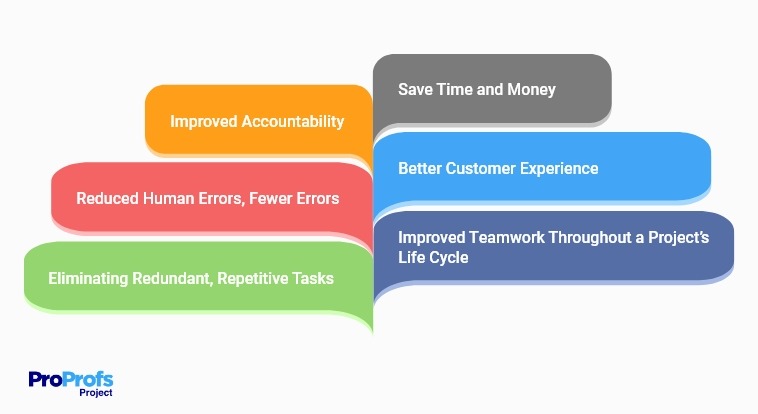
Automating workflows boosts efficiency by eliminating repetitive tasks and reducing human errors. This drives improved accountability and teamwork, allowing you to save time and money while delivering a better customer experience throughout the project life cycle.
Workflow automation tools can look similar on the surface. Everyone promises faster execution, fewer errors, and better productivity. The difference is how those promises hold up once you have real teams, real dependencies, and constant change.
Workflow automation statistics can help you:
1. Predict Risks and Roadblocks Early
If your workflows span multiple systems, you are more likely to run into automation complexity. Knowing this upfront helps you plan integration and governance, not just workflow steps.
2. Make a Better Business Case
Leadership may agree with the goal of automation but still hesitate because measurement feels unclear. Data gives you credibility and makes it easier to move from “we should” to “we are doing this.”
3. Benchmark Your Maturity
Automation is not binary. You are not either automated or not automated. You are somewhere on a maturity curve, and stats help you see what “normal” looks like in 2026.
4. Prioritize Workflows That Actually Improve Delivery
Most project management wins come from automating boring things that cause delays: intake, approvals, routing, escalations, reminders, status rollups, and billing.
Watch: Revolutionize Your Billing Process with these 4 SMART Automation Tips
Workflow Automation Market Statistics
These workflow automation statistics give you the big-picture view of where workflow automation is headed and why the category keeps accelerating.
- The workflow automation market was USD 23.77B in 2025 and is forecast to reach USD 37.45B by 2030. (Mordor Intelligence)
- That forecast implies a 9.52% CAGR over the period. (Mordor Intelligence)
- Another estimate values the workflow automation market at USD 46.8B by 2032. (Global Market Insights)
- A separate forecast puts the market at USD 19.76B in 2023, reaching USD 45.49B by 2032. (Straits Research)
- Another projection estimates USD 24.5B in 2024, reaching USD 78.6B by 2030. (Research and Markets)
Adjacent Markets Driving Workflow Automation Adoption
Workflow automation rarely sits alone. Most teams combine workflow tools with integration platforms and automation engines.
- The Robotic Process Automation (RPA) market was USD 18.18B in 2024, projected to grow to USD 72.64B by 2032. (Fortune Business Insights)
- The workflow management system market was USD 9.54B in 2022 and is projected to reach USD 86.63B by 2030. (Grand View Research)
- The Integration Platform as a Service (iPaaS) market was estimated at USD 10.5B in 2023, projected to reach USD 71.35B by 2030. (Grand View Research)
- North America led iPaaS with a 37.2% revenue share in 2023. (Grand View Research)
- Technavio forecasts the iPaaS market growth of USD 37.35B (2024–2029). (Technavio)
- Another estimate notes iPaaS exceeded USD 9.1B in 2023. (Global Market Insights)
- Gartner predicted 70% of new applications would be developed using low-code by 2025 (as reported). (Gartner)
Workflow Automation Adoption and Usage Statistics
Market growth is one side of the story. Adoption tells you what teams are doing on the ground, and what is slowing them down.
Automation Maturity and Investment
- 93% of organizations have a center of excellence for process automation. (Camunda)
- On average, 46% of organizational processes are automated. (Camunda)
- 83% plan to increase their automation investment by 10% or more. (Camunda)
- 90% of IT decision-makers said their organization will increase automation investment in the next 24 months. (Camunda)
Why Adoption Still Feels Hard
Automation fails more from complexity and coordination than from lack of tools. These stats explain why many teams feel stuck even when budgets exist.
- 49% said processes spanning multiple systems drive automation complexity. (Camunda)
- 72% said automation cannot keep up with the rate of organizational change. (Camunda)
- 82% said miscommunication between teams leads to the wrong thing being built or rolled out. (Camunda)
If you are a project manager, this is a useful takeaway. Your automation plan should include ownership, change control, and shared definitions. Not just workflow diagrams.
Workflow Automation ROI, Productivity & Performance Statistics
Workflow automation often pays off in the places you do not see in a demo. Less waiting. Fewer follow-ups. Cleaner handoffs. Faster approvals. Better visibility without manual reporting.
Ultimately, these efficiencies empower teams to maximize project outcomes by focusing on strategy rather than logistics.
What Workers Report From AI Support
- 75% of knowledge workers use AI at work. (Microsoft Work Trend Index 2024)
- 46% of AI users started using it less than 6 months ago. (Microsoft Work Trend Index 2024)
- Users said AI helps them save time (90%). (Microsoft Work Trend Index 2024)
- Users said AI helps them focus on their most important work (85%). (Microsoft Work Trend Index 2024)
- Users said AI helps them be more creative (84%). (Microsoft Work Trend Index 2024)
- Users said AI helps them enjoy work more (83%). (Microsoft Work Trend Index 2024)
Leadership Is Aligned on Urgency, Not Measurement
- 79% of leaders agreed their company needs to adopt AI to stay competitive. (Microsoft Work Trend Index 2024)
- 59% of leaders are worried about quantifying productivity gains from AI. (Microsoft Work Trend Index 2024)
- 60% of leaders are worried leadership lacks a plan and vision to implement AI. (Microsoft Work Trend Index 2024)
Hidden Productivity Drains That Workflow Automation Targets
- 68% said they struggle with the pace and volume of work. (Microsoft Work Trend Index 2024)
- 46% said they feel burned out. (Microsoft Work Trend Index 2024)
- 85% of emails are read in under 15 seconds. (Microsoft Work Trend Index 2024)
These numbers matter because they point to where automation should focus first. Not on big transformations. On the daily coordination load that quietly delays delivery.
AI and Intelligent Automation Statistics
In 2026, automation is shifting from rules-only workflows to AI-assisted workflows. That changes how teams create, maintain, and improve processes.
Enterprise AI Adoption Signals
- Among enterprises (1,000+ employees), 42% reported deploying AI (Nov 2023). (IBM Global AI Adoption Index)
- Another 40% reported actively exploring AI. (IBM Global AI Adoption Index)
AI Use Often Happens Without Formal Approval
- 78% of AI users are bringing their own AI tools to work (BYOAI). (Microsoft Work Trend Index 2024)
- BYOAI is higher in SMBs at 80%. (Microsoft Work Trend Index 2024)
- 52% of people who use AI at work are reluctant to admit to using it for their most important tasks. (Microsoft Work Trend Index 2024)
- 53% worry that using AI on important work makes them look replaceable. (Microsoft Work Trend Index 2024)
This is a workflow signal. If people are already using AI informally, your automation strategy should include guardrails around sensitive data, review steps, and approved tools.
Automation Outcomes Reported by Organizations
- 87% said they’ve seen increased business growth due to process automation within the last year. (Camunda)
- 95% said automation helped achieve operational efficiency. (Camunda)
- 93% said automation helped improve customer experiences. (Camunda)
Workflow Automation Challenges and Risk Statistics
Even with rising adoption, teams still hit predictable blockers. Planning for these upfront is what separates “we tried automation” from “automation became normal.”
The Rise Of Uncontrolled Complexity
- 78% say complex workflow patterns or long-running processes are making automation harder. (Camunda)
- 85% say combining multiple automated tasks makes end-to-end process management more complex. (Camunda)
- 60% say branching or conditional logic tied to complex business rules is a major cause of process complexity. (Camunda)
- 56% say legacy systems that are hard to connect to are a major cause of process complexity. (Camunda)
- 49% say workflows that span multiple systems are a major cause of process complexity. (Camunda)
- 23% say complexity increases because parts of the workflow are owned by another team. (Camunda)
What This Puts At Risk
- 82% say lack of control increases compliance risk. (Camunda)
- 77% say lack of control increases the risk that core business processes stop working. (Camunda)
- 69% say growing complexity makes it harder to analyze and improve processes. (Camunda)
Hyperautomation
Hyperautomation is another theme worth tracking. Many large organizations prioritize it, but measurement still lags.
- Hyperautomation is described as a top strategic priority for 90% of large organizations. (Gartner)
- Fewer than 20% reportedly measure and monitor automation initiatives effectively. (Gartner)
Workflow Automation Trends for 2026 and Beyond
These trends reflect what is changing in real teams, not just vendor roadmaps.
1. AI Becomes a Built-In Workflow Layer
When most knowledge workers already use AI and report time savings, the next step is obvious. AI becomes part of how workflows run. (Microsoft Work Trend Index 2024)
How to Utilize: Use AI to summarize and route work first. Add review steps for workflows that affect customers, finance, or compliance. Standardize approved tools so BYOAI does not create hidden risk.
2. Workflow Automation Shifts From Task Automation to Orchestration
Teams are less excited about automating one task. They want the whole workflow to move smoothly across systems. (Camunda)
How to Utilize: Map one end-to-end process and mark where work leaves a system and becomes manual. Automate those handoffs first because they create the biggest delays.
3. Integration Becomes the Real Automation Multiplier
Your workflow tool is only as useful as the systems it connects to. That is why iPaaS growth matters in the automation story. (Grand View Research)
How to Utilize: Treat integrations as part of workflow design. Prioritize connections that remove copying and pasting. Create one source of truth for status so updates stop living in five places.
4. Measurement Becomes the Differentiator
Leaders want automation, but many struggle to quantify results. That is your opportunity as a project manager. (Microsoft Work Trend Index 2024)
How to Utilize: Track cycle time, touch points, and rework rate per workflow. Report improvements monthly for the first 90 days.
5. Low-Code Keeps Expanding Who Can Automate
Low-code adoption keeps pushing automation beyond IT. This increases speed, but it also increases the need for lightweight governance. (Forbes)
How to Utilize: Assign a workflow owner per process, standardize naming and documentation, and require review for workflows touching sensitive systems or external users.
How to Use These Workflow Automation Statistics to Improve Your Strategy
Seeing workflow automation statistics is one thing but turning them into action is where the real value is.
1. Use Market Growth to Justify Urgency
When workflow automation and adjacent markets keep expanding, it is a strong signal that competitors are investing in speed and efficiency. Use the market stats to justify a roadmap, not a one-off initiative.
Practical move: Build a 12-month plan with quarterly workflow milestones.
2. Use Adoption Stats to Benchmark Maturity
Instead of chasing a vague target like “automate 50% of processes,” benchmark maturity by workflow impact.
Practical move: Identify your top 10 workflows and score each based on how often it stalls, how many tools it touches, and how much rework it creates. Automate the top two first.
3. Use AI Stats to Create Guardrails Early
“Bring Your Own AI” signals that even if you do nothing, AI is already entering workflows.
Practical move: Define approved tools, restricted data, and human review requirements for critical outputs.
4. Use Challenge Stats to Prevent Predictable Failure
Cross-system complexity and miscommunication cause automation to break.
Practical move: Run a short workflow discovery session. Map the process, define ownership, agree on change control, then build.
Automate Your Workflows with the Right Insights
The stats in this guide point to one clear reality. Workflow automation is growing because manual coordination is no longer scalable. AI adoption is rising rapidly, integration is becoming increasingly essential, and organizations want automation results that they can measure.
If you want a simple plan, focus on three essentials. Automate cross-team handoffs first. Use AI where it reduces admin work, not where it replaces judgment. Track cycle time and rework so the impact is visible.
Tools like ProProfs Project can support this approach by helping teams keep tasks, workflows, and reporting in one place, so automation translates into on-time delivery instead of more tool sprawl. The tool also offers multiple dashboard views, allowing you to switch between Kanban, Gantt, and Calendar views.
Frequently Asked Questions

What workflows should project managers automate first?
Start with workflows that create delays and coordination overload, because those are the ones quietly draining delivery capacity. Intake and request routing, approvals and escalations, cross-team handoffs, and status reporting are typically the fastest wins, as automation reduces waiting time and minimizes follow-up churn.
How do you measure workflow automation ROI without overcomplicating it?
Measure one workflow at a time and track changes in cycle time, manual touches, and rework rate before and after automation. If those improve, you have a clear story to share with stakeholders even before you calculate full cost savings.
Is workflow automation the same as RPA or BPM?
Workflow automation focuses on moving work through steps, approvals, and routing. RPA focuses on automating repetitive actions across systems. BPM focuses on designing and improving end-to-end business processes. In real teams, they often overlap because a single workflow may need routing, process rules, and task-level automation.
How can you start workflow automation in the next 30 days?
Pick one workflow with frequent delays and map it clearly, then standardize the intake so requests arrive complete and consistent. Automate routing, reminders, and approvals next, and track cycle time and rework for a few weeks so you can prove impact and confidently expand to the next workflow.
FREE. All Features. FOREVER!
Try our Forever FREE account with all premium features!