“Where did the money actually go?”
I’ve asked this question in more project review meetings than I can count. On paper, the project looked profitable. But when we dug into the numbers, the margins told a different story. Hidden costs, untracked hours, and scope creep quietly chipped away at profitability.
That’s when I truly understood the power of project accounting software.
Project accounting software doesn’t just keep track of your numbers; it gives you the insights to make informed decisions. Whether you’re overseeing client work, internal initiatives, or resource allocation, having a tool that links financials directly to project outcomes is invaluable.
If you’re tired of the constant back-and-forth between finance and project teams and need a better way to keep everything aligned, then project accounting software might just be what you’re looking for. Let’s get started!
What Is Project Accounting Software?
Project accounting software tracks money and effort for each project separately, so you can see which jobs make a profit and which ones quietly lose money.
Each project gets its own budget, cost log, and billing record. Instead of looking at one big company-level view like “we earned $X this month,” you can answer practical questions like:
- How much did Project A really cost us in time and expenses?
- Did we stay within the budget or go over?
- What is our profit on this specific client job?
- Are we billing everything we should be billing?
- Which project phase eats the most hours?
In short, project accounting software gives you clear, project-by-project numbers so you can price smarter, bill confidently, and protect your margins before small leaks turn into big losses.
Why Do Accounting Teams Need Project Accounting Instead Of Basic Accounting?
Basic accounting tells you what happened in the business. Project accounting tells you what happened inside each client job, engagement, or project.
Basic accounting answers:
- How much did we earn this month?
- What did we spend overall?
- How much cash do we have?
Project accounting answers the questions that actually cause problems:
- Did we actually make money on Client A’s job?
- Which phase blew the budget?
- Are we missing billable time or expenses?
- Who worked on this, when, and why, in case a client challenges it?
Accounting teams adopt project accounting when they keep seeing these problems:
1. Budget Surprises: “We Billed The Hours, But Margin Disappeared.”
This usually happens when the project looks fine on the surface, but the real costs are not being tracked properly. Maybe the team logged time late, maybe small expenses were missed, or the client kept adding “quick requests” that never made it into the scope.
With project accounting, you can spot overruns early because you see budget vs actual as the work is happening, not after the job is already done.
2. Messy Audit Trails: Everything Lives In Email
In a lot of firms, key project details are scattered. Approvals sit in email threads. Scope changes live in a message or a call note. Receipts are in someone’s inbox. When you need to explain a number, you end up piecing together the story from five places.
Project accounting pulls this into one timeline, so when someone asks “why was this billed?” you can point to the time entry, the approval, and the notes without digging through old emails.
3. Billing Disputes: “Why Is This On My Invoice?”
Clients usually don’t dispute invoices because they want to be difficult. They dispute invoices when they don’t understand them. If you cannot quickly show what work was done, who did it, and when it was approved, the easiest path becomes a discount or write-off.
Project accounting makes billing cleaner because the invoice connects to the work behind it, so you can answer questions confidently and reduce back-and-forth.
4. Staff Overload: Deadlines Pile Up, And Work Gets Missed
Accounting work tends to cluster. Month-end, payroll, tax deadlines, audit fieldwork. Without a clear view of workload, the same people get overloaded while tasks fall through the cracks.
Project accounting helps because it shows progress by project and phase, so you can see what is stuck, who is at capacity, and what needs attention next.
5. The Real Cost of All This
PMI’s research puts wasted project investment at 5.2% globally. On a $500K annual project portfolio, that’s $26,000 quietly lost each year to scope creep, missed time, and billing gaps that project accounting would catch.
Explore specialized tools like the best legal project management software after accounting. Recommendations: Best Legal Project Management Software.
Best Project Accounting Software List: 10 Options By Use Case
Quick note on how to use this list: Tools here fall into three categories, project accounting-first tools (built around project financials), accounting tools with project modules (accounting-native, project features added), and project management tools with finance support (delivery-first, financials secondary). Knowing which category fits your workflow will cut your shortlist in half.
| Tool Name | Best For | Pricing | User Rating (G2) |
| ProProfs Project | Simplest Project Management Tool for SMBs With Client Invoicing, Time & Billing | Forever free for small teams. Paid plan starts at $39.97/month | 4.4/5 |
| Productive | Budgeting and time tracking for project financials | Starts at $12/user/month | 4.6/5 |
| Teamwork | Client project management and task organization | Starts at $10.99/user/month | 4.4/5 |
| BigTime | Time tracking, invoicing, and expense management for services teams | Starts at $20/user/month | 4.6/5 |
| Wrike | Workflow dashboards and reporting for complex projects | Starts at $10/user/month | 4.2/5 |
| Financial Cents | Accounting firm workflow and task visibility | Starts at $49/user/month | 4.8/5 |
| monday.com | Custom workflows and task management | Starts at $9/user/month | 4.7/5 |
| Zoho Books | Accounting plus project time tracking and expense management | Starts at $15/month (per organization) | 4.4/5 |
| Xero Projects | Project profitability and cost tracking within Xero | Starts at $29/month (Xero plan starting point) | 4.3/5 |
| QuickBooks | Job costing and profitability tracking for small businesses | Starts at $20/month | 4.0/5 |
1. ProProfs Project – Simplest Project Management Tool for SMBs With Client Invoicing, Time & Billing
Right now, I use ProProfs Project when I want a clean way to manage tasks, deadlines, and client billing without juggling five different tools. What sets it apart is how tightly the time tracking ties into billing. The team members log hours directly on tasks, and that timesheet data automatically flows into professional invoices. You can use start/stop timers or add manual time entries.
On the invoicing side, the workflow is surprisingly complete for a project management tool. You set a price at the project or task level, and as work gets logged, costs are automatically added to the client invoice. Once an invoice is ready, you can share it with clients in one click and even send automated payment reminders.
One reported outcome: invoicing time cut from 1.5 hours to ~25 minutes after moving off spreadsheets. For teams moving off spreadsheets, the payoff is having timesheets, invoices, expenses, and project tracking all in one place, with billable and non-billable hours separated, branded invoices, and recurring billing that removes the manual grind entirely.
More recently, the tool has brought AI into project setup and monitoring too. Describe a project in plain language, and its AI Project Designer builds out the tasks, stages, and assignments for you automatically. There’s also an AI assistant available throughout the project, so instead of manually checking whether a project is drifting over budget, you can ask it something like “which projects are overrunning” and get a direct answer, catching margin problems before they show up on the invoice.
Pros:
- Allows seamless workflow adjustments with drag-and-drop functionality, making task management flexible
- AI Project Designer and AI assistant that build project structures and flag budget or timeline risk automatically
- The Kanban board offers a visual way to manage task progress, showing assigned users, due dates, and files all in one place
- Track time on tasks effortlessly, which helps in generating pain-free client invoices
- Receive real-time notifications and alerts for tasks and deadlines, keeping everyone on track
Cons:
- No downloadable or on-premise version
- Dark user interface option not available
Ideal for: Teams that currently manage projects and billing across multiple tools (spreadsheets + email + a separate invoicing tool) and want to consolidate without moving to a full accounting platform.
Pricing:
A free plan is available for growing teams. Paid plans start at $39.97/month.
Integrate financial tools like accounting project management software with the best creative project management software. Guide: Best Creative Project Management Software.
2. Productive – Best for Budgeting & Time Tracking
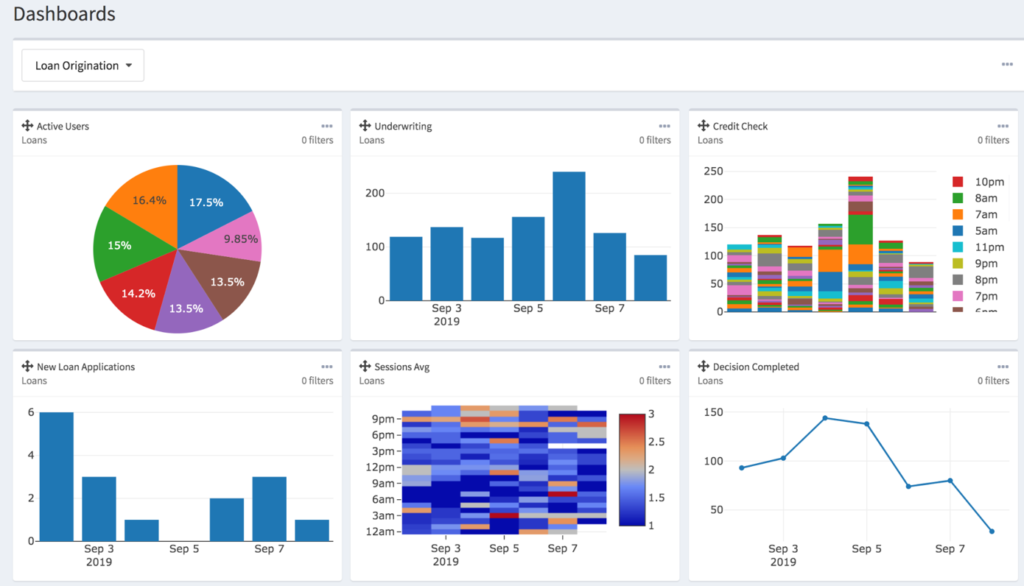
Image source: Pyze
What stood out when I used Productive was how quickly I could see whether a project was staying healthy or drifting into budget trouble. I tracked time, set project budgets, and checked reporting often to catch overruns early. It felt like the tool was always nudging me toward the numbers that mattered, not just task completion.
The practical use case is services teams where the project manager and finance lead are often the same person or working closely together. Having budget and delivery data in one place means fewer “where are we on budget?” conversations mid-project.
Pros:
- Integrates project budgeting and financial tracking directly into the workflow, ensuring no surprises
- Time tracking and expense management are included, making it easy to get a full picture of project costs
- Customizable reporting tools allow teams to oversee their operational performance and project progress
- Built-in client invoicing with budget-based tracking allows for smoother billing processes
Cons:
- Higher tiers are required for more advanced reporting and controls
- Per-user pricing can add up as teams scale
Ideal for: Agencies and professional services firms (10–50 people) where project managers need budget visibility without relying on a separate finance team to pull reports.
Pricing:
Starts at $12/user/month.
3. Teamwork – Best for Client Projects
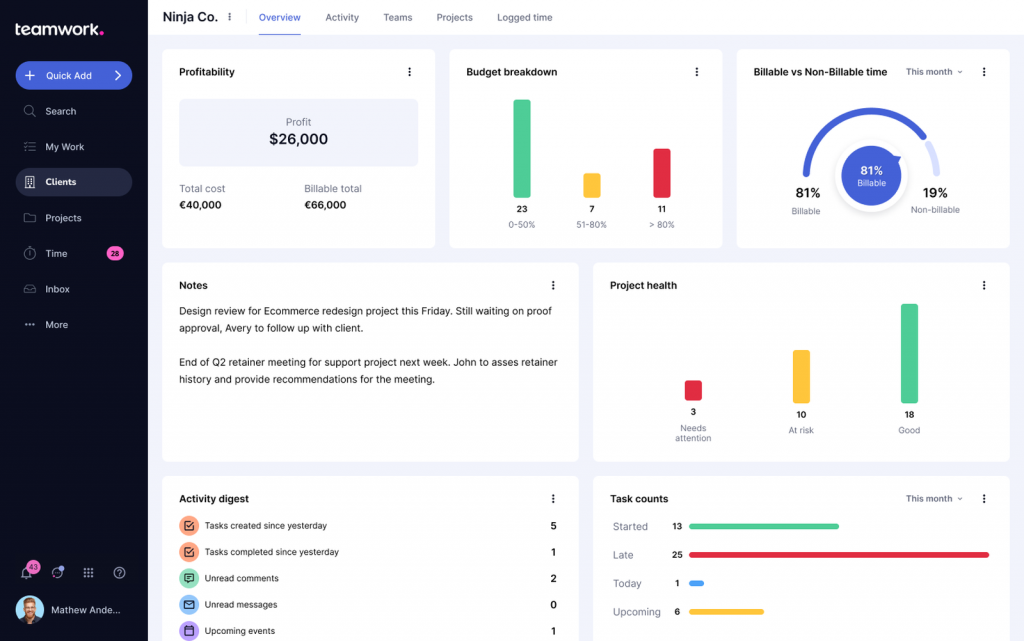
Image source: Teamwork
I found Teamwork ideal for managing multiple client projects simultaneously. I set up projects, assigned tasks, and used the views and reporting to keep delivery organized without constantly chasing updates. The structure helped when multiple people touched the same client project and we needed clarity on what was next.
The financial visibility in Teamwork is practical rather than deep. You can track time against projects and get billing data, but it’s not a substitute for accounting software. Where it earns its place is keeping delivery and billing clarity together for client work specifically.
Pros:
- Supports structured project and task management, offering a clear structure for client-facing work
- Multiple project views (Kanban, Gantt, List, Calendar) help manage deadlines, progress, and dependencies visually
- Reporting tools offer insights into team performance, allowing project managers to track progress and resource usage effectively
- Paid plans offer scaling options for teams with more complex needs and larger project volumes
Cons:
- Some features are gated by plan level
- Per-user pricing increases total cost as team size grows
Ideal for: Agencies or consultancies managing 5+ active client projects simultaneously, where task clarity and time tracking against client budgets matters more than deep accounting features.
Pricing:
Starts at $10.99/user/month.
4. BigTime – Best for Time Tracking & Invoicing
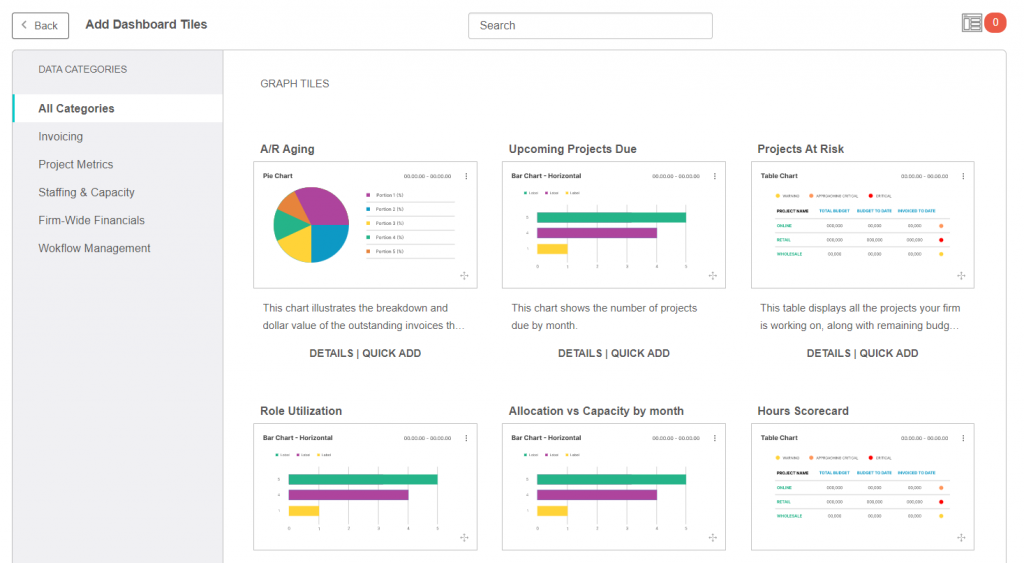
Image source: BigTime
When I tried BigTime, I used it mainly for tracking time and turning that into billing without manually stitching things together. It felt built for teams that bill for work and need clean time and expense capture. I liked that it leaned into the billing side instead of treating invoicing like an afterthought.
The specific problem it solves is standardizing time logging across a team so billable hours don’t get lost between project completion and invoice generation.
Pros:
- Includes time tracking and expense management
- Supports billing and invoicing workflows
- Designed for professional services style project management
- Provides packaged plans for different team sizes
Cons:
- Advanced needs typically require higher plans
- Implementation effort can be higher than lightweight tools for very small teams
Ideal for: Professional services firms (consulting, engineering, IT services) where time capture accuracy directly affects invoice accuracy and margin.
Pricing:
Starts at $20/user/month.
5. Financial Cents – Best for Accounting Firm Workflows
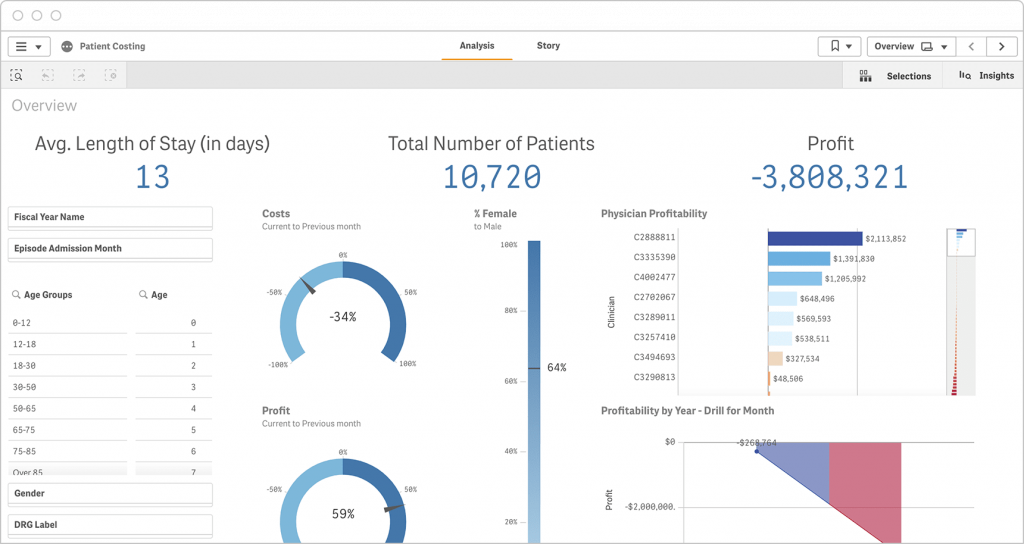
Image source: Qlik
Wrike felt more “process-first” than most tools. I set up workflows, used dashboards, and relied on reporting to see where work was stuck.
It worked best when projects had lots of steps and handoffs. Having everything structured reduced the chaos that usually comes from email-based approvals.
A colleague used Wrike for a cross-functional team and said the biggest win was visibility. They could finally spot bottlenecks early instead of discovering them after deadlines slipped.
Pros:
- Strong workflow and task management tools for managing complex projects
- Detailed dashboards and reporting features that provide project and team visibility
- Multiple views (Gantt, List, Kanban, Calendar) to help track project progress and deadlines
- Ideal for larger teams with complex project needs, offering scalability across different tiers
Cons:
- Can feel heavy for very small teams or simple workflows
- Pricing and tiers increase with advanced needs
Ideal for: Mid-to-large teams (20+ people) where projects involve multiple departments, approval chains, and you need reporting that surfaces bottlenecks before deadlines slip.
Pricing:
Starts at $10/user/month.
7. monday.com – Best for Custom Workflows
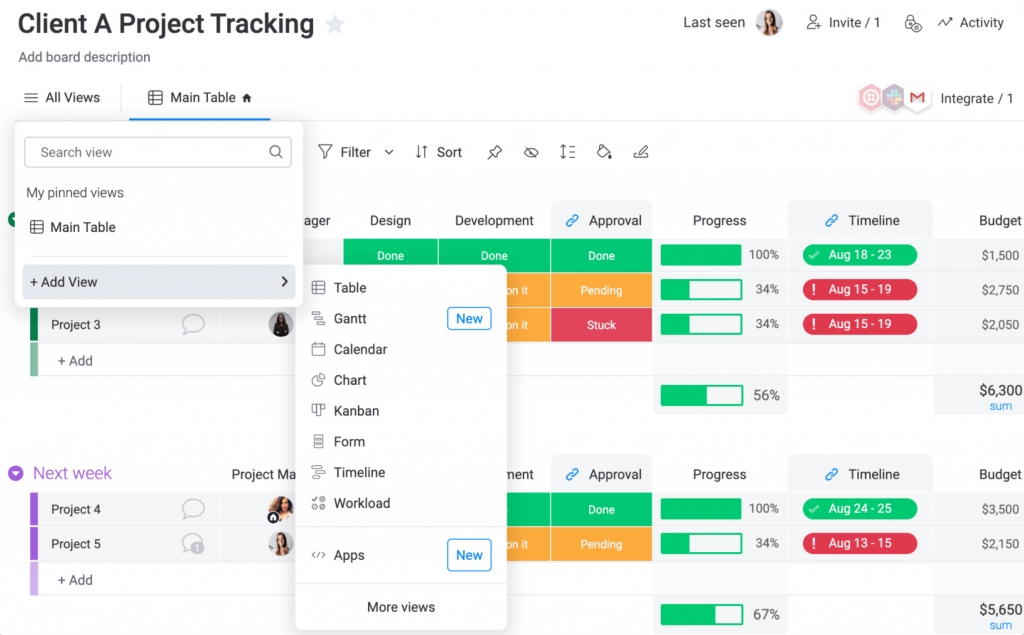
Image source: monday.com
I liked how fast monday.com helped me build a workflow that matched our process. I set up boards for projects, added owners and deadlines, and used views to keep the team aligned.
It worked well when we needed a simple system that people would actually use. The visual layout helped teams follow the flow without needing long training sessions.
Someone I know used it for an operations team and said it made status updates easier. Instead of asking for updates in chat, they checked the board and dashboard.
Pros:
- Highly customizable workflows that adapt to a variety of team needs
- Automated reminders and notifications to stay on top of deadlines and tasks
- Visual boards make it easy for teams to follow and update projects
- Provides access to data history and task tracking via audit logs
Cons:
- The tool needs an effective task dependency option
- Deep accounting features still live in accounting software, not here
Ideal for: Teams that need flexible project and operations tracking and already have accounting software handling the financial side. Not a standalone project accounting solution.
Pricing:
Starts at $9/user/month.
8. Zoho Books – Best for Accounting Plus Project Time & Expenses
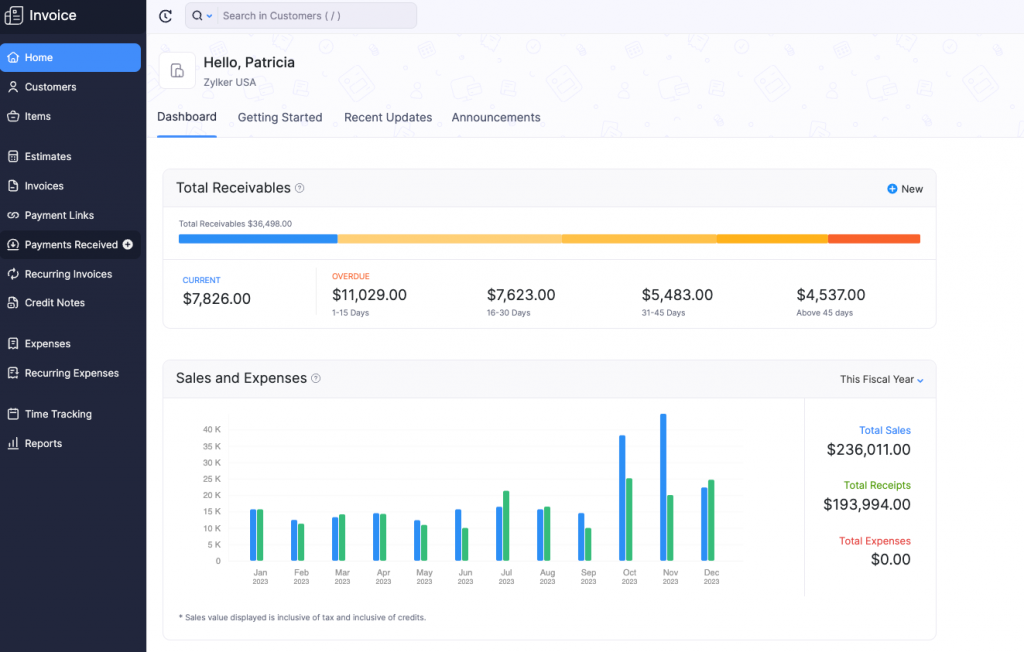
Image source: Zoho
Zoho Books is like having accounting and project tracking under one roof. I tracked project time and expenses and then used that information for billing without copying data across tools.
It felt practical for smaller teams that want fewer systems. Instead of juggling a PM tool and accounting tool, I could keep more of the flow in one place.
A friend who runs a small services business used it for projects and said it reduced duplicate work. They logged project costs once and used the same data for reporting and invoices.
Pros:
- Provides seamless integration between accounting and project time tracking
- Supports real-time expense tracking and timesheet management
- Allows invoicing based on time tracked, making it easier to bill clients
- Customizable payment schedules and retainer options for better cash flow management
Cons:
- The tool lacks insightful sales analytics to identify and predict sales trends
- Pricing is plan-based per organization, not a clear per-user model
Ideal for: Small service businesses (under 20 people) that want to eliminate the gap between project tracking and accounting without paying for two separate platforms. Strong alternative to QuickBooks if you want project tracking natively included.
Pricing:
Starts at $15/month (per organization).
9. Xero Projects – Best for Project Profitability

Image source: Xero
The biggest benefit Xero Projects offered was keeping project tracking close to accounting. I tracked time and costs against jobs and then checked profitability without switching tools.
If you’re not already a Xero user, the value proposition is weaker. You’d be buying into Xero’s accounting platform to get the project module, rather than evaluating Xero Projects on its own merits.
Someone I know used it for job-based services and said it made client reporting easier. They could explain profitability with clearer numbers because the project data stayed tied to accounting.
Pros:
- Tracks time and expenses against projects for accurate profitability analysis
- Helps consolidate accounting and project data into one system
- Works well for businesses already using Xero for accounting
- Offers simple invoicing and payment tracking within the same system
Cons:
- Teams needing advanced PM workflows may still want a dedicated PM tool
- Pricing and availability vary by region and plan
Ideal for: Existing Xero users who want project-level profitability tracking without adding another platform.
Pricing:
Starts at $29/month (Xero plan starting point, varies).
10. QuickBooks – Best for Job Costing & Profitability Tracking

Image source: QuickBooks
I mainly used QuickBooks for keeping the accounting side solid while tracking costs against jobs. It helped me understand which projects were actually profitable once you count real expenses.
It worked well when I wanted one system to handle invoices, expenses, and reporting without extra setup. For many teams, that simplicity is the reason they stick with it.
A friend who runs a small contracting business used it for job costing and said it helped them price better. They stopped guessing margins once they tracked actual costs per job.
Pros:
- Job costing tools to track expenses and time on each project
- Simple invoicing and expense management for project-based teams
- Widely used and integrates easily with many other financial tools
- Great for small businesses and teams that need a simple accounting solution
Cons:
- Feature access depends heavily on plan level
- Teams needing advanced project delivery workflows may still need a PM tool
Ideal for: Small businesses and contractors who already use QuickBooks and want to add project-level cost tracking without switching platforms. Not ideal as a first-time purchase if project financial tracking is your primary need.
Pricing:
Starts at $20/month.
My Top 3 Picks For The Best Project Accounting Software
After hands-on experience and reviewing how these tools handle budgeting, billing, time tracking, and project financial visibility, here are my top three recommendations:
1. ProProfs Project
I currently use ProProfs Project because it makes it easy to keep everything about a project in one place like planning, tasks, time tracking, and even billable hours. What I like most is its intuitive dashboard, AI-assisted setup, and views (List, Gantt, Kanban, Calendar) that help me quickly see what’s done, what’s overdue, and where costs are stacking up.
2. Productive
When I used Productive, its strength for me was seeing project budgets and profitability side by side with time tracking not in separate places. I could set a budget, track hours, and spot budget overruns early, before they became billing surprises.
3. Teamwork
I found Teamwork especially useful on client‑facing work because it blends solid task and time tracking with billing visibility in a way that keeps both delivery and finances clear. Setting up client projects and assigning work was quick, and the in‑tool reporting helped me explain timelines and budget status without digging through emails or spreadsheets.
If you’re an accounting firm specifically managing recurring work → ProProfs Project is the more relevant choice over all three above.
How Should Firms Migrate Without Breaking Things?
Migrating to new software can feel like a big task, but with the right approach, it can be done smoothly without causing disruption to your workflow. Here’s a simple guide to make the process easier:
Step 1: Clean Your Data First
Before moving to the new software, make sure your data is clean. Export your client, project, and time-tracking information, and remove any duplicates.
Standardize the data fields like client names, service types, and billing details to ensure everything is consistent. Clean data will make your transition to new software much smoother and prevent errors from carrying over.
Step 2: Start With One Service Line
Don’t try to migrate everything all at once. Start with one service line, such as monthly bookkeeping or tax preparation.
Run this specific service through the new software for 30 days to work out any issues before rolling out the system to the rest of your business. This way, you can fix problems early without overwhelming your team.
Step 3: Lock A Simple Team Routine
Establish clear routines for your team to follow with the new software. Set deadlines for timesheets whether daily or weekly, ensure approvals happen on a fixed day, and schedule weekly billing reviews.
Having a routine helps everyone stay organized and ensures that no important tasks slip through the cracks, making the transition more efficient.
Step 4: Handle Change Management Like An Accounting Firm
When training your team, focus on their specific roles instead of giving a generic “tool tour.” Use templates for common tasks to ensure consistency and make it easier for staff to adopt the new software.
To measure success, track two key metrics: the time logged in the software and the tasks completed on time. This will give you a clear idea of how well the transition is going.
Streamline Your Project Accounting for Greater Efficiency
Adopting the right project accounting software can significantly improve the way your team tracks time, expenses, and project profitability. By choosing the right tool, you can gain greater visibility into your projects’ financial health, ensuring you stay on top of budgets, timelines, and client expectations.
Implementing structured workflows, clear team routines, and clean data management ensures a smooth transition to the new system.
If you’re looking for a solution that keeps project management and accounting straightforward, tools like ProProfs Project can offer a practical approach. It allows you to manage everything from task assignments to billable hours in one place, helping you streamline your workflow without overwhelming your team.
What software do most project managers use?
The most widely used project management software includes tools like ProProfs Project, Asana, Trello, and Monday.com. These tools help project managers plan, track, and collaborate on tasks efficiently. They offer visibility and control over multiple projects.
What is the easiest project management software to use?
ProProfs Project is often considered one of the easiest project management software tools to use. It offers a clean, user-friendly interface, where you can manage tasks, deadlines, and billing without getting overwhelmed by complex features.
What are the big 3 in project management?
The "Big 3" in project management typically refers to ProProfs Project, Trello, and Asana. These platforms are widely recognized for their versatility, ease of use, and ability to help teams collaborate and deliver projects on time.
What are the 5 Ps of project management?
The 5 Ps of project management are:
- Purpose
- Planning
- People
- Processes
- Performance
These elements guide the project from start to finish, ensuring it's completed on time, within budget, and with successful outcomes.
What are the benefits of project accounting software?
Project accounting software streamlines financial tracking and resource management for individual projects. It improves accuracy, reduces the risk of overspending, enhances visibility, and helps ensure timely billing and invoicing for billable hours.
Which software tracks projects best in accounting?
For accounting purposes, ProProfs Project and QuickBooks stand out for effectively tracking projects. ProProfs Project offers comprehensive features to manage tasks, deadlines, and resources. QuickBooks excels in tracking time and managing expenses at the project level.
How does project accounting software help manage resource allocation?
Project accounting software helps allocate resources more effectively by offering real-time data on resource usage. With tools like ProProfs Project, project managers can track the availability of team members and ensure that resources are used efficiently across multiple projects.
Why should accountants use project accounting software?
Accountants should use project accounting software because it provides a clearer picture of each project’s financial health. By tracking billable hours, expenses, and profitability per project, accountants can ensure more accurate financial reporting, reduce errors, and improve overall project efficiency.
FREE. All Features. FOREVER!
Try our Forever FREE account with all premium features!