I’m sure you have faced this:
A project starts with full energy, everyone is aligned, and then the workflow slowly falls apart. Tasks get stuck waiting for approvals, files live in five different places, and updates turn into long message threads that still do not answer one simple question: what is happening right now?
That is why I rely on workflow management software. Not because it looks nice in a dashboard, but because it forces clarity. It helps me map how work should move, assign real ownership, remove bottlenecks, and keep projects running even when priorities shift or people are juggling multiple tasks.
In this blog, I’ll share the 10 best workflow management software options I have found most useful for real teams and real workloads. I will break down what each tool is best for, what it does well, where it falls short, and what it costs, so you can pick the one that fits your workflow and get projects moving smoothly again.
What Is Workflow Management Software?
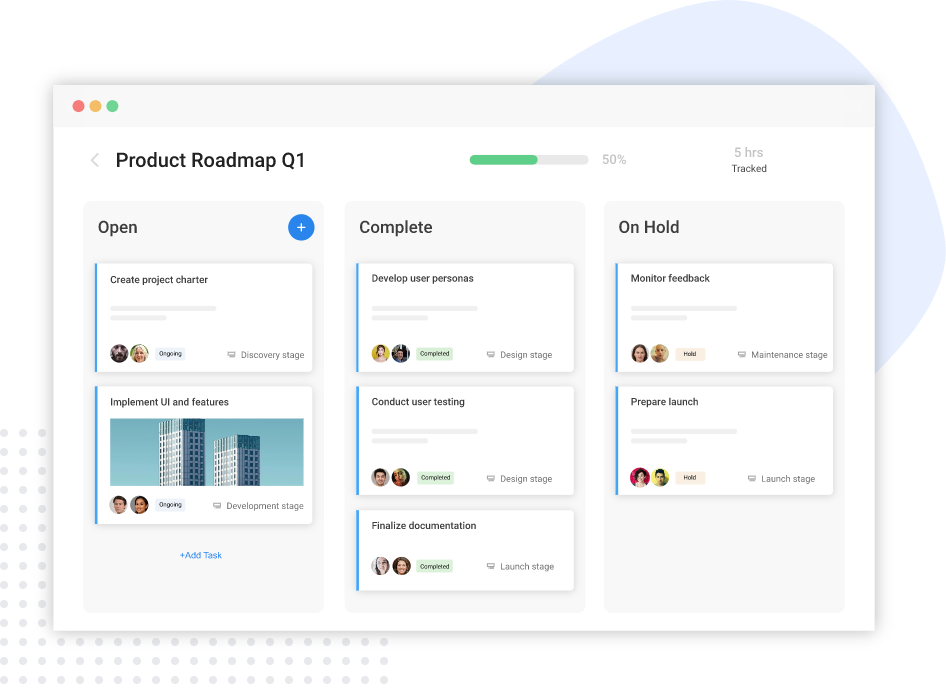
Workflow management software helps simplify and improve the way you and your team work on a project. It offers a platform where you can create workflows, visualize progress, and identify areas of improvement. Using the software, you can enhance workflow management by easily extracting data-driven insights and collaborating with team members in real-time.
Some of its key features include:
- Simple and intuitive dashboard
- Interactive project views
- Tags to prioritize tasks
- Task dependencies
- Task comments and file-sharing capabilities
- Notifications for approaching deadlines
List of 10 Best Workflow Management Software
WWith numerous workflow management systems available on the market, it can be challenging to identify the best one. But don’t worry! We have gone through hundreds of workflow management sites and trimmed down the list of the top 17 tools that can effectively lead your teams to deliver high-performing projects.
| Tool | Best for | Pricing | User Rating (G2) |
| ProProfs Project | Simplest Project Management Tool for SMBs With Client Invoicing, Time & Billing | Forever free for small teams. Paid plan starts at $39.97/month | 4.4/5 |
| Asana | Cross-team workflow visibility | Starts at $7.9/user/month | 4.4/5 |
| monday.com | Custom workflows | Starts at $9/user/month | 4.7/5 |
| ClickUp | All-in-one workflow customization | Starts at $7/user/month | 4.7/5 |
| Wrike | Structured workflows for larger teams | Starts at $10/user/month | 4.2/5 |
| Trello | Lightweight team workflows | Starts at $5/user/month | 4.4/5 |
| Smartsheet | Spreadsheet-style workflow control | Starts at $9/user/month | 4.4/5 |
| Airtable | Flexible workflow tracking with structured data | Starts at $20/user/month | 4.7/5 |
| ProWorkflow | Client projects + time tracking | Starts at $20/user/month | 4.1/5 |
| Hive | Collaboration-heavy workflows | Starts at $1/user/month | 4.6/5 |
1. ProProfs Project – Best for Planning, Collaborating & Delivering Projects on Time
I used ProProfs Project when I needed a no-fuss way to set workflows, assign owners, and make sure tasks didn’t move forward out of order. What stood out first was how quickly I could turn a messy list of tasks into a structured workflow with priorities and dependencies.
I also liked that it felt straightforward for everyday teams, not just hardcore project managers. I used boards to track status at a glance, and timelines helped me spot delays before they snowballed. Notifications and reminders kept work moving without me having to chase updates.
It worked best when I wanted clarity and speed, especially for repeatable internal processes. If you want workflow management software that helps teams stay aligned without a heavy setup, this one feels practical and easy to adopt.
More recently, the tool has brought AI directly into the setup process too. Describe a project in plain language, and its AI Project Designer builds out the tasks, stages, and assignments for you automatically, cutting into the setup time this section already praises the tool for minimizing. There’s also an AI assistant available throughout the project, so you can ask direct questions like “which projects are overrunning” instead of digging through boards yourself.
Pros:
- Being one of the best workflow management software, it offers a wide array of features to help project managers and teams manage their projects more efficiently.
- AI Project Designer and AI assistant that build project structures and flag risks automatically
- It provides a collaborative workspace via task comments, shared calendars, and file sharing.
- It helps track every step of the project with Gantt charts, Kanban boards, and more.
- You can break down the entire project into manageable tasks and subtasks.
Cons:
- No downloadable or on-premise version
- Dark user interface option not available
Pricing:
Free plan available. Paid plans start at $39.97/month.
2. Asana – Best for Cross-Team Workflow Visibility

Image source: Bold BI
I used Asana when work involved multiple teams and I needed everyone to see the same plan without constant meetings. Setting up workflows felt smooth, especially when I used templates and then adjusted stages to match how our team actually worked.
I liked switching between List and Board depending on the project, and the Timeline view helped me explain dependencies without a long call. Where Asana helped most was clarity. It made it obvious who owned what, what was blocked, and what was coming next.
It also handled recurring processes well, like approvals and content handoffs, as long as I kept rules simple. If you want team workflow software that keeps work organized and visible, Asana is a strong choice, especially for teams scaling their process.
Pros:
- Makes ownership and status tracking very clear
- Supports multiple views for different working styles
- Helps standardize repeatable workflows with templates
- Works well for cross-functional collaboration
Cons:
- It doesn’t track the productive hours of team members.
- It is not scalable for complex projects.
Pricing:
Starts at $7.9/user/month.
3. monday.com – Best for Custom Workflows
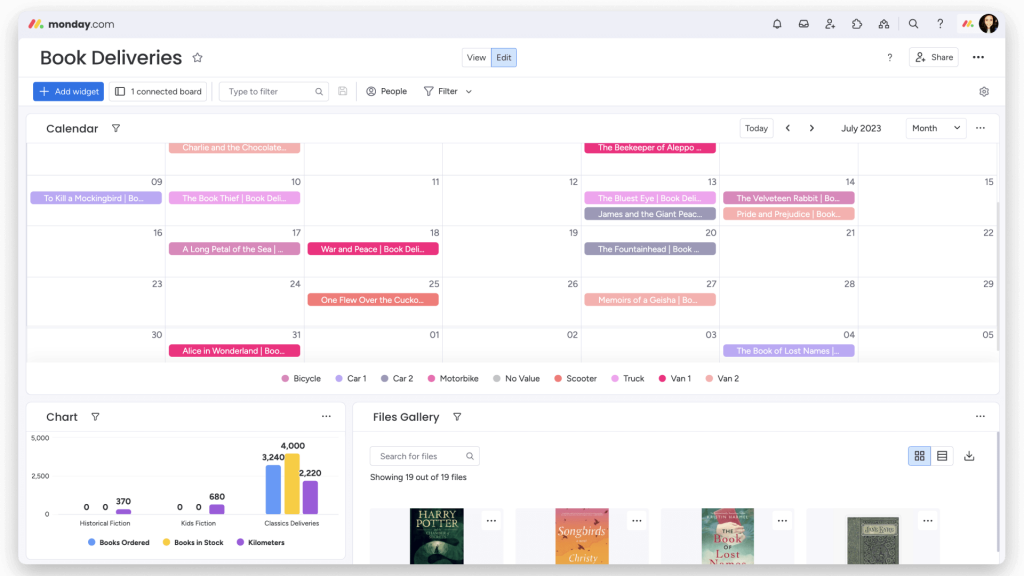
Image source: Monday support
I tested monday.com in a setup where different departments wanted workflows their own way, but leadership still wanted consistency. It delivered that balance. I created boards for different processes like requests, delivery, and internal approvals, then used automations to cut down manual follow-ups.
What I liked most was how visual everything felt. Even non-technical teammates understood the workflow quickly because statuses, owners, and due dates were right there. It also worked nicely for teams that need structure but still want flexibility in how they track work.
If you’re looking for top workflow management tools that can fit marketing, operations, HR, and project teams without forcing one rigid method, monday.com handled that well.
Pros:
- Supports highly customizable boards and workflows
- Offers strong automation to reduce manual updates
- Works well across multiple departments
- Provides clear visual tracking for non-PMs
Cons:
- Can feel complex during initial setup
- Reporting depth depends on plan level
Pricing:
Starts at $9/user/month.
4. ClickUp – Best for All-in-One Workflow Customization
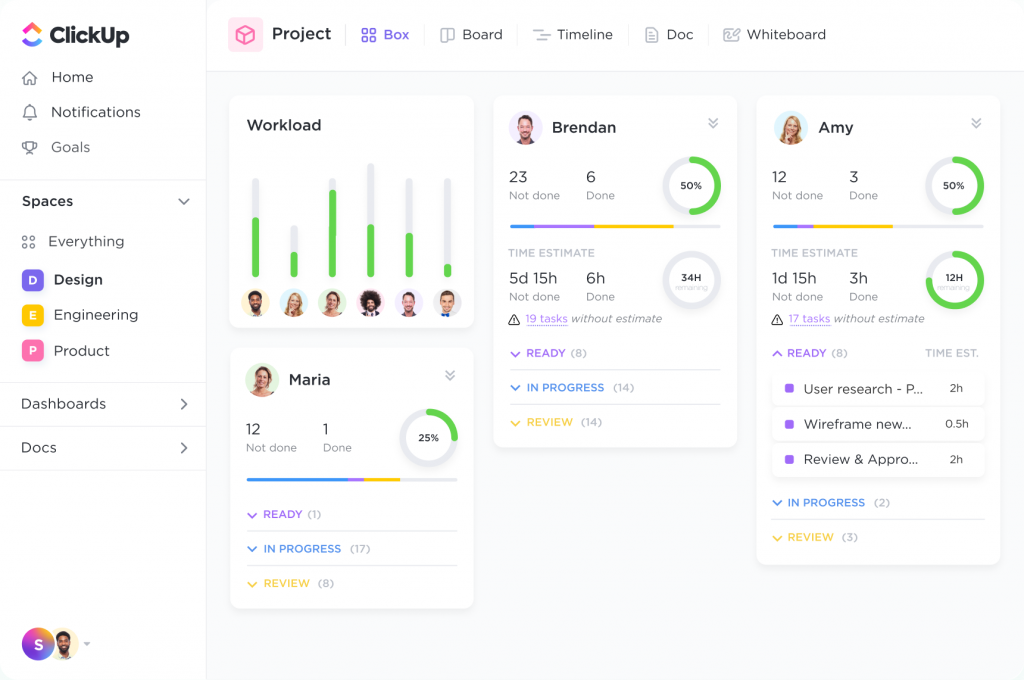
Image source: ClickUp
I tried ClickUp when I wanted one platform to handle tasks, docs, and workflows without switching tools. It was flexible enough to match different workflows, from simple Kanban stages to more detailed processes with custom fields.
I liked how quickly I could build a workflow template and reuse it across projects. It also gave me a lot of control over how work was viewed, which helped when teammates preferred different setups.
The tradeoff is that it can feel like a lot at first, but once the basics are in place, it becomes a solid workflow project management software option for teams that want customization without paying enterprise prices. If your workflows change often, ClickUp gives you room to adapt without rebuilding everything from scratch.
Pros:
- You can centralize all information on an easy-to-use platform.
- You can track tasks and projects with multiple project views.
- Effective milestone tracking ensures that you achieve your goals on time
- Use drag and drop functionality to adjust workflows
Cons:
- It offers too many features, which can be overwhelming for users.
- It doesn’t offer a table view to view project status.
Pricing:
Starts at $7/user/month.
5. Wrike – Best for Structured Workflows for Larger Teams
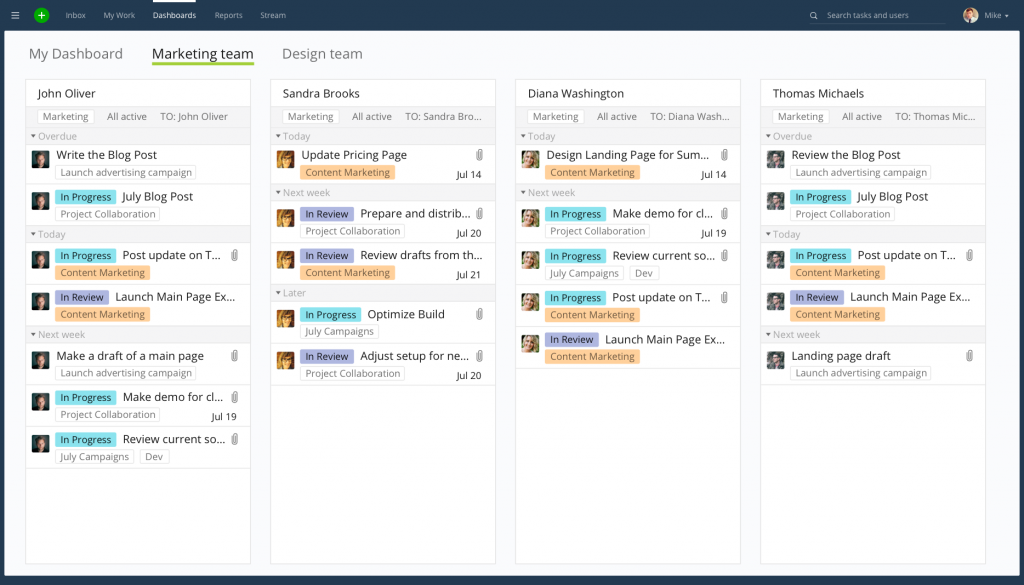
I used Wrike when the workflow needed more structure, especially around approvals, reporting, and repeatable delivery. It felt built for teams that want process discipline. I set up workflows with clear stages, used dashboards for visibility, and leaned on reports to track progress without manually pulling updates.
It worked well when stakeholders wanted predictable execution and consistent tracking across multiple projects. Wrike’s strength is control. It is not the lightest tool to set up, but once configured, it keeps work organized and easy to audit.
If you need workflow management solutions that support complex teams and stronger governance, Wrike is worth considering.
Pros:
- Store briefs in one spot using the custom request form
- Schedule project reports and share them with clients
- Use 400+ integrations to bring in more functionality
- Shareable dashboards to loop in external stakeholders
Cons:
- It does not offer different levels of prioritization for tasks.
- It lacks advanced filtering options.
Pricing:
Starts at $10/user/month.
6. Trello – Best for Lightweight Team Workflows
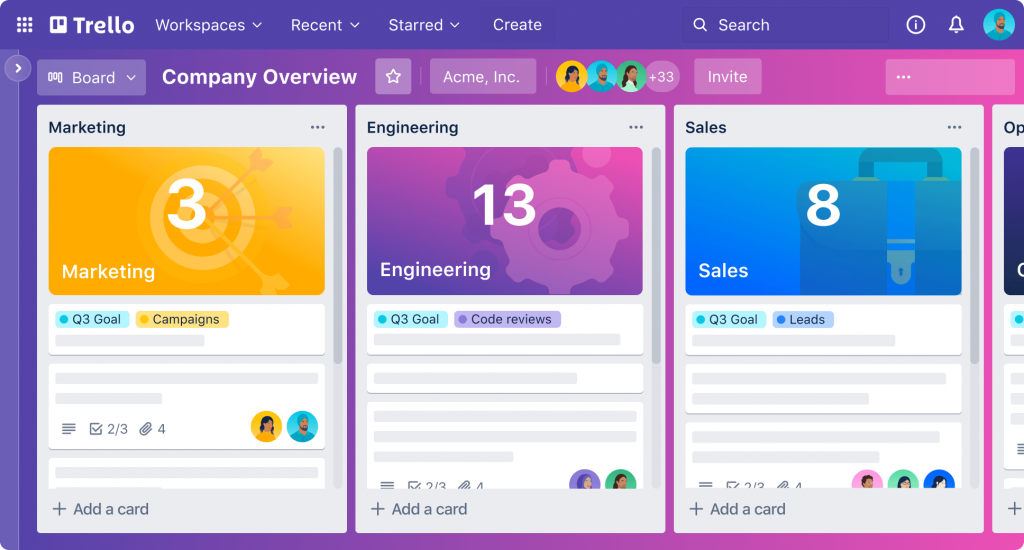
Image source: Trello
I tested Trello for simpler workflows where speed mattered more than complexity. It was easy to set up boards, create lists as workflow stages, and start moving cards immediately. For small teams, that simplicity is a big win.
I also liked how quickly I could standardize repeatable work using templates. Automation helped for basic tasks like moving cards or adding due dates, but I kept it simple for best results.
Trello worked best as team workflow software when the workflow is visible and straightforward, like content pipelines, onboarding checklists, or basic project tracking. If you want a tool that your team can start using in a day without training, Trello is one of the easiest picks.
Pros:
- Trello butler that lets you save significant time by automating a lot of tasks.
- It offers multiple project views, such as Board, Timeline, Table, and Map views that help track progress from different angles.
- You can start your project within minutes using easy-to-use templates.
- No-code automation for easy navigation
Cons:
- It can get difficult to handle too many projects with too many tasks in one place.
- There is a storage limit on the file that you can attach to a Trello card.
Pricing:
Starts at $5/user/month.
7. Smartsheet – Best for Spreadsheet-Style Workflow Control
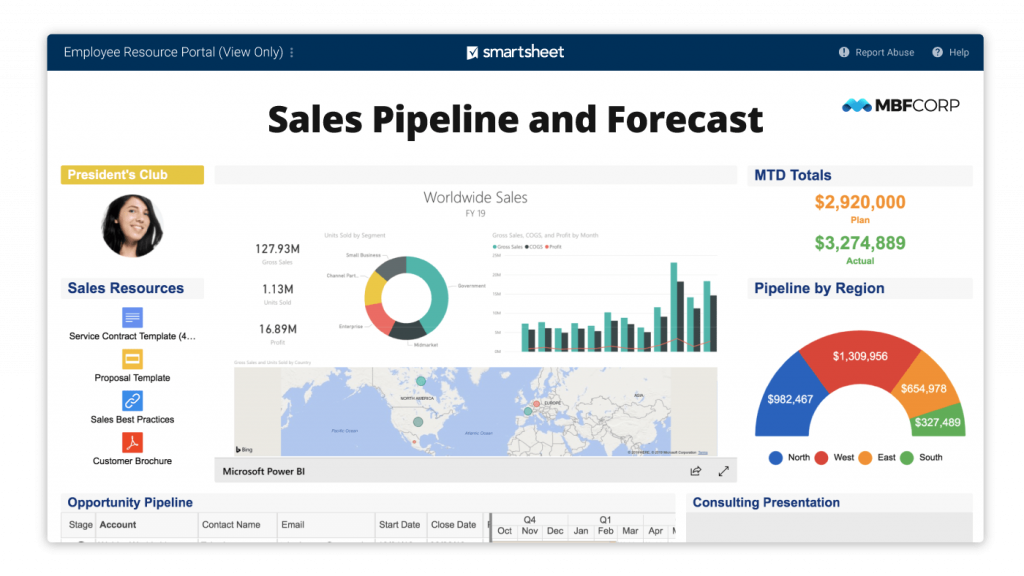
Image source: Smartsheet
I used Smartsheet when the team wanted the comfort of spreadsheets but needed stronger workflow tracking, automation, and visibility. It felt familiar fast, but it was far more powerful than a normal sheet once I started using forms, rules, and dashboards.
I used it to manage dependencies, approvals, and recurring operational processes. The best part was how easily I could turn tracking into reporting without building everything from scratch. It’s a strong choice for operations and PMO-style teams that want structure, and it handles large workflows well.
If you want workflow management software that feels data-driven and organized, Smartsheet fits that “control + visibility” need nicely.
Pros:
- Collaboration features, such as messaging, file sharing, and shared calendars.
- Workflow Status Reports to know the progress of the project.
- Filter and view workflow using ‘Active,’ ‘Inactive,’ and ‘Unable to run’ options
- Get real-time visibility into tasks using its intuitive dashboard
Cons:
- It needs a better mobile application.
- Needs a better interface in terms of being user-friendly.
Pricing:
Starts at $9/user/month.
8. Airtable – Best for Flexible Workflow Tracking With Structured Data

Image source: Airtable
I tried Airtable when workflows needed more structure than a spreadsheet but more flexibility than a rigid project tool. It worked great for building lightweight systems like intake pipelines, content operations, and cross-team trackers. I used views to create different “workflow lenses” for different roles, so one team could work in a Kanban view while another preferred a table view.
Automations helped with reminders and handoffs, but the bigger win was how customizable the data model was. Airtable felt like a strong option when workflows depend on data accuracy and consistent fields.
If you want workflow management solutions that you can shape around your process, Airtable is a smart pick.
Pros:
- Sync project information across your favorite apps
- Use personal and locked views to maintain data security
- You can view and prioritize KPIs extracted from project reports via its powerful dashboard
- It lets you manage sprints and deliver projects on time and within budget
Cons:
- Its UI can be confusing for some users.
- Its upgraded plans are not very affordable for everyone
Pricing:
Starts at $20/user/month.
9. ProWorkflow – Best for Client Projects + Time Tracking
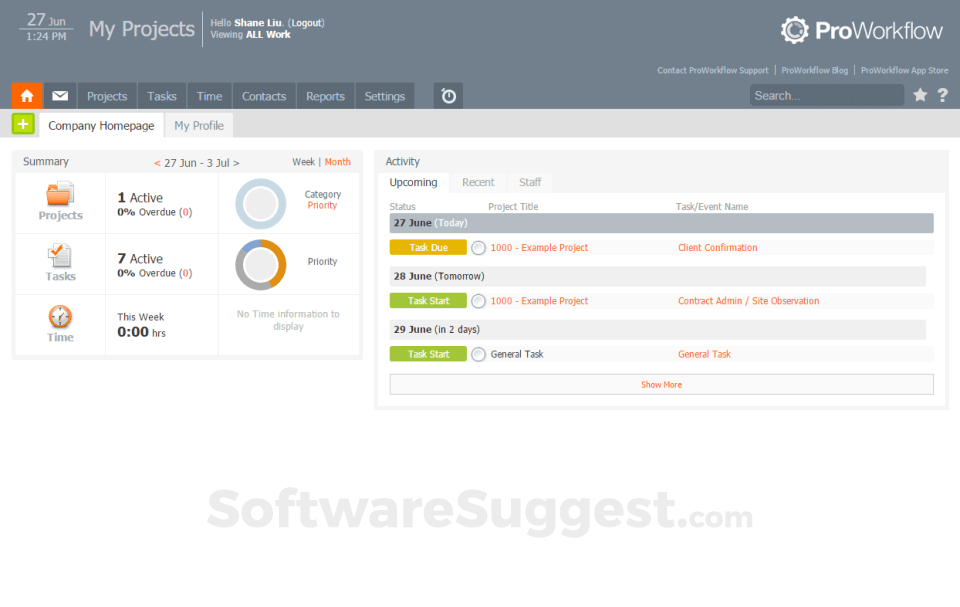
Image source: Software Suggest
I tested ProWorkflow in a services-style setup where tracking time and keeping clients informed mattered a lot. It helped me manage tasks, assign responsibilities, and keep workflows moving while still keeping an eye on billable work.
What I liked was how it supported the “delivery plus accountability” side of workflow management. It felt built for agencies and professional services teams that need clarity on deadlines, workload, and client expectations.
It’s not the flashiest UI, but it got the job done when the priority was clean execution and client-ready visibility. If you run client projects and need workflow project management software that supports time and delivery together, ProWorkflow is worth shortlisting.
Pros:
- You can set up task dependency and eliminate confusion related to roles and responsibilities.
- You can automate recurring tasks and save both time and effort on repetitive, time-consuming tasks
- Analyze progress via powerful reporting
- Share files with team members and stakeholders
Cons:
- Limited file size upload/download
- It needs better automation for tasks and notifications
Pricing:
Starts at $18/user/month.
10. Hive – Best for Collaboration-Heavy Workflows
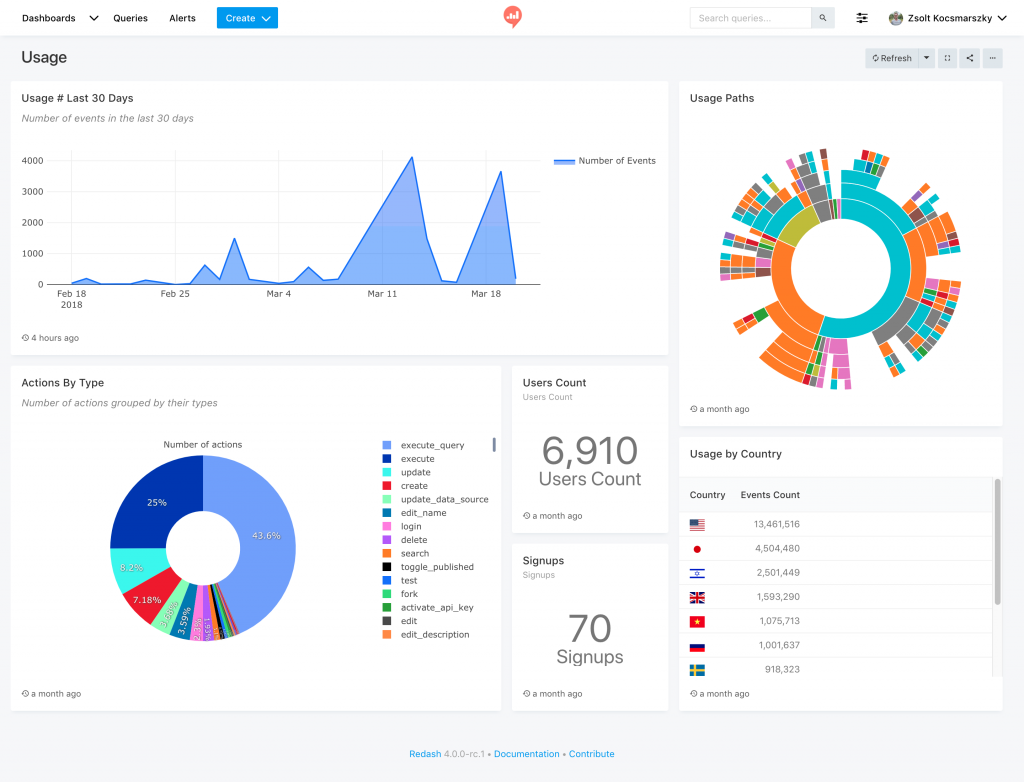
Image source: Redash
I used Hive when workflows needed strong collaboration and easy switching between views. It handled that well. I set up tasks, used boards for day-to-day tracking, and leaned on timeline-style planning when deadlines got tight.
It also felt built for teams that communicate a lot while executing work, so it worked nicely when updates and coordination were constant. Hive fit best when a team wanted workflow structure but also wanted to keep collaboration close to the work itself.
It’s not the simplest tool in the world, but it’s not overly complex either. If you want one of the top workflow management tools that blends workflow visibility with team coordination, Hive is a solid option.
Pros:
- Supports multiple project views for different workflows
- Works well for collaboration-heavy teams
- Helps track deadlines and dependencies clearly
- Offers a balanced feature set for cross-functional use
Cons:
- Some advanced features may require higher plans
- Setup can take time for complex workflows
Pricing:
Starts at $1/user/month.
My Top 3 Picks for the Best Workflow Management Software
If you are still deciding, here are the three tools I would shortlist first. I picked these based on how quickly teams adopt them, how clearly they help you run workflows, and how well they scale as work gets busier.
1) ProProfs Project
If I had to pick just one tool for most teams, it would be ProProfs Project. It makes it easy to set up clean workflows with clear owners, priorities, and task dependencies, so work does not get stuck mid-way. I also like how straightforward it feels, so teams can start using it without a long onboarding phase. Its AI Project Designer takes this further, building out that clean workflow structure from a simple description, so there’s even less setup between deciding to start a project and having it running.
2) Asana
Asana is my pick when multiple teams are involved and visibility matters the most. It helps you see who owns what, what is blocked, and what is coming next, without chasing updates. It also works well when you want a consistent workflow structure across departments while still letting teams manage work in their own style.
3) monday.com
I recommend monday.com when you need flexibility across teams and workflows vary a lot by department. It is great for building custom boards and automations, especially for request management, approvals, and recurring processes. It is also a strong fit for teams that want a visual system that non-project managers can understand quickly.
Use the best workflow management software to help achieve operational excellence project management. Guide: Achieve Operational Excellence Project Management.
Must-Have Features of Workflow Management Software
Every team works differently, but the best workflow management software usually gets a few core things right. These features are what separate tools that simply list tasks from ones that actually help work move faster and smoother.
1. Visual Workflows
A good workflow tool should let you see how work moves from start to finish. Views like Kanban boards, lists, timelines, calendars, or Gantt charts help you spot progress, delays, and dependencies instantly. This is especially useful when managing multiple workflows at once, since you can quickly understand what is on track and what needs attention without digging into details.
2. Automation That Actually Saves Time
Automation should reduce manual follow-ups, not add complexity. Look for features like automatic task assignments, automated notifications and alerts, due date reminders, approval flows, and status-based triggers. These small automations keep work moving forward even when people are busy and prevent tasks from slipping through the cracks.
3. Clear Ownership and Accountability
Every task in a workflow should have a clear owner, deadline, and priority. The right tool makes responsibilities obvious and shows how tasks depend on one another. When something gets delayed, it should be easy to see where the bottleneck is and take action without unnecessary back-and-forth.
4. Collaboration Inside the Workflow
The best team workflow software keeps conversations tied to the work itself. Task comments, file sharing, @mentions, and approvals should all happen within the workflow, not scattered across emails and chat tools. This keeps context intact and reduces confusion, especially when multiple people are involved.
5. Reporting That Answers Real Questions
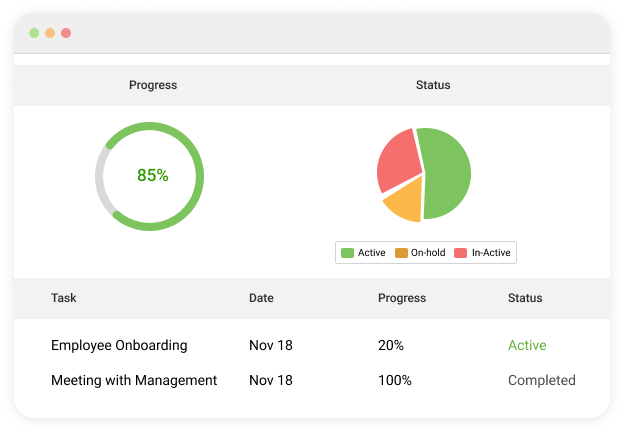
Reports should help you make better decisions, not just look nice. Strong workflow management solutions answer practical questions like what is blocked, what is overdue, where work slows down, and which processes need improvement. These insights help you optimize workflows over time instead of guessing what went wrong.
6. Integrations That Reduce Tool-Hopping
A workflow tool should fit into your existing setup. Integrations with email, chat, file storage, CRM, or development tools help keep information in sync and reduce the need to switch between apps. This makes workflows smoother and keeps teams focused on execution rather than admin work.
Improve Overall Efficiency Using an Effective Workflow Management Tool
Adopting the best workflow management software for your team can help streamline processes and stay on schedule right from project initiation to its closure.
It lets you set clear project workflows, delegate tasks effectively, and track real-time progress. You can even automate recurring tasks and establish work processes that help optimize both tasks and resources.ProProfs Project is an excellent tool for setting up crystal-clear workflows, delegating tasks, and defining task priorities and dependencies.
Using the tool, you can collaborate with team members and efficiently accomplish multiple running projects. You can try its 15-day free trial and see whether it suits your project and team’s needs.
FREE. All Features. FOREVER!
Try our Forever FREE account with all premium features!