I’ve tested a lot of scrum tools over the years, and the pattern is always the same. It’s not that teams are disorganized. It’s that their work lives in too many places at once, a spreadsheet here, a chat message there, a notebook on someone’s desk, and nobody has a clear picture of what’s actually happening right now. A project slips. A deadline moves and only one person knows. A manager has to call a meeting just to find out if something is on track.
And if you’re not running formal Scrum sprints but just need a better way to assign work, track progress, and stop chasing updates, this guide is still for you.
By the end, you’ll know exactly what to look for, which tools are worth comparing, and how to avoid the common mistakes that waste time and budget. Whether you’re moving off spreadsheets, replacing tools that are too expensive or too complex, or starting from scratch, this will help you pick something your team will actually stick with.
What Are Scrum Tools?
Scrum tools are software platforms that help your team run Scrum in one place, without juggling spreadsheets, chats, and sticky notes. They keep your backlog, sprint plan, and Scrum board organized so everyone knows what work is coming up and what is happening right now.
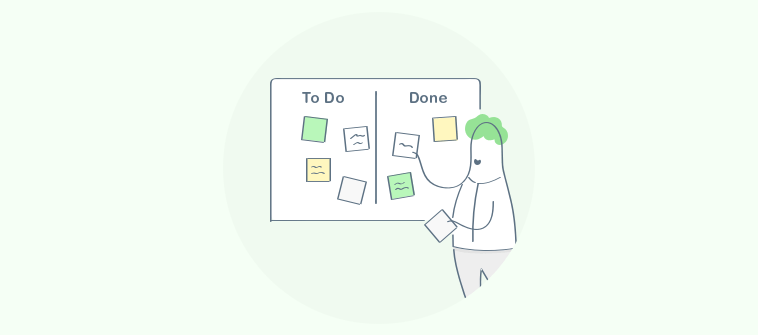
They help teams tackle complex projects by breaking work into smaller cycles (weekly or biweekly sprints). A good Scrum tool also enhances visibility, making everyone see what is To Do, In Progress, Blocked, or Done. It keeps ownership clear with assignees, due dates, priorities, and sprint goals so work does not slip through the cracks.
Most Scrum tools also keep conversations tied to the work. Instead of updates getting lost in email or chat, teammates can comment inside tasks, tag people, attach files, and leave progress notes. That creates a clear history and makes reporting and check-ins much easier.
Why Do Teams Even Need Scrum Project Management Tools?
Because most teams aren’t failing at Scrum. They’re failing at visibility and accountability, and they know it.
Here’s what shows up in real teams again and again:
- Nobody actually knows the status of anything without asking: Work is spread across email threads, Excel files, chat messages, and notebooks. There’s no single place to look. So managers call check-in meetings, and team members spend time reporting instead of doing. A single tool ends that loop.
- Deadlines move and nobody flags it: Someone pushes a due date in the spreadsheet. No notification goes out. No reason is recorded. A week later the manager finds out in a one-on-one. The right tool makes date changes visible, flags them, and keeps a record of why.
- Executives are still asking “where are we on this?” in every meeting: Most leaders, CEOs, EVPs, department heads don’t want more status meetings. They want to open one screen and see what’s green, what’s at risk, and what’s stuck. A dashboard gives them that in seconds without pulling anyone away from actual work.
- You need outside people involved, but you can’t give everyone a full paid seat: External consultants, clients, contractors, partner agencies need to see certain tasks or leave a comment, not access everything. Guest or view-only roles handle this without adding to your per-seat cost.
- Teams Want “Less Admin,” Not A New Full-Time Job Managing A Tool: If updating the tool feels like extra work, people stop doing it. Simple boards, templates, and reminders keep things moving with minimal effort.
That’s exactly what modern scrum project management tool setups are supposed to fix.
7 Best Scrum Tools Worth Comparing This Year
This list blends what top guides consistently recommend plus what teams commonly need (ease of use, sprint support, reporting, integrations).
| Tool | Best for | Pricing |
|---|---|---|
| ProProfs Project | planning, collaborating, and delivering projects on time | Free plan available. Paid plan starts at $39.97/month. |
| Jira Software | Deep Scrum workflows (backlog + sprints + controls) | Starts at $7.91/user/month |
| ClickUp | Flexible sprints + dashboards + custom fields | Starts at $7/user/month |
| monday dev | Visual Scrum workflows for cross-functional teams | Starts at $9/seat/month |
| Zoho Sprints | Budget-friendly Scrum planning | Starts at $1/user/month |
| Azure DevOps | Scrum boards + Microsoft-first engineering workflows | First 5 users free, then $6/user/month |
| Trello | Lightweight boards for simple sprint execution | Starts at $5/user/month |
1. ProProfs Project – Best for Planning, Collaborating & Delivering Projects on Time
The first thing I noticed with ProProfs Project was how quickly I could turn messy work into a clean plan. I set up a project, split it into tasks and subtasks, and assigned owners in minutes without getting stuck in settings.
What helped me run sprint-style work was the mix of views. I switched between Kanban boards for daily movement and Gantt charts when I needed a bigger timeline view for dependent work. The built-in reports also gave me a quick snapshot of what was overdue and what was moving.
When I was managing cross-functional work, the reminders and clear ownership meant I wasn’t the one chasing people for updates. It felt like a practical fit for any team whose goal is “keep work visible and moving” without turning the tool itself into a second job.
Pros:
- Provides multiple views for organizing work (list, board-style workflows)
- Includes reminders and notifications to reduce follow-ups
- Time-tracking features for accurate billing and budgeting
- Expert-designed templates to speed up project setup
Cons:
- No downloadable or on-premise version
- Dark user interface option not available
Pricing:
Free plan available. Paid plans start at $39.97/month.
2. Jira Software – Best For Deep Scrum Workflows
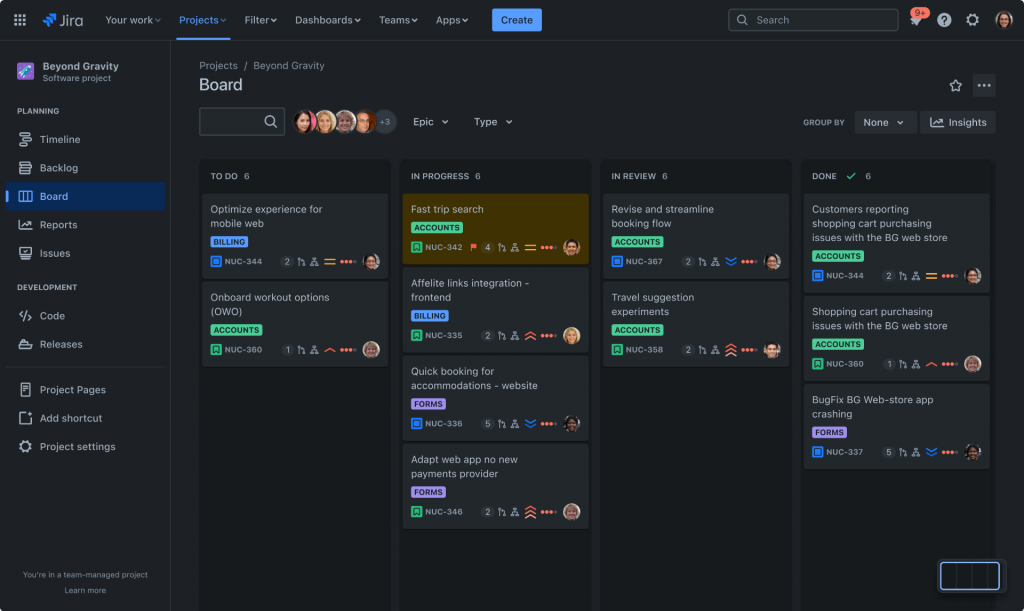
Jira felt like the tool that takes Scrum seriously from the moment you open it. I created a Scrum board, planned sprints, and tracked work in a way that matched how most software teams actually run ceremonies.
Where Jira really stood out for me was backlog control. The backlog view made it easy to keep work grouped into backlog and sprints, so planning did not feel like guesswork or scattered notes.
Once I had workflows and fields dialed in, it became a strong system for repeatable execution. That said, if your team is here because Jira got too expensive or too heavy to administer, that’s a real and common reason to look elsewhere. Jira is built for teams that want deep Scrum structure and have someone to manage it.
Pros:
- Strong sprint planning and backlog workflows for Scrum teams
- Custom fields, workflows, and permissions for structured delivery
- Built-in reporting for sprint and delivery tracking
- Scales well across multiple teams and projects
Cons:
- Setup and ongoing administration can feel heavy for non-technical teams
- Can be overkill if you just need simple sprint execution
Pricing:
Starts at $7.91/user/month.
3. ClickUp – Best For Dashboards & Custom Fields
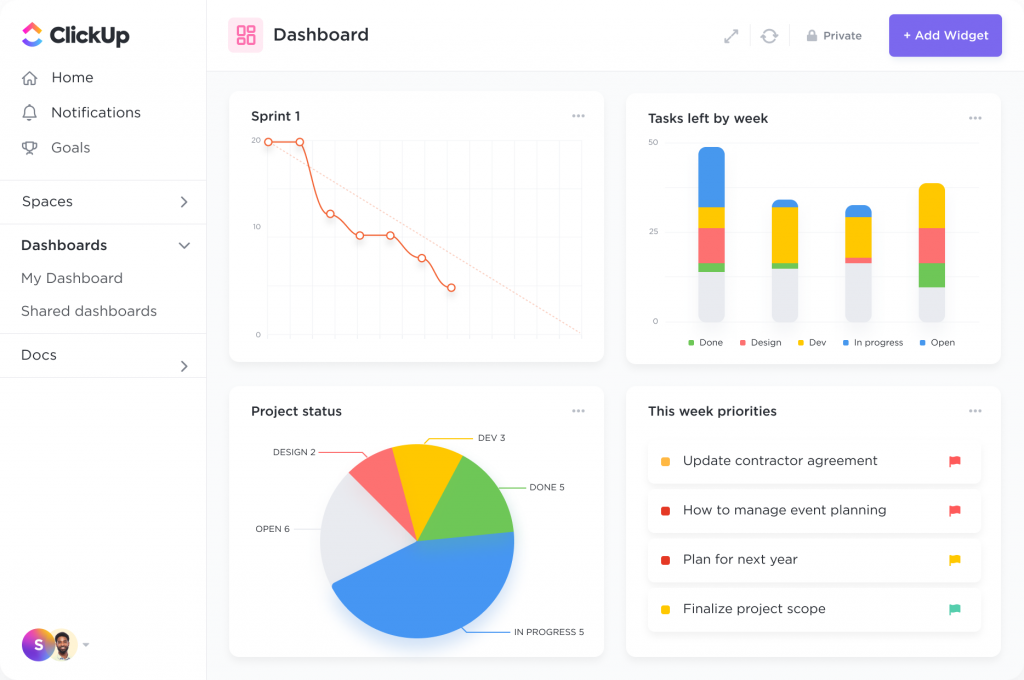
ClickUp felt like a “build your own way of working” platform when I tested it. I could run sprints, track work on boards, and also keep docs, dashboards, and custom fields in the same place.
What I personally liked was how many ways there were to view the same work. If one person thinks in lists and another thinks in boards, it can keep both happy.
One of my friends uses ClickUp for a mixed team (marketing plus product). The flexibility was a win but be warned: without someone setting clear rules for how the team uses it, ClickUp can turn into its own kind of chaos. The interface can feel cluttered if you turn on too many features, which is exactly why some teams eventually move on from it.
Pros:
- Supports sprint points and sprint reporting
- Multiple views (boards, timelines, Gantt-style views) for the same work
- Strong customization with custom fields and statuses
- Includes time tracking and workload-style planning
Cons:
- Can feel cluttered if you turn on too many features at once
- Requires clear team rules to stay consistent
Pricing:
Starts at $7/user/month.
4. monday dev – Best For Visual Scrum Management
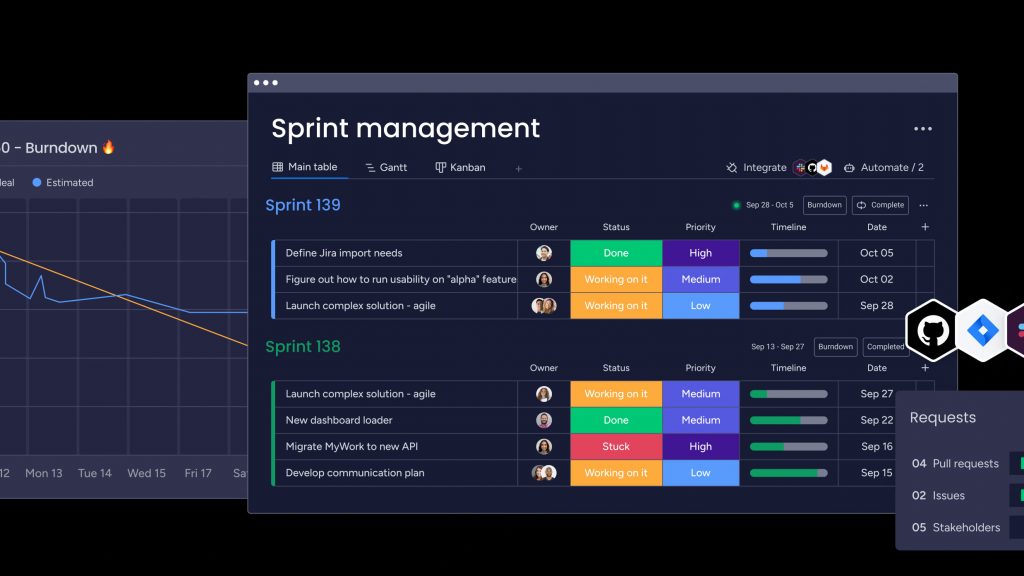
Image source: SiliconANGLE
With monday dev, the experience felt very visual and “team-friendly” right away. I did not have to explain a lot because the sprint structure was easier for non-technical stakeholders to understand.
I liked that sprint management connected active sprints, backlog, and epics in one flow. I could track sprints, assign work, and keep everything tied back to bigger pieces of work without losing context.
What made it useful for cross-functional delivery was the clarity. If your goal is to keep planning simple, keep sprint work connected, and give leadership a clearer view without constant updates, it does that job well.
Pros:
- Visual boards and workflows that are easy to adopt
- Dashboards help leadership track progress without extra reporting
- Supports automation for recurring sprint routines
- Permissions help manage visibility across teams
Cons:
- Engineering teams may miss deeper backlog and dev-specific controls
- Some advanced views and controls depend on plan level
Pricing:
Starts at $9/seat/month.
5. Zoho Sprints – Best For Budget-Friendly Scrum Planning
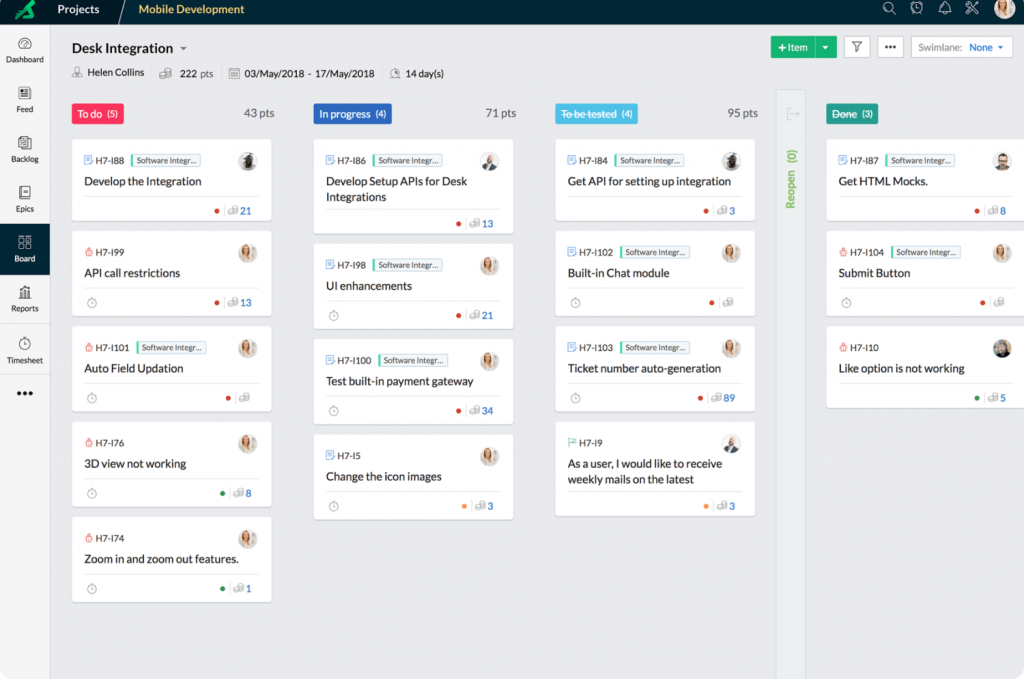
Image source: Zoho
Zoho Sprints was the most “straight-to-the-point” Scrum setup I used. It brought backlog management and Scrum boards together in a way that stayed focused on planning, iteration, and delivery.
The Scrum board experience worked well for day-to-day execution because it is designed for sprint backlog progress and drag-and-drop movement. It also keeps the board customizable, which helped with our workflow stages.
I also liked that reporting and time tracking are part of the core product story, not an afterthought. For teams that want proper Scrum basics without a heavy learning curve, it felt like a clean, practical option.
Pros:
- Designed specifically for sprint planning and Scrum workflows
- Keeps backlog and sprint views simple and focused
- Good fit for smaller teams and tighter budgets
- Supports core Agile reporting and tracking
Cons:
- May not match the depth of larger engineering-first platforms
- Enterprise-grade customization can be more limited than top-tier tool
Pricing:
Starts at $1/user/month.
6. Azure DevOps: Best For Microsoft-First Engineering Workflows
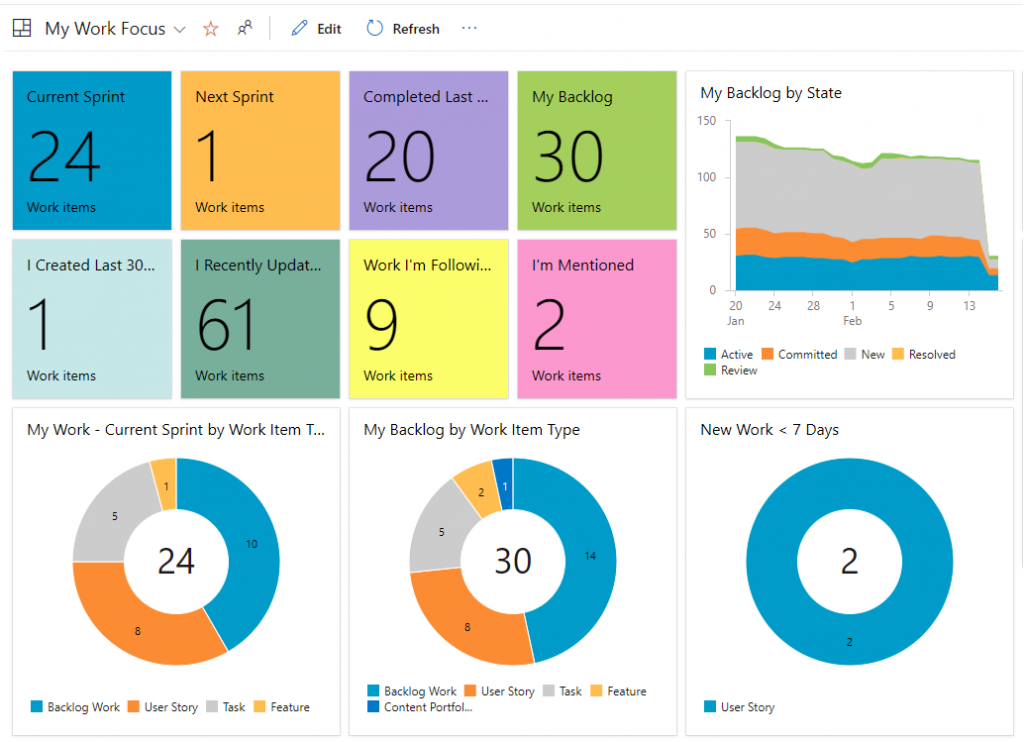
Image source: Microsoft
I used Azure DevOps in a team that already leaned heavily on Microsoft, and it fit naturally. Sprint planning felt structured because I could move backlog items into a sprint and bulk update work items when plans changed.
What I appreciated was how “process-based” it felt. Each sprint maps to a time-boxed interval and the tooling supports planning work in that rhythm, which keeps teams consistent over time.
If your organization runs on Microsoft, Outlook, Teams, SharePoint, Azure DevOps slots in without friction. But if you’re not already in that ecosystem, it’s probably more tool than you need.
Pros:
- Supports Azure Boards for Scrum planning and tracking
- Strong fit for teams using Microsoft tools and workflows
- Combines planning with repos and CI/CD in the same platform
- Scales well for engineering organizations
Cons:
- Can be too technical for non-engineering teams
- Pricing can include add-ons depending on pipelines and testing needs
Pricing:
Starts at $6/user/month (after first 5 free).
7. Trello: Best For Lightweight Scrum Tools With Quick Setup
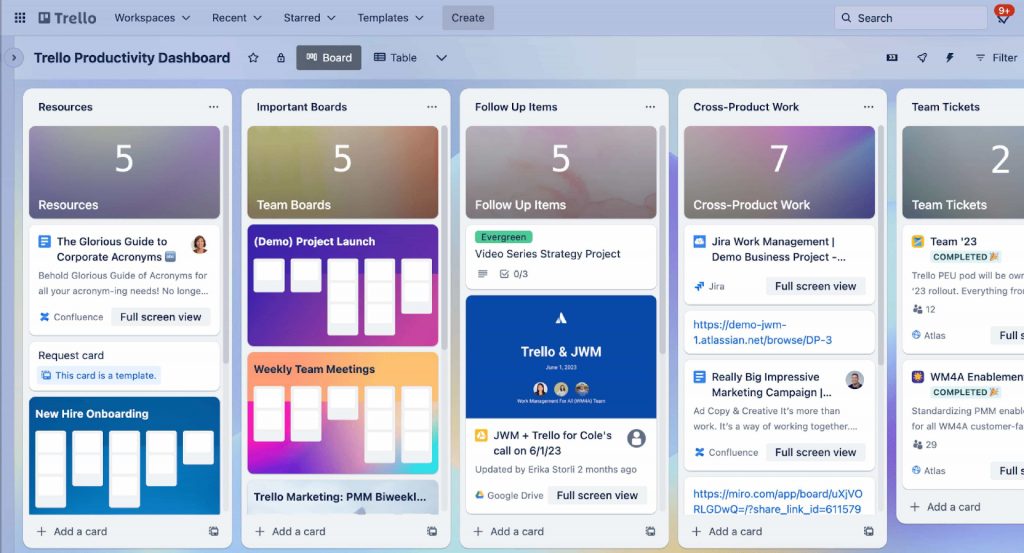
Image source: Wikimedia
I have used Trello when the goal was simple, visible work tracking with almost zero learning curve. It is easy to create a board, add lists, and start moving cards.
For Scrum, it works best when you want a lightweight board for sprint execution, especially for small teams. If you keep a clean board and use templates, it stays fast and simple.
Trello is a good starting point but most teams outgrow it once they need task dependencies, time tracking, approval workflows, or reporting beyond “what column is this card in.” If those things matter to you now, start with something that has them built in.
Pros:
- Very fast setup for boards and sprint-style workflows
- Templates help teams standardize sprint boards quickly
- Custom fields available on paid plans for richer tracking
- Works well for lightweight collaboration and visibility
Cons:
- Not a full Scrum backlog and sprint analytics system by default
- No native task dependencies, time tracking, or approval workflows – features most growing teams need
Pricing:
Starts at $5/user/month.
Which Features Matter Most When Choosing Scrum Software Tools?
Picking Scrum software is easier when you focus on a few practical things. The right tool should help you plan work, keep it moving during a sprint, and make progress obvious without extra meetings.
1. Backlog And Sprints
A good Scrum tool should let you keep a simple “to-do later” list (backlog) and then pull the right items into a sprint when you are ready to work on them. Without this, everything feels equally urgent and the highest-priority work gets buried under whatever was most recently requested. Backlog plus sprints helps you decide what is next without losing track of everything else.
2. Scrum Board Or Kanban Board With Custom Statuses
You want a board that shows work moving from stage to stage, like To Do, In Progress, Review, Done. The key is being able to rename or adjust those stages to match how your team actually works. This is what replaces the “any updates?” message in group chat. When the board is current, the answer is already there.
3. Subtasks And Dependencies
Big tasks are usually made up of smaller steps. Subtasks help you break work down so it is easier to start and easier to finish. Dependencies matter when one task cannot begin until another is completed. This is especially important for teams managing sequential work like legal processes, engineering builds, rehab projects where starting step two before step one is done creates real problems downstream.
4. Simple Setup And Templates
If setting up the tool feels like a project by itself, most teams give up or keep using spreadsheets. Templates help you start with a ready-made structure for common workflows like sprint planning, content production, or cross-team requests. This reduces training time and makes adoption smoother in the first week.
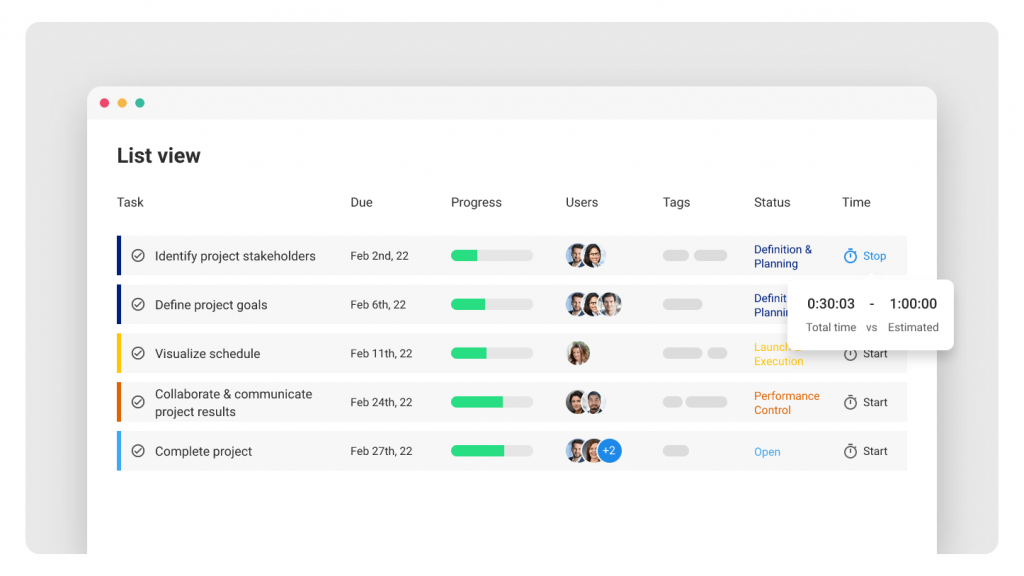
5. Reminders And Deadline Controls
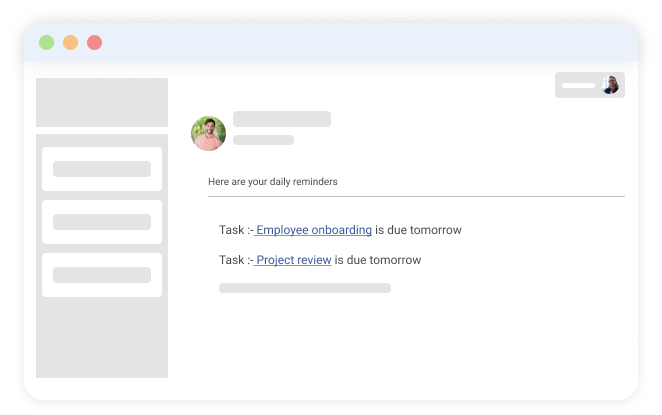
Reminders matter, but so does control over deadlines. The best tools notify people when they are assigned work or when due dates are near, and they also let managers lock due dates or flag when someone changes them without approval. If your team has a habit of quietly pushing deadlines, this is the feature that fixes it.
6. Simple Dashboards
Dashboards should answer basic questions fast: What is overdue? What is in progress? What is done? This is useful for both managers and teams because it turns progress into something you can see in seconds, not something you have to ask about in meetings.
7. Filters By Team Or Project
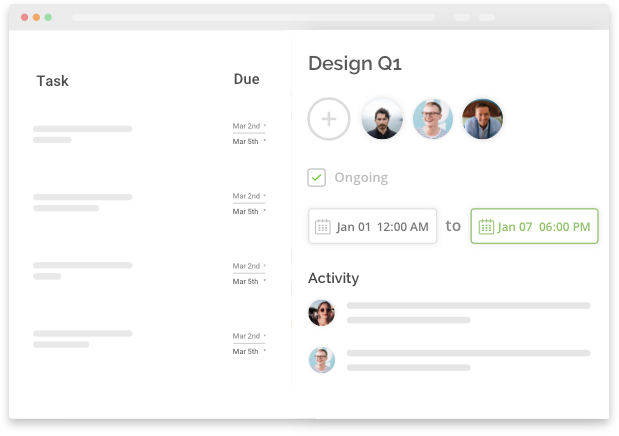
As work grows, everything starts looking messy unless you can filter. Being able to sort by team, product, tag, or department helps each person focus on what matters to them. It also helps leadership review progress without digging through unrelated tasks.
8. Role-Based Permissions
Permissions decide who can do what. For example, you may want only project owners to change due dates, or only managers to approve certain steps. This helps prevent accidental changes, keeps accountability clear, and protects sensitive projects from being seen by the wrong people.
9. Excel Import And Bulk Migration
Most teams start in spreadsheets. A strong Scrum tool should let you import tasks from Excel so you do not have to rebuild everything manually. Bulk migration matters even more if you are switching from another tool and need a fast, clean move.
10. Calendar Sync
If your team lives in Outlook or Google Calendar, syncing deadlines can be helpful. It keeps key dates visible where people already spend time. This is especially useful for busy teams that manage multiple projects at once.
Common Mistakes People Make When Picking Scrum Management Tools
Most teams pick the wrong tool because they choose based on a demo or a recommendation, not based on how their team actually works day to day. Here are the mistakes that come up most often.
1. Choosing The Most Famous Tool, Not The One Your Team Will Actually Use
A recognizable name feels safe. But Jira, Monday, and ClickUp all have large user bases — and large numbers of teams who adopted them, struggled with the complexity, and quietly went back to spreadsheets. The tool that wins is the one your team actually opens every day. If updating it feels like effort, it won’t get updated.
The better approach is simple: pick the tool that your team can update daily without being forced.
2. Ignoring Guest Access Until Review Time, Then Getting Stuck On Cost
This one shows up a lot in marketing, operations, and client-facing teams. Everything looks fine until you need a client, stakeholder, or reviewer to see progress or leave feedback. If guest access is limited or expensive, you either pay more than planned or start copying updates into emails again. Before you commit, check how the tool handles guests, followers, and view-only roles.
3. Picking A Tool With Weak Reporting, Then Rebuilding Reports In Spreadsheets
If the tool cannot answer basic questions like “What is overdue?” “What is blocked?” and “Who is overloaded?” you end up exporting data and making your own reports. That defeats the whole purpose of using Scrum software. A good tool should give you quick dashboards and filters so you do not need to build a reporting system on the side.
4. Not Testing One Real Sprint Inside The Trial
Many teams test tools by clicking around a sample board. That does not reveal the real issues. The best way to evaluate a Scrum tool is to run one actual sprint with real work: create a backlog, plan the sprint, move work daily, handle changes, and do a review. If the tool still feels smooth after that, it is likely a good fit.
Choose The Right Scrum Tool and Ship Work Faster
If your team is still running projects out of spreadsheets, chasing updates in chat, or holding meetings just to find out what’s on track, the right tool fixes all of that in one move. Work becomes visible. Ownership becomes clear. And you stop being the person who has to follow up on everything.
When you shortlist tools, keep it simple. Make sure you can manage a backlog, run sprints, move work on a board, and get basic dashboards without extra effort. Then check the practical stuff that usually causes headaches later, like guest access, permissions, and how easy it is for the team to actually update tasks daily.
A good rule of thumb: if you can’t set it up in an afternoon and run a real sprint in your first week, it’s probably too heavy for your team. Tools like ProProfs Project are worth starting with if you want sprint-style planning, clear ownership, and a dashboard your executives can actually read without spending weeks on setup or paying per seat for every external stakeholder.
Frequently Asked Questions
Are scrum tools different from project management tools?
Scrum tools are usually a type of project management software built for sprint-based work. The difference is focus: Scrum tools prioritize backlog, sprint planning, and sprint tracking, while general PM tools may focus more on timelines and task lists.
What is the 3-5-3 rule in scrum?
The 3-5-3 rule is a memory shortcut: 3 roles, 5 events, and 3 artifacts. It’s a simple way to remember Scrum’s main building blocks when you’re learning or setting up a workflow in a tool.
Do scrum tools support time tracking and billing?
Some Scrum tools include built-in time tracking, while others rely on add-ons or integrations. If your team bills by hours or needs proof of effort, choose a tool that tracks time per task and can export reports cleanly.
Can scrum tools handle approvals and deadline control?
Yes, many tools support permissions and workflow steps so only certain roles can change due dates or approve work. This is helpful in finance, ops, and cross-department teams where “silent date changes” create accountability problems.
What should I look for if my team works with guests or clients?
Check guest access and permissions early. You want a way for reviewers or clients to view progress and comment without seeing everything or needing expensive full seats. This avoids last-minute workarounds during review time.
Which scrum tool is easiest for teams moving from Spreadsheets?
Look for simple setup, templates, clear ownership, and easy reporting so people actually adopt it. In practice, teams often do well with tools that feel lightweight but still cover boards, tasks, reminders, and visibility, like ProProfs Project.
FREE. All Features. FOREVER!
Try our Forever FREE account with all premium features!