I have watched enough design and content teams try to run client projects out of Excel and WhatsApp to know how this story usually ends. A logo project looks “done” on the sheet, except it is stuck on round four of client feedback. A video edit shows as “in progress” while the editor is actually just waiting on the client to reply to an email from three days ago.
That gap between what the spreadsheet says and what is actually happening is exactly why project management software for creatives exists. Creative work is not a straight line from start to finish. It loops back on itself with every round of feedback, every asset revision, and every “can we also try it in blue” message from a client.
If you run a design studio, a video production team, or an in-house creative team juggling five brand campaigns at once, this guide walks through the 10 best project management software for creatives in 2026, what each one does well, where it falls short, and how to pick the right one for your team’s size and budget.
What Is Project Management Software for Creatives?
Project management software for creatives is a platform that helps design, video, and content teams plan tasks, collect client feedback, track file versions, and manage deadlines in one place. It differs from generic PM tools by prioritizing visual boards, proofing, and approval workflows over rigid task hierarchies.
Common terms used interchangeably for this category include creative project management software, creative agency project management software, and creative agency software. They all point to the same core need: a system that can keep up with iterative, client-facing creative work.
Top 10 Project Management Software for Creatives
Here are the 10 best project management software for creatives in 2026, ranked by how well each one solves real creative workflow problems, not just how many features it packs in.
| Tool | Best For | Pricing | User Rating (G2) |
| ProProfs Project | Simplest project management tool for SMBs with client invoicing, time & billing | Free plan available. Paid plan starts at $39.97 | 4.5 |
| monday.com | Visual, customizable creative workflows | Free plan available / starts at $9/user/month | 4.7 |
| ClickUp | Creative proofing and revision tracking | Free plan available / starts at $7/user/month | 4.7 |
| Wrike | Enterprise-level approval workflows | Starts at $10/user/month | 4.2 |
| Trello | Simple Kanban boards for small teams | Free plan available / starts at $5/user/month | 4.4 |
| Asana | AI-assisted workflow automation | Free plan available / starts at $10.99/user/month | 4.3 |
| Productive | Agency profitability and resource tracking | Starts at $10/user/month | 4.6 |
| Scoro | Quote-to-cash workflows | Starts at $19.90/user/month | 4.5 |
| Paymo | Time tracking and invoicing | Starts at $5.90/user/month | 4.6 |
| Basecamp | Centralized team communication | Starts at $15/user/month | 4.1 |
1. ProProfs Project – Simplest Project Management Tool for SMBs With Client Invoicing, Time & Billing
ProProfs Project is the tool I hand to small and mid-sized creative teams who want project management, time tracking, and client billing without stitching three separate apps together. It earns the top spot on this list because it solves the two problems that usually force small studios into a spreadsheet in the first place: keeping tasks organized and getting paid on time.
Setting up a project takes minutes. I switch between Kanban, Gantt, list, and calendar views depending on what a client update calls for, and every task supports file sharing, threaded comments, and due-date reminders so feedback stays attached to the work instead of scattered across email.
What actually keeps me coming back is the built-in client, time, and billing suite. I track billable hours per task, generate a branded invoice or estimate straight from those tracked hours, and share it all under my studio’s own custom domain, which matters when you are trying to look like a polished operation and not a one-person show.
ProProfs Project has also leaned into AI recently. Its AI Project Designer builds a full project structure, tasks, stages, and assignments included. A study by Capterra in 2025 shows that 55% of project management software buyers now prioritize AI capabilities when choosing a tool, which is exactly the gap these features close for a team without a dedicated ops person.
Pros:
- Combines task boards, time tracking, and invoicing in a single flat-rate plan
- AI Project Designer builds a full project structure from a plain-English prompt
- AI Project Assistant answers status questions without manual report digging
- Multiple project views, Gantt, Kanban, Calendar, and List, give SEO managers full visibility across all client campaigns from a single screen.
- Built-in time tracking connects directly to invoicing, reducing billing errors and eliminating the need for separate financial tools.
Cons:
- Dark mode interface is not currently available
- No dedicated account manager on the free plan
User Rating (G2): 4.5/5
Pricing:
Free plan available. Paid plans start at $39.97.
2. Monday.com – Best for Visual, Customizable Creative Workflows
I picked up monday.com after getting tired of PM tools that buried tasks three menus deep. Its color-coded boards felt more like a mood board than a spreadsheet, which made it easy to get a design team to actually adopt it.
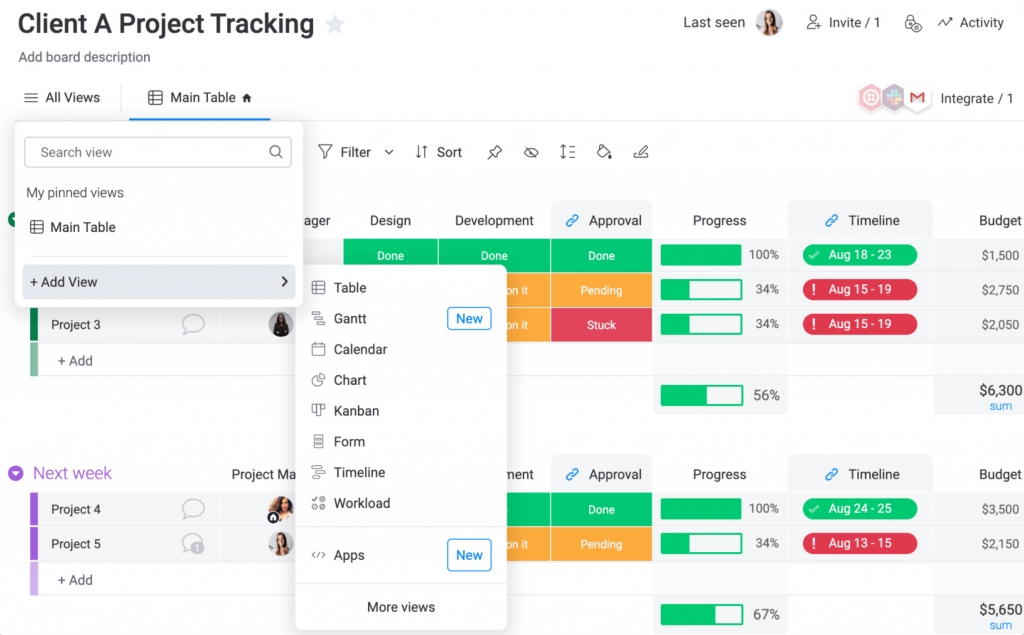
Building out a campaign board took minutes. I set up custom columns like “Design Stage,” “Client Review,” and “Final Approval,” then switched between a list view and a calendar view depending on what the team needed that week. The automation engine handled routine coordination too, pinging a copywriter automatically the moment a designer marked a draft as ready.
The place it let me down was resource and capacity planning, which sits behind the Enterprise tier, and the native time tracking felt thin compared to dedicated tools. For a visually driven creative team that wants a tool that looks as good as the work it manages, it is still one of the strongest picks on this list.
Pros:
- Combines up to 20 boards into a single client-shareable dashboard
- 200+ pre-built templates speed up recurring campaign setup
- Automation engine handles task assignment and status-based notifications
- Highly customizable columns and views fit varied creative workflows
Cons:
- Resource management and capacity planning are Enterprise-tier only
- Native time tracking is limited compared to dedicated tools
User Rating (G2): 4.7/5
Pricing:
Starts at $9/user/month.
If the Enterprise-only resource planning is a dealbreaker for your team’s budget, our roundup of monday.com alternatives covers a few other visual-first options worth a look.
3. ClickUp – Best for Creative Proofing and Revision Tracking
I brought ClickUp in specifically to fix a proofing problem. Client feedback on designs and videos kept arriving as vague comments like “make it pop,” and nobody could tell exactly which part of the asset they meant.
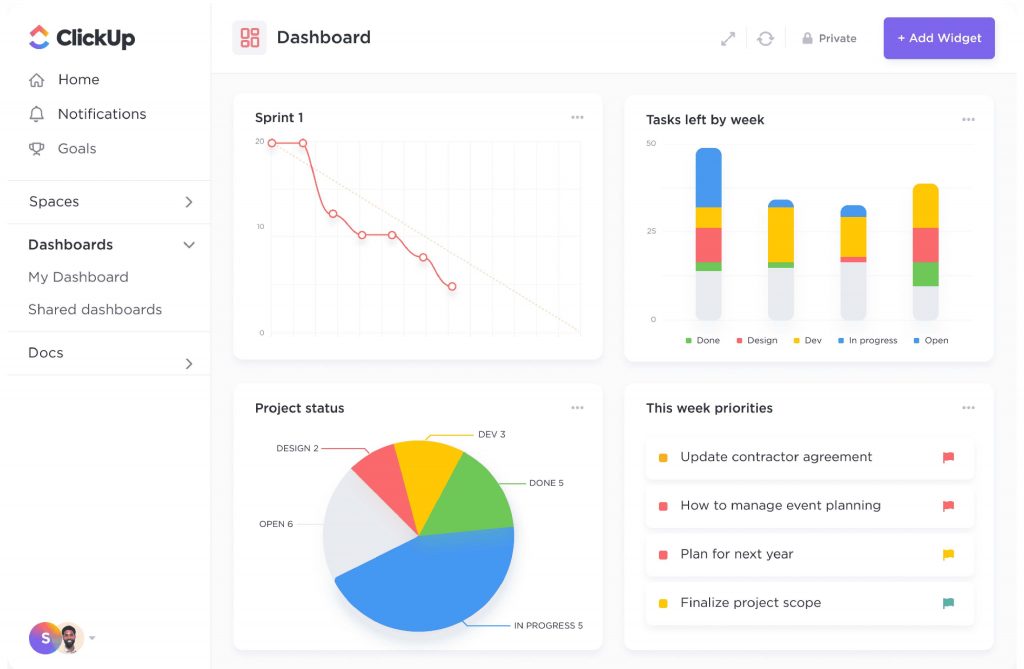
ClickUp’s proofing feature solved that outright. Clients and reviewers can open an image, PDF, or video directly inside ClickUp and drop a comment pinned to the exact pixel or timestamp they are talking about, and every comment stays attached to that specific version of the file. Native time tracking came bundled into the lowest paid tier too, which meant I did not need a separate app just to log billable hours.
The tradeoff is real complexity. ClickUp tries to replace nearly every tool in a creative team’s stack, from docs to whiteboards to chat, and teams that do not invest time learning it tend to use it as a plain task list and miss most of its value.
Pros:
- Pinpoint proofing comments on images, videos, and PDFs
- Native time tracking included from the lowest paid plan
- 15+ project views including Gantt charts and whiteboards
- Frequent feature updates keep the platform current
Cons:
- AI assistant is a paid add-on regardless of plan
- Feature overload can push teams toward using it as a basic task list
User Rating (G2): 4.7/5
Pricing:
Starts at $7/user/month.
4. Wrike – Best for Enterprise-Level Approval Workflows
I reached for Wrike when a creative team I worked with needed hard structure around multi-stage client approvals. Its dependent task feature let me set up review chains where a design could not move to the next stage until the previous approver signed off.
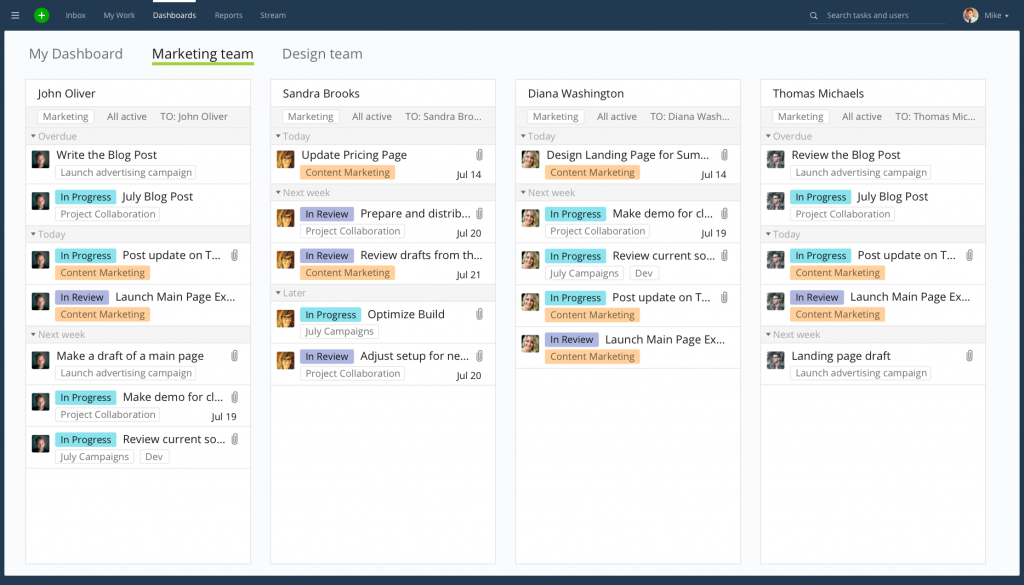
Custom request forms fed campaign intake directly into structured project templates, which cut down the back-and-forth of clarifying a creative brief after the fact. Workload charts gave account managers a clear read on who on the team was overbooked before a deadline crisis hit, not after.
Where Wrike asked for patience was setup. The platform has a real learning curve, and budgeting tools are locked behind its most expensive plan, which makes it a better fit for larger creative teams with a dedicated ops person to configure it properly than for a two-person studio.
Pros:
- Dependent tasks enforce structured, multi-stage approval chains
- Custom request forms standardize creative brief intake
- Workload charts show real-time team capacity
- Project templates speed up repeatable campaign setup
Cons:
- Budgeting features are limited to the most expensive plan
- Notification volume can become overwhelming for smaller teams
User Rating (G2): 4.2/5
Pricing:
Starts at $10/user/month
5. Trello – Best for Simple Kanban Boards for Small Teams
Trello was the first tool I handed to a two-person design team that had never used any project management software before. Within an hour, they had cards moving from “Concept” to “In Review” to “Approved” without a single training session.
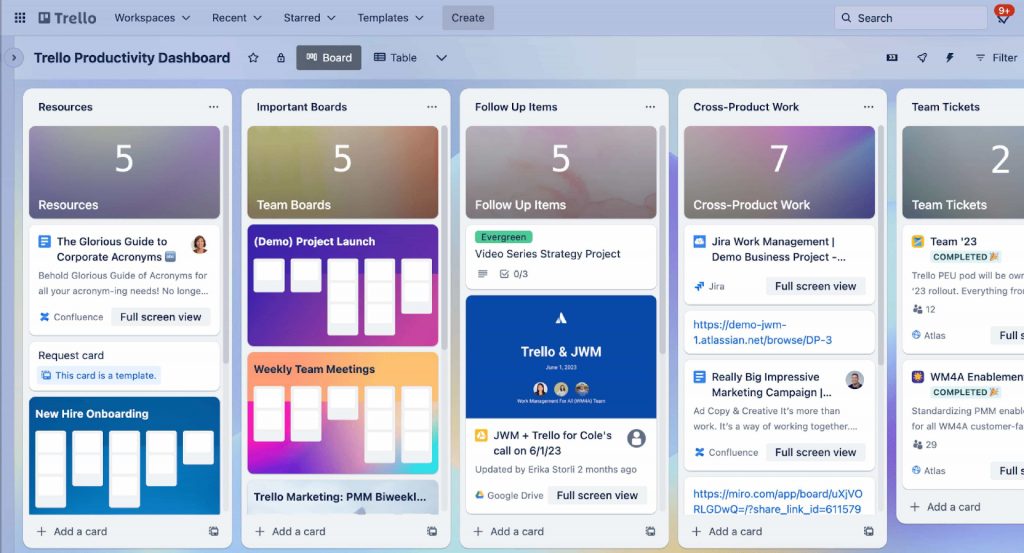
The drag-and-drop board is genuinely intuitive for anyone used to sticky notes on a whiteboard, which made it an easy sell to designers who are usually skeptical of “another tool to learn.” Power-Ups extended it with calendar views and basic automation through Butler, covering most of what a small creative team actually needs day to day.
It started to strain once that same team grew past a handful of active clients. Trello has no native time tracking, weak reporting, and boards multiply fast once a team is juggling more than a few dozen tasks, which makes it better suited to small teams than growing agencies.
Pros:
- Drag-and-drop Kanban boards require zero onboarding time
- Butler automation handles simple recurring rules
- Power-Ups extend functionality without switching tools
- Mobile app mirrors the desktop experience closely
Cons:
- Limited reporting and analytics compared to competitors
- Becomes cluttered and hard to navigate as project volume grows
User Rating (G2): 4.4/5
Pricing:
Starts at $5/user/month.
6. Asana – Best for AI-Assisted Workflow Automation
I moved a marketing-heavy creative team onto Asana mainly for AI Studio, which let a project lead describe a workflow in plain English and have Asana build the automation behind it. Setting up a client intake process that used to take an afternoon took about ten minutes.
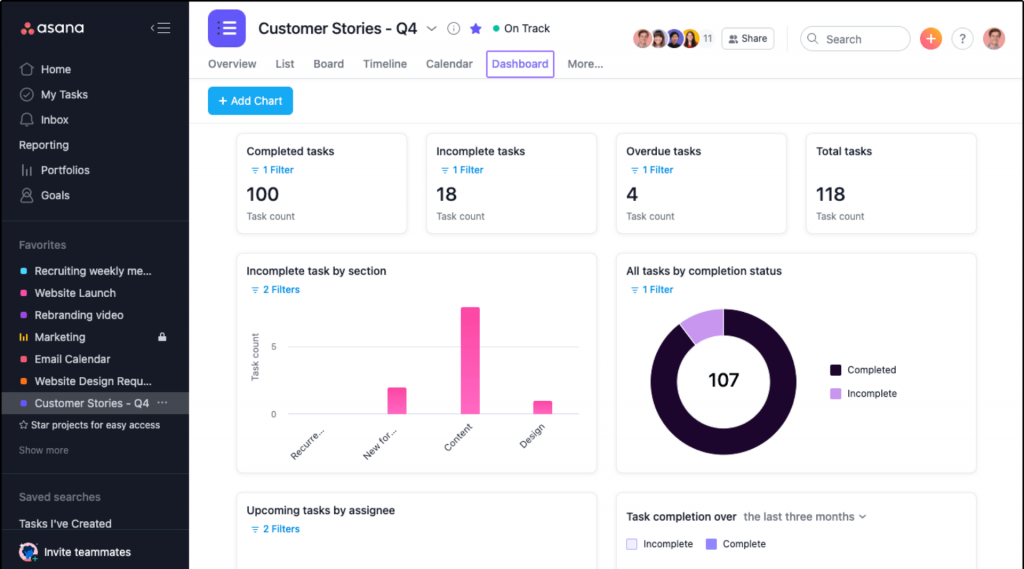
Trigger-based rules handled the routine handoffs that usually get missed, like reassigning a task automatically when a teammate went on leave or escalating a stalled creative brief that had been sitting untouched for two days. The built-in proofing tool let clients annotate PDFs and design mockups directly inside Asana instead of over four different email threads.
The catch is that time tracking, timesheets, and budgets are gated behind Asana’s pricier tiers, so teams that need tight financial visibility on creative projects will likely need to pair it with another tool or plan for the higher-cost plan from the start.
Pros:
- AI Studio builds automations from plain-English workflow descriptions
- Built-in proofing lets clients annotate designs directly in-app
- Unlimited automation rules and custom templates on paid plans
- Trigger-based rules automate task reassignment and escalation
Cons:
- Time tracking, timesheets, and budgets require the most expensive add-on tier
- Only one assignee per task can fragment multi-contributor creative work
User Rating (G2): 4.3/5
Pricing:
Starts at $10.99/user/month.
7. Productive – Best for Agency Profitability and Resource Tracking
I brought Productive in for a creative agency that was profitable on paper but could never explain exactly which client accounts were actually making money. It turned out to be the missing piece.
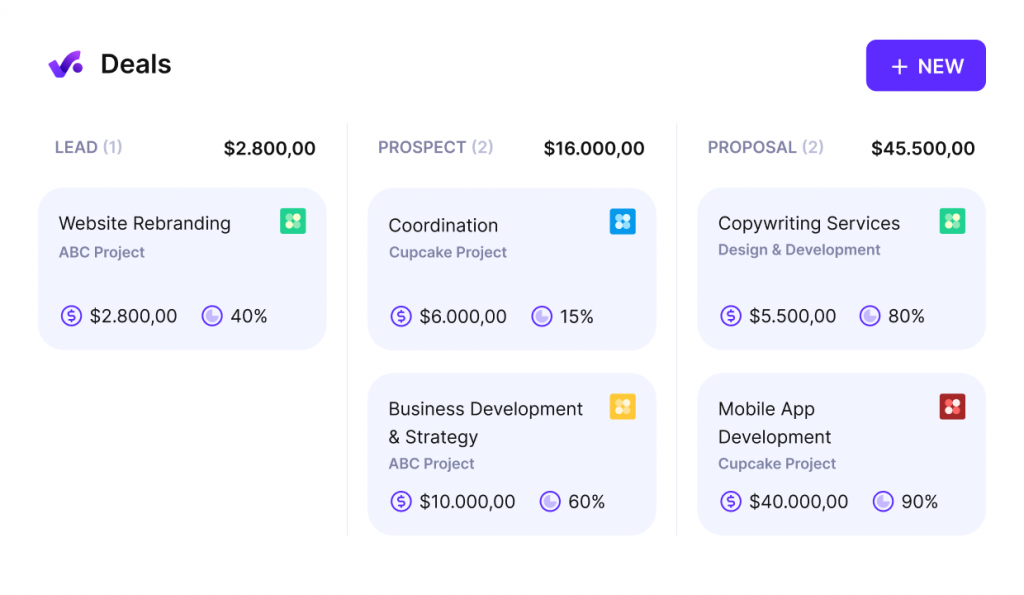
Productive tracks financial burn in real time against every project, so I could see billable utilization rates and profitability calculations that factored in overhead and salaries alongside revenue, not just hours logged. The workload view used color-coded indicators to flag who on the creative team had free capacity and where a scheduling conflict was quietly forming before it became a missed deadline.
Smaller creative shops with straightforward billing will find the entry-level plan more than enough, but agencies with multi-rate or complex retainer structures will likely need to move up to a pricier tier to unlock revenue forecasting and the Scenario Builder.
Pros:
- Real-time profitability tracking factors in overhead and salaries
- Color-coded workload view flags overbooked team members early
- Scenario Builder models capacity and revenue before committing to new work
- Native time tracking and resource planning in one platform
Cons:
- Revenue forecasting and Scenario Builder are locked to the top tier
- Interface has a learning curve for teams new to financial PM tools
User Rating (G2): 4.6/5
Pricing:
Starts at $10/user/month.
8. Scoro – Best for Quote-to-Cash Workflows
I recommended Scoro to an agency that could never agree on how a project actually moved from a client email to a paid invoice. Three different tools were involved, with manual data entry connecting all of them.
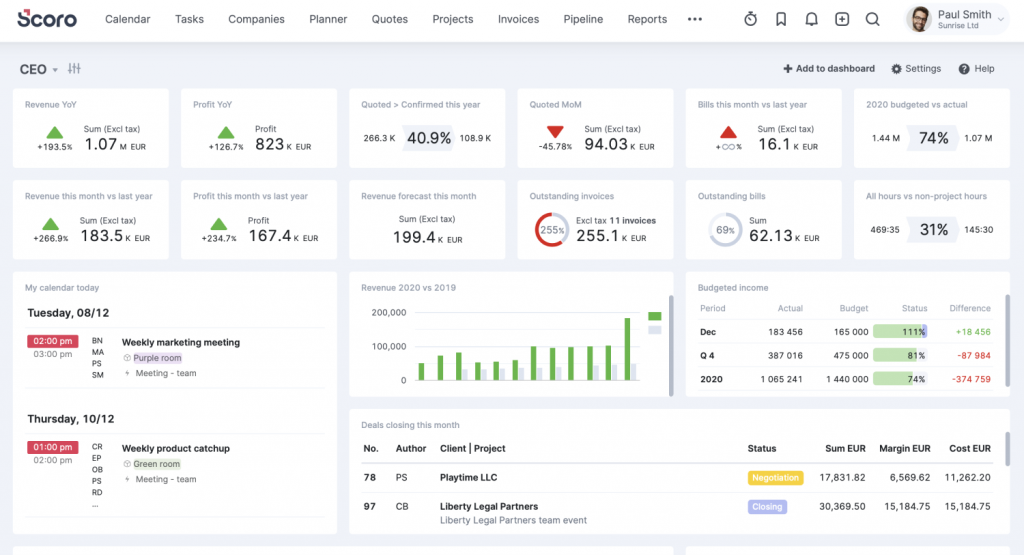
Scoro’s quote estimation matrix let the team break a proposal into deliverables, assign estimated hours by role, and see projected cost and margin before the client even signed. Once the deal closed, tasks generated directly from that same quote, which cut down on the scope creep that tends to creep in during the first week of a new project. The Planner handled scheduling, and invoicing pulled straight from approved time entries without a manual export to accounting software.
The pricing sits on the higher end of this list, and features like approval flows and time locking are reserved for the top-tier plan, so it makes the most sense for agencies that will genuinely use the full quote-to-invoice lifecycle rather than just the task boards.
Pros:
- Quote estimation matrix calculates cost and margin before project kickoff
- Tasks auto-generate from approved quotes, reducing scope creep
- Planner and Timesheet views handle scheduling and billable hours together
- Invoicing draws directly from approved time entries
Cons:
- Pricing is high relative to other tools on this list
- Approval flows and time locking are Ultimate-tier only
User Rating (G2): 4.5/5
Pricing:
Starts at $19.90/user/month.
9. Paymo – Best for Time Tracking and Invoicing
I chose Paymo for a freelance design collective that billed almost entirely by the hour and needed invoicing that did not require a separate app. It delivered on exactly that.

Automatic time tracking converted every logged timestamp into a task entry that rolled up neatly into a timesheet, which meant designers who hated manually logging hours barely noticed it running in the background. Once a project wrapped, generating an invoice directly from those tracked hours took a single click, which mattered a lot for a small team without a dedicated bookkeeper.
Communication is the weak point. Paymo has no internal chat system, so teams that rely on Cons:tant back-and-forth discussion will need to lean on Slack integrations to fill that gap, and its interface, while functional, is not the most intuitive on this list.
Pros:
- Automatic time tracking converts logged hours into invoices in one click
- Bulk and drag-and-drop manual time entry options
- Slack integration surfaces task notifications for teams that need chat
- Reasonable pricing for small and mid-sized creative teams
Cons:
- No native internal chat or messaging feature
- Fewer third-party integrations than larger competitors
User Rating (G2): 4.6/5
Pricing:
Starts at $5.90/user/month.
10. Basecamp – Best for Centralized Team Communication
I set up Basecamp for a creative team whose biggest complaint was not task tracking, it was that nobody could find where a decision had actually been made. Basecamp’s forum-style dashboard fixed that almost immediately.
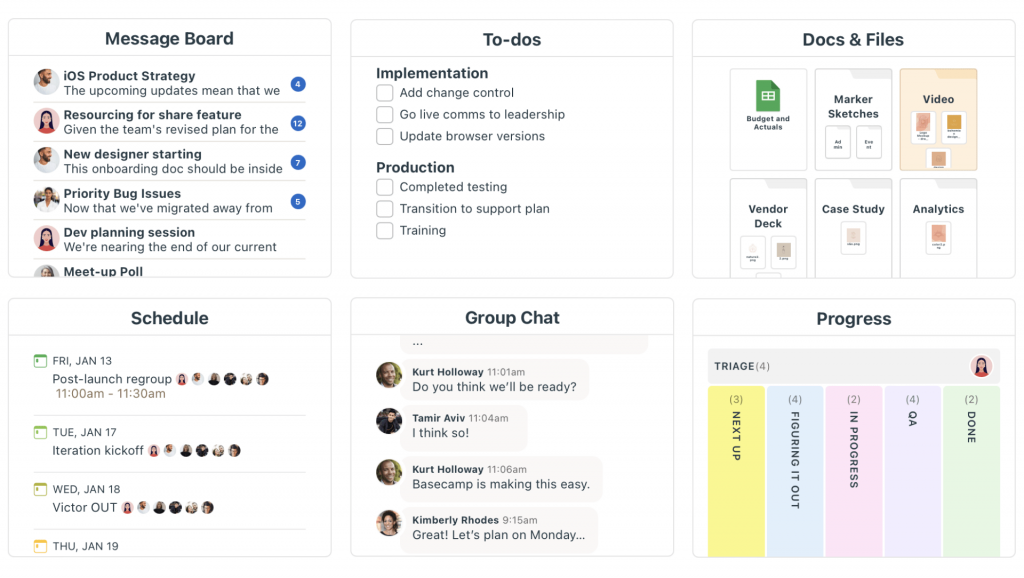
Every project got its own message board, to-do list, file storage, and group chat in one place, so a client comment on a video edit and the internal discussion about it lived on the same page instead of across four apps. The “Lineup” timeline view gave a simple visual of what was in progress across the whole studio, and “Focus mode” let designers mute notifications during deep work blocks without missing anything important later.
Basecamp trades features for simplicity, and that is deliberate. There is no built-in time tracking, limited reporting, and the Kanban-style “Card Table” cannot be customized much, so teams that need detailed budgeting or approval chains will outgrow it quickly.
Pros:
- Combines chat, files, and to-dos in a single project hub
- “Lineup” timeline view gives a studio-wide progress overview
- “Focus mode” mutes notifications without losing message history
- Clean, forum-style interface requires minimal onboarding
Cons:
- No native time tracking or invoicing
- Limited customization of Kanban-style boards
User Rating (G2): 4.1/5
Pricing:
Starts at $15/user/month.
How I Evaluated These Tools
I run every product on this list through the same six-factor framework before it earns a spot, so the comparisons stay fair instead of favoring whichever tool has the flashiest homepage.
- User Reviews And Ratings: I weigh verified feedback and star ratings from G2 and Capterra to understand real satisfaction levels and recurring complaints, not just marketing claims.
- Essential Features And Functionality: I look past the feature list on the pricing page and test whether core capabilities, like proofing, task boards, and client access, actually work the way a creative team needs them to.
- Ease Of Use: I evaluate how quickly a non-technical creative, like a designer or copywriter, can get productive without a training session.
- Customer Support: I factor in how responsive and helpful support is during setup, troubleshooting, and day-to-day use.
- Value For Money: I compare what a plan actually includes against its price, so a cheaper tool that is missing half the features a team needs does not score higher than it should.
- Personal Experience And Expert Opinions: I combine my own hands-on use of each tool with patterns I see echoed across expert reviews and user communities, so the picks reflect more than one person’s opinion.
My Top 3 Picks for the Best Project Management Software for Creatives
If you only read one section of this guide, make it this one. These three tools solve the widest range of creative team problems with the least amount of setup friction. For a broader comparison beyond these three, our best creative project management software roundup covers more options.
1. ProProfs Project
ProProfs Project takes the top spot because it solves the two problems that push small creative teams toward a spreadsheet in the first place: task organization and getting paid. Other roundups for this topic, including guides from Wrike, monday.com, and Productive, focus heavily on task boards and approval chains for larger agencies, but few address the SMB and freelance end of the market, where a single flat-rate plan that bundles time tracking and client invoicing matters more than enterprise-grade workflow customization. ProProfs Project covers that gap for free up to 3 users, and its AI Project Designer and Project Assistant mean a small team gets automation that would otherwise require a much pricier plan elsewhere.
2. monday.com
monday.com earns the second spot for teams whose main challenge is visual coordination across a growing number of active campaigns. Its board customization and shareable dashboards make it easy for a creative director to see, at a glance, where every project stands without chasing five people for a status update.
3. ClickUp
ClickUp rounds out the top three for any team where proofing and revision tracking is the biggest bottleneck. Being able to pin a comment to the exact frame of a video or the exact element of a design mockup removes the guesswork that usually turns a two-day revision into a two-week back-and-forth.
Why Does Your Creative Team Need Specialized Project Management Software?
Creative teams run into pain points that generic PM tools were never designed to solve. Here is what actually breaks down without the right system in place.
- Spreadsheet and inbox fatigue. Many small studios and freelance teams still track client projects in a spreadsheet or “in their head,” which becomes unmanageable as project volume grows.
- Client access without extra cost. Agencies need clients to review drafts and leave feedback without paying for a client seat on every platform they use.
- Scattered feedback across chat apps. Feedback that lives across Slack, WhatsApp, and email threads has no single source of truth, so nothing gets tracked properly.
- Task pile-up with limited hands. Freelancers and small studios often take on more client work than their team size can comfortably handle, and deadlines start slipping.
- Missed deadlines from manual reminders. Without automated reminders, creative teams rely on memory to track who owes feedback and when a deliverable is due.
A study by Capterra in 2025 shows that 36% of project management software buyers say integration with their existing tools is their single biggest challenge when adopting new software. This is exactly why creative teams need a tool that plugs into the tools they already use, like Slack, Google Drive, and Adobe Creative Cloud, instead of forcing a total workflow overhaul.
Deliver Creative Projects on Time With the Right Project Management Software
Choosing project management software for creatives comes down to knowing exactly where your current process breaks down, whether that is visual coordination, client approvals, billing, or communication that gets lost across five different apps.
Test the free plan of whichever tool matches your biggest bottleneck with one real client project before rolling it out to your whole team. That single test will tell you more about fit than any feature comparison table ever could.
If your studio is still stitching together a task board, a time tracker, and an invoicing app to run one client project, a tool like ProProfs Project is worth starting with. It bundles Kanban and Gantt views, time tracking, and client billing into one flat-rate plan that stays free for teams of up to 3, so you are not paying per seat just to keep a project organized.
It prioritizes visual boards, proofing tools, and client feedback workflows over rigid task hierarchies, since creative work moves through iterative rounds rather than a straight line to completion. Trello and ProProfs Project work well for small teams because both offer strong free plans and require little to no onboarding time before a team becomes productive. Yes, tools like ProProfs Project includeclient invoicing and billing built into the same plan as task management, so small teams do not need a separate accounting app. Yes, tools like ClickUp and Asana let clients and reviewers leave comments pinned to a specific part of an image, video, or PDF, which keeps revision feedback clear and trackable. Yes, monday.com, ClickUp, Trello, Asana, and ProProfs Project all offer functional free plans, though most cap the number of users or features included. Pricing ranges from free to around $30 per user per month, depending on features like time tracking, resource planning, and advanced automation. Most modern tools integrate with Slack, Google Drive, and Adobe Creative Cloud, though the depth of integration varies, so it is worth confirming before switching platforms.Frequently Asked Questions
How is project management software for creatives different from regular PM tools?
Which project management software is best for small creative teams?
Does project management software for creatives handle client invoicing and billing?
Can project management software for creatives handle file proofing and revisions?
Is there a free project management software for creative agencies?
How much does project management software for creatives cost?
Does project management software for creatives integrate with design tools?
FREE. All Features. FOREVER!
Try our Forever FREE account with all premium features!