Project cost management software is the one thing standing between you and a project that quietly bleeds money for weeks before anyone notices. I’ve watched teams run beautifully organized projects on paper while their budget spiraled out of view in a spreadsheet nobody updated since kickoff. A study by McKinsey in 2012 shows large IT projects run 45% over budget and 7% over time on average, and that gap between “the project looks fine” and “the project is actually on budget” is exactly what this category of software is built to close.
I’ve spent the last few weeks testing and comparing project cost management software, from simple SMB-friendly tools to heavyweight enterprise financial platforms, to find out which ones actually help you track costs without burying you in setup work. Along the way, I used ProProfs Project daily to manage time, billing, and budgets for a small client project, and that hands-on experience shaped a lot of what’s in this review.
In this guide, I’ll walk you through what project cost management software actually does and which 10 tools are worth your time in 2026, including where ProProfs Project fits for teams that want simple budget and billing control without a per-seat pricing trap.
What Is Project Cost Management Software?
Project cost management software is a tool that helps teams plan, track, and control project budgets, from initial estimates to final invoices. It connects costs directly to tasks and timelines so you always know where the money is going, not just where the work stands.
Instead of managing budgets in a spreadsheet that lives apart from your actual project plan, this software puts planned costs, actual spend, billable hours, and invoices in the same dashboard as your tasks. When a task slips or scope changes, you see the cost impact immediately instead of finding out at month-end reporting. That’s the same idea behind cost management in project management as a discipline: it only works when budgets move in step with the actual work, not on a separate schedule.
Cost management software for project management typically overlaps with broader project management platforms rather than existing as a totally separate category. Most teams don’t buy a standalone cost tracker. They buy project management software with strong budgeting, time tracking, and invoicing features built in.
A study by Grand View Research in 2025 shows the project management software market climbing from $6.59 billion in 2022 to a projected $20.47 billion by 2030, a clear signal that more teams are moving cost tracking off spreadsheets and into dedicated platforms.
What Are the Best Project Cost Management Software Tools?
Choosing project cost management software depends on your team size, whether you bill clients, and how much per-seat pricing matters to your budget. Below are the 10 tools worth evaluating in 2026, starting with the one I’d recommend for most SMB and client-facing teams.
| Tool | Best For | Pricing |
| ProProfs Project | Simplest project management tool for SMBs with client invoicing, time & billing | Free plan available. Paid plan starts at $39.97. |
| Wrike | Real-time budget tracking across flexible workflows | Starts at $10/user/month |
| Scoro | Monitoring project margins and profitability | Starts at $19.90/user/month |
| Productive | Agency project profitability and resourcing | Starts at $11/user/month |
| Beebole | Granular time and billing rate tracking | Starts at $9.99/user/month |
| Teamwork.com | Client-facing project cost management | Starts at $9.99/user/month |
| Microsoft Project | Advanced scheduling with cost baselines | Starts at $10/user/month |
| Procore | Construction project cost tracking | Pricing upon request |
| 4castplus | Construction cost forecasting and job costing | Pricing upon request |
| Sage Intacct | Enterprise project accounting and consolidation | Pricing upon request |
1. ProProfs Project – Simplest Project Management Tool for SMBs With Client Invoicing, Time & Billing
I currently use ProProfs Project to manage a client project, and the thing I keep coming back to is how the budget, timesheet, and invoice all live on the same screen. I don’t have to jump into a separate accounting tool to see whether a project is still profitable. I set an hourly rate for each team member once, and every logged hour rolls straight into the client invoice through automated client invoicing without me touching a spreadsheet.
What sold me on it for cost tracking specifically is the unlimited user pricing. I added two contractors and a client as a guest reviewer without my monthly bill changing at all, which is not something I could say about the last three tools I tried. The AI Reports feature also flags budget risk on its own, so I get a heads-up on overrunning tasks before I have to go digging for the number myself.
The reporting side deserves a specific mention too. I can generate a presentation-ready financial summary and share it with a client through a secure link, and the built-in timers and timesheets mean every billable hour is already accounted for by the time I open the report. For a small team billing clients by the hour, this is the closest I’ve found to a true all-in-one cost management setup.
Pros:
- Unlimited users on a single flat-rate plan with no per-seat cost
- Built-in timers, timesheets, and automated client invoicing
- AI Reports and AI Report Summary flag budget and timeline risk automatically
- Gantt, Kanban, List, and Calendar views in one dashboard
- White-label client dashboards and a custom domain on paid plans
Cons:
- Dark mode interface is not currently available
- No dedicated account manager on the free plan
Pricing:
Free plan available. Paid plans start at $39.97.
2. Wrike – Best for Real-Time Budget Tracking Across Flexible Workflows
I used Wrike on a cross-functional marketing project where budget visibility across departments mattered more than deep financial modeling. The customizable dashboards let me build a budget-tracking widget in a few minutes, and I liked that actuals updated automatically as team members logged time against tasks.
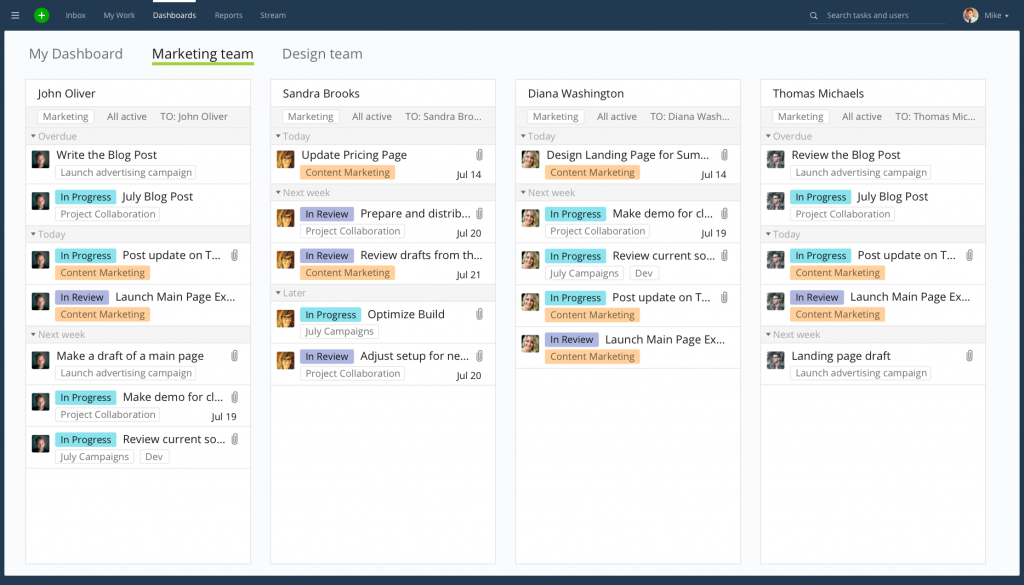
What stood out was how Wrike balanced flexibility with cost control. I could switch between Gantt, Kanban, and table views without losing sight of the budget numbers pinned to each task, and dynamic forms made it easy to collect budget-impacting requests without a separate approval process.
The AI-powered risk flags were a nice touch for spotting cost drivers before they became a real problem, though I did have to spend real time customizing dashboards before they felt genuinely useful for financial reporting.
Pros:
- Real-time budget vs. forecast visibility
- Customizable dashboards for cost drivers
- Flexible views across Gantt, table, and board formats
- AI-powered risk flags for budget overruns
Cons:
- Customization takes real setup time upfront
- Per-seat pricing adds up fast for larger teams
Pricing:
Starts at $10/user/month.
3. Scoro – Best for Monitoring Project Margins and Profitability
I picked Scoro for a project where profitability mattered more than raw task tracking. Setting hourly labor costs by role and logging time against projects gave me a clear margin view I hadn’t gotten from tools built primarily around tasks rather than financials.
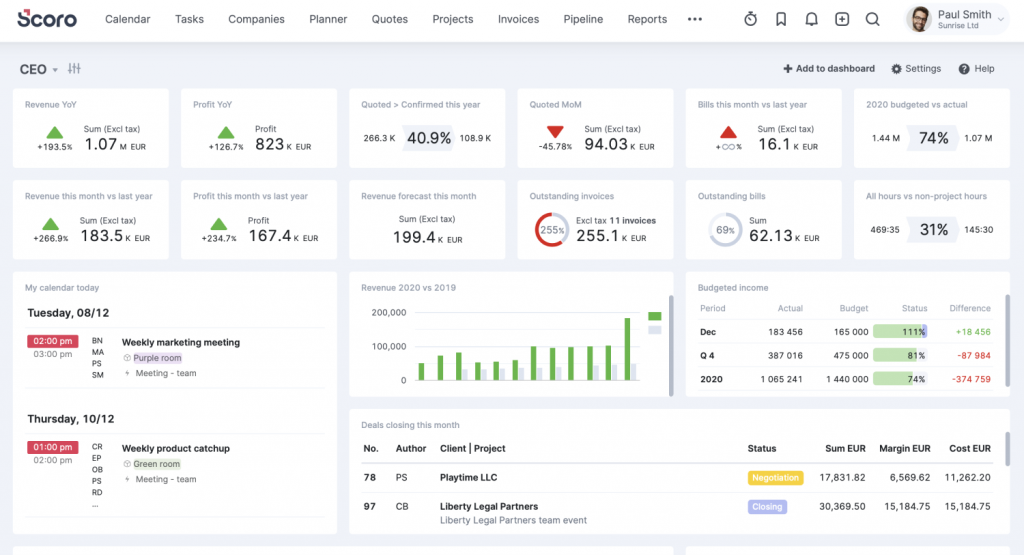
The invoicing and supplier bill tracking in one place meant I wasn’t reconciling numbers across three different tools by month-end. Real-time visibility into project costs made it obvious which engagements were actually profitable and which ones were quietly eating margin.
Customizing the platform took longer than I expected, and I noticed the cost climbing quickly once I added more users, which makes sense for larger teams but adds up fast for smaller ones.
Pros:
- Strong invoicing and financial management
- Real-time tracking of margins and profitability
- Comprehensive quoting-to-invoicing workflow
- Supports supplier bills alongside labor costs
Cons:
- Can get pricey for teams with a large number of users
- Steeper learning curve than simpler tools
Pricing:
Starts at $19.90/user/month.
4. Productive – Best for Agency Project Profitability and Resourcing
I used Productive on an agency-style project where resourcing and profitability tracking needed to happen in the same place. Real-time budgeting meant I could see margin erosion as soon as a task started running long, instead of waiting for the end-of-project reconciliation.
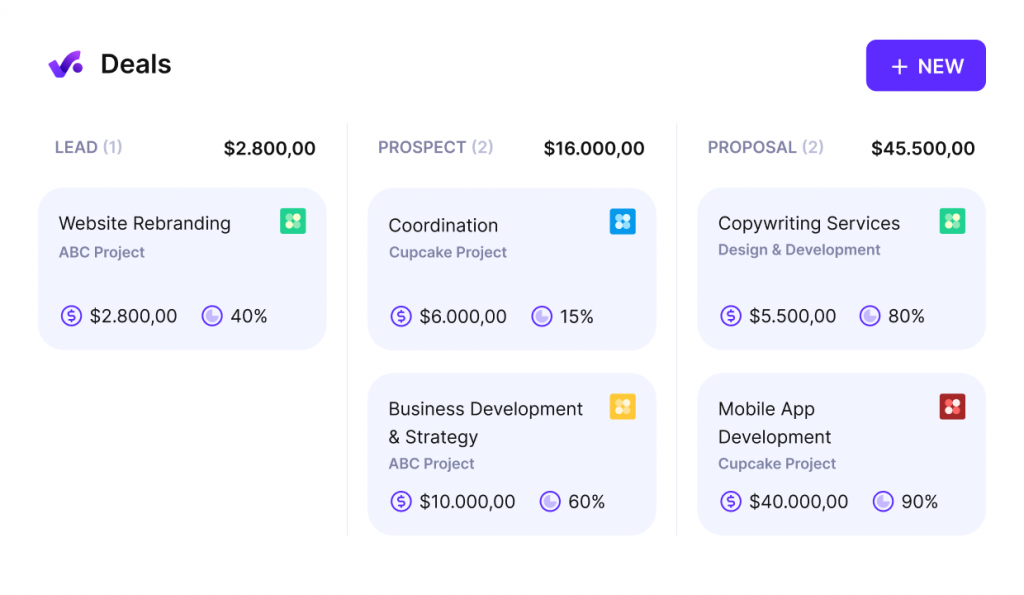
Integrated time tracking and invoicing kept billing accurate, and the forecasting features helped me spot resourcing gaps before they turned into cost overruns. Customizable dashboards made it simple to pull the exact financial view a client or stakeholder wanted to see.
Initial setup took longer than I expected given how many modules the platform covers, and I would have liked a few more integration options for the accounting tools my team already used.
Pros:
- Consolidates project, resource, and financial management
- Real-time budgeting and profitability tracking
- Integrated time tracking tied to invoicing
- Customizable dashboards for reporting
Cons:
- Could offer more accounting integrations
- Better suited to agencies than general project teams
Pricing:
Starts at $11/user/month.
5. Beebole – Best for Granular Time and Billing Rate Tracking
I tested Beebole specifically for granular time and cost tracking across multiple concurrent projects. Setting custom billing rates for each project and client gave me precise control that some broader project management tools don’t offer out of the box.
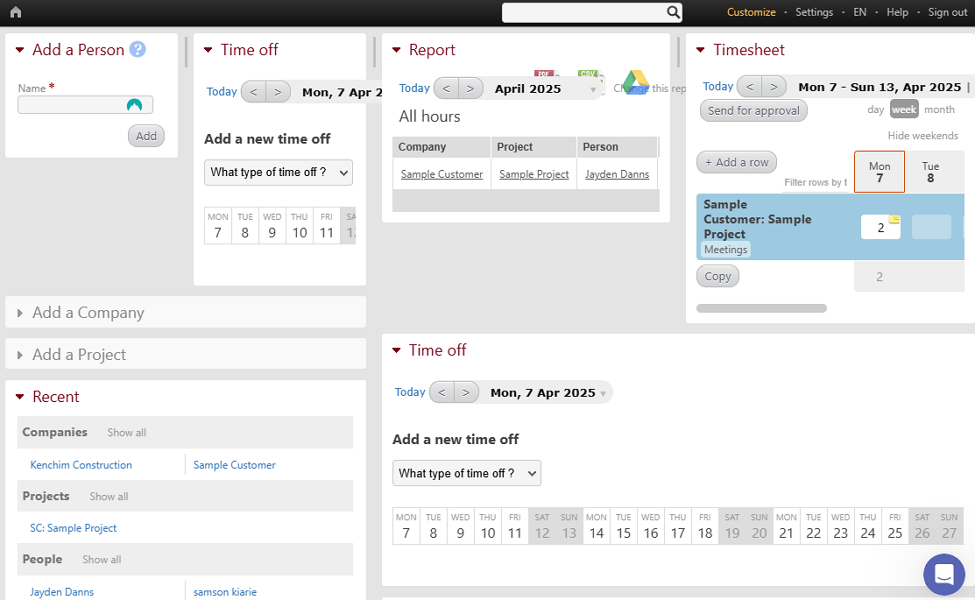
Bulk time entry saved real time when logging hours for a larger team, and the custom approval workflows meant I wasn’t chasing people down for timesheet corrections. Multi-currency support also made it easy to track costs across international team members without manual conversion.
Reporting customization felt more restrictive than I wanted, and the lack of a mobile app was a real gap for anyone logging time away from a desktop.
Pros:
- Custom billing rates by project, client, or team member
- Automated timesheet reminders
- Role-based dashboards for project visibility
- Multi-currency support for global cost tracking
Cons:
- Reporting customization can be restrictive
- No mobile app for on-the-go time tracking
Pricing:
Starts at $9.99/user/month.
6. Teamwork.com – Best for Client-Facing Project Cost Management
I ran a client project through Teamwork.com specifically to test its budget and expense tracking against its collaboration features. The client-specific project tracking made it simple to keep each engagement’s costs separate and visible, without cross-contaminating budgets across accounts.
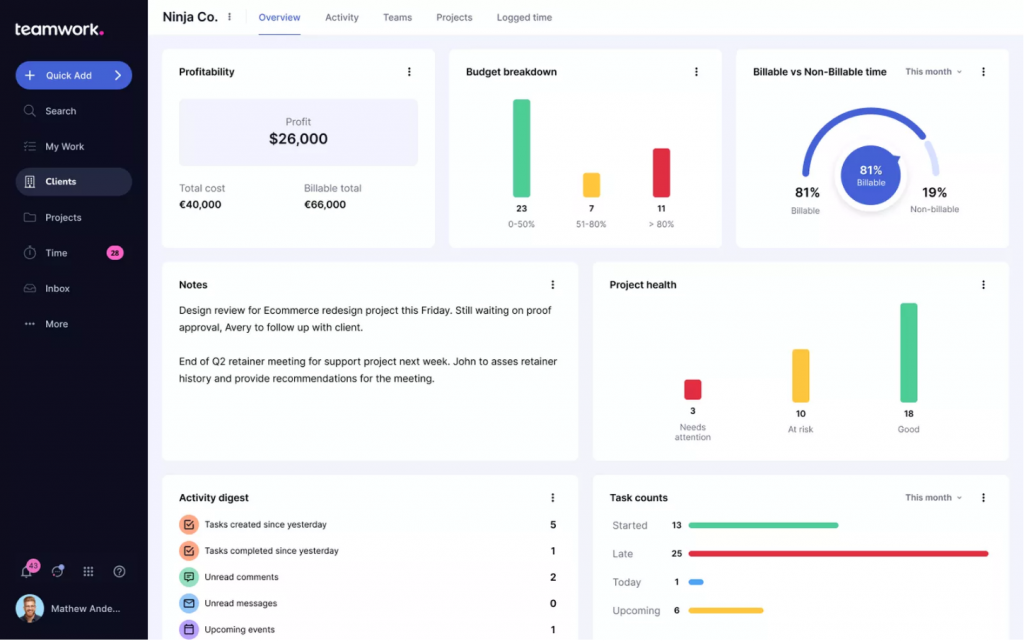
Detailed collaboration tools kept the whole team aligned on task status, which indirectly reduced budget risk since fewer things fell through the cracks. Custom project budgets for different types of work meant I could set realistic cost expectations depending on the engagement type.
The interface took a bit of getting used to, and I noticed processing slowed down on some of the larger projects I tracked.
Pros:
- Real-time tracking of project financials
- Customizable budgets for different work types
- Strong client-specific project tracking
- Detailed collaboration and file sharing
Cons:
- Slower processing on larger projects
- Reporting depth trails dedicated financial tools
Pricing:
Starts at $9.99/user/month.
7. Microsoft Project – Best for Advanced Scheduling With Cost Baselines
I used Microsoft Project for a complex, multi-phase project where detailed scheduling and cost baselines mattered more than day-to-day collaboration. Setting a project baseline made it easy to see exactly how far actual costs had drifted from the original plan.
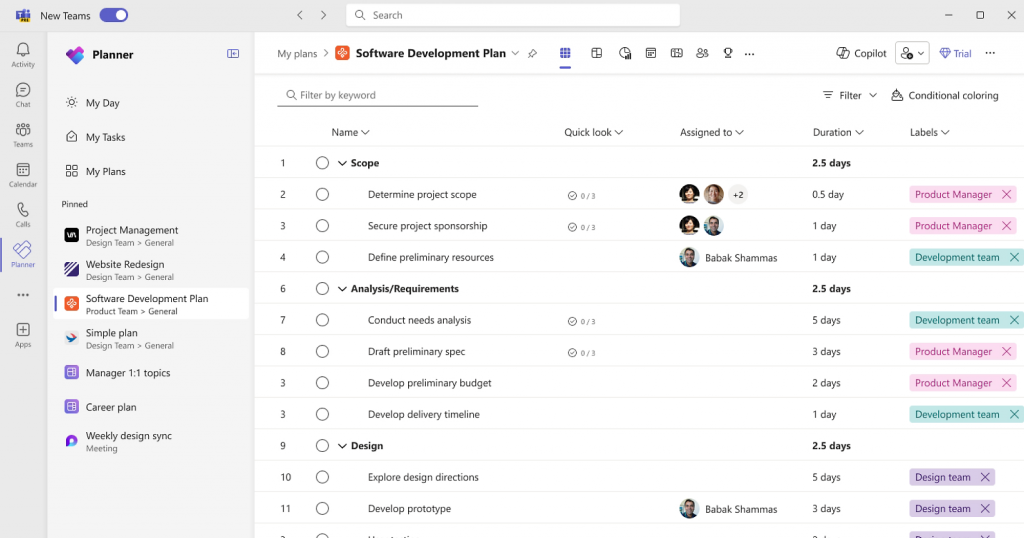
The scheduling depth is genuinely strong. I could break the project into detailed phases with dependencies and cost allocations that most simpler tools don’t support. Power BI integration turned that scheduling data into detailed financial dashboards without extra manual work.
The learning curve was steep, and I wouldn’t hand this to a team that just needs simple task and budget tracking.
Pros:
- Advanced scheduling with cost baselines
- Power BI dashboards for financial insight
- Detailed resource management by role
- Strong integration with Microsoft 365 tools
Cons:
- Overly complex for simple projects
- Less intuitive for non-technical team members
Pricing:
Starts at $10/user/month, billed annually.
8. Procore – Best for Construction Project Cost Tracking
I evaluated Procore on a construction-focused project where budgeting against actual costs and change orders needed to happen at the job site level. Comparing actual expenses against estimates in real time made it easy to catch a subcontractor overrun before it snowballed, and this is a good example of how construction project cost tracking behaves differently from a typical office project.
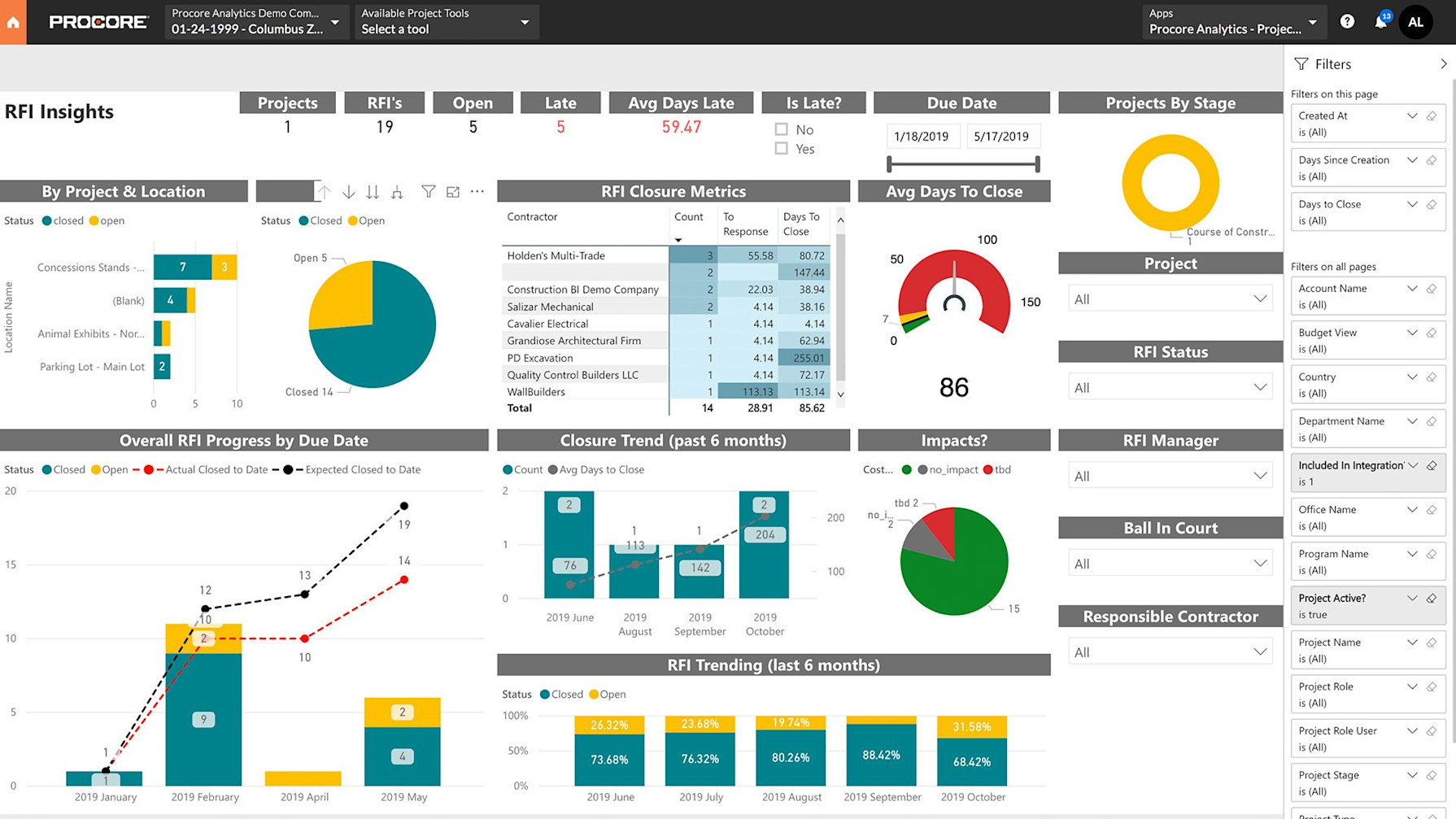
The financial management tools cover bid management through project closeout, which gave the whole team, from field crews to the office, a single source of truth on cost status. Reporting and analytics were detailed enough to satisfy stakeholders who wanted a full lifecycle view of project spend.
The mobile app has real limitations in the field, and newer users faced a real learning curve given how much the platform covers.
Pros:
- Robust reporting and analytics for construction budgets
- Covers the full project lifecycle from bid to closeout
- Real-time collaboration across stakeholders
- Strong change order and budget revision tracking
Cons:
- Limited mobile app functionality
- Overkill for small, non-construction teams
Pricing:
Pricing upon request.
9. 4castplus – Best for Construction Cost Forecasting and Job Costing
I looked at 4castplus for construction project cost tracking specifically because job costing and forecasting are built around how construction budgets actually work, rather than adapted from a general project management tool. It integrates with MS Project, Primavera, and QuickBooks, which matters if your team already has an estimating workflow in place.
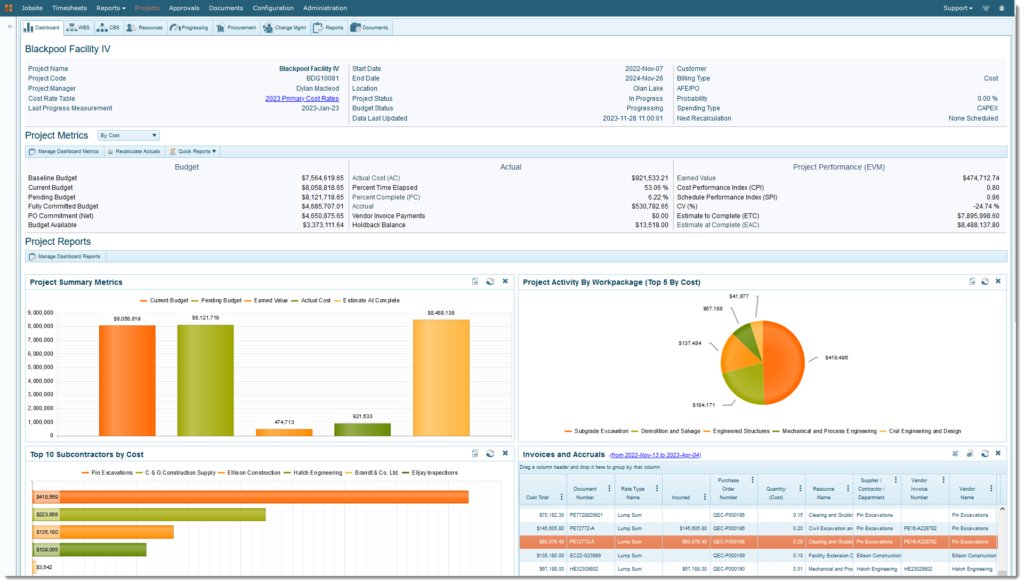
The cost forecasting tools are built for tracking committed costs against actuals at the cost-code level, which general-purpose tools rarely support well. For construction teams juggling multiple concurrent jobs, that level of cost code detail is a real differentiator.
Pricing isn’t published, and based on third-party estimates it skews toward larger construction firms and enterprise budgets rather than small teams just getting started with cost tracking.
Pros:
- Purpose-built for construction cost codes and job costing
- Integrates with MS Project, Primavera, and QuickBooks
- Detailed forecasting against committed costs
- Customizable to specific construction workflows
Cons:
- No published pricing, requires a custom quote
- Less intuitive interface than newer project tools
Pricing:
Pricing upon request.
10. Sage Intacct – Best for Enterprise Project Accounting and Consolidation
I looked at Sage Intacct for teams that need project cost tracking to live inside a full financial system rather than a project management tool with billing bolted on. Its project accounting module tracks costs, time, budgets, and profitability with the kind of financial rigor an enterprise finance team expects.
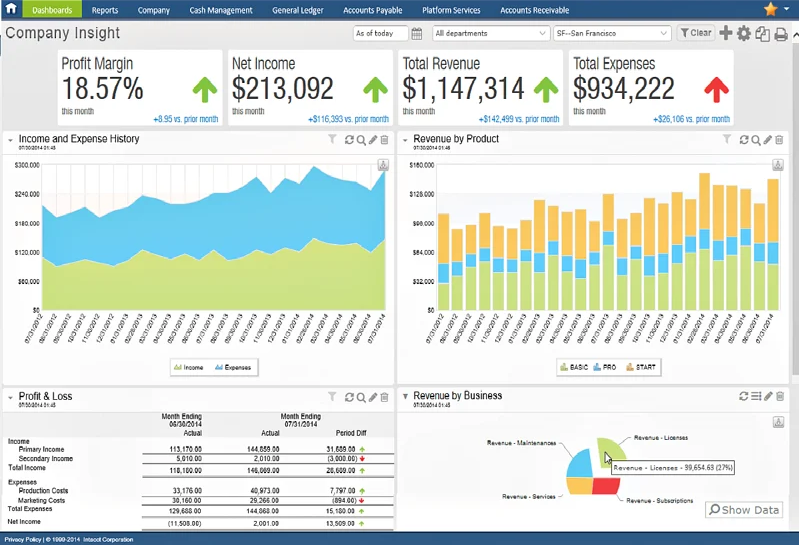
Multi-entity consolidation and GAAP-compliant revenue recognition make it a strong fit for organizations managing project costs across multiple business units. The reporting engine, with dimensional reporting and a visual report builder, goes well beyond what most project management tools offer natively, closer to what larger teams expect from dedicated enterprise project management software.
This is not a lightweight tool. Implementation takes real time and budget, and it’s a poor fit for a single-entity small business that doesn’t need this level of financial complexity.
Pros:
- Deep project accounting and profitability reporting
- Multi-entity consolidation for complex organizations
- GAAP and IFRS-compliant revenue recognition
- Strong integrations across the accounting ecosystem
Cons:
- No published per-user pricing, requires a custom quote
- Significant implementation time and cost
Pricing:
Pricing upon request.
Evaluation Criteria
The evaluation of the project cost management software in this article follows an unbiased, systematic approach that ensures a fair, insightful, and well-rounded review. I used six key factors:
- User Reviews / Ratings: I looked at direct experiences from users, including ratings and feedback from reputable review sites like G2 and Capterra, to understand ground-level satisfaction with each tool’s cost tracking features.
- Essential Features & Functionality: I evaluated core budgeting, time tracking, invoicing, and reporting capabilities in depth to judge how genuinely useful each tool is for controlling project costs.
- Ease of Use: I assessed how quickly a project manager, not just a finance specialist, could set up a budget and start tracking costs without a steep learning curve.
- Customer Support: I considered how responsive and helpful support was during setup, especially for smaller teams without a dedicated finance department.
- Value for Money: I compared pricing against the depth of cost management features to judge whether each tool is worth what it charges, especially as team size grows.
- Personal Experience / Experts’ Opinions: I drew on my own hands-on use of these tools, alongside industry commentary, to round out the review beyond feature lists alone.
My Top 3 Picks for the Best Project Cost Management Software
If you only have time to shortlist three tools, start here. These three cover the widest range of team sizes and budgets without sacrificing real cost visibility or profitability tracking.
1. ProProfs Project
ProProfs Project is my first pick for any small or mid-sized team that bills clients by the hour. The flat, unlimited-user pricing alone solves the biggest cost complaint I hear from growing teams: per-seat pricing that punishes you for adding a client or contractor. Combined with built-in invoicing, timesheets, and AI-flagged budget risk, it gets you a genuinely complete cost management setup without a finance team behind it.
2. Wrike
Wrike is my pick for teams that need flexibility across departments alongside budget tracking. If your projects span marketing, IT, and operations with different workflows, Wrike’s customizable dashboards let each team see cost data in the format that makes sense for them, without losing a shared source of truth on spend.
3. Procore
Procore is my pick specifically for construction teams. Job costing, change orders, and subcontractor budgets behave differently on a construction site than in a typical office project, and Procore is built around that reality rather than adapting a generic project tool to fit.
What Features Should You Look for?
Once you’ve narrowed your shortlist, it helps to check every tool against the same feature checklist, since a long feature list on a website doesn’t always translate into real cost control day to day. A study by Capterra in 2026 shows 58% of project management software buyers budget between $20 and $40 per user per month, which makes it worth checking exactly which of these features you’re actually paying for at that price point.
- Real-Time Budget Vs. Actual Tracking At The Task And Project Level. This is the single most important feature on this list. If a tool only shows you total spend at the end of the month, you’ll always be reacting to overruns instead of catching them early.
- Built-In Time Tracking With Start/Stop Timers And Manual Entry. Labor is usually the biggest line item in a project budget, so accurate time tracking directly determines how accurate your cost data is.
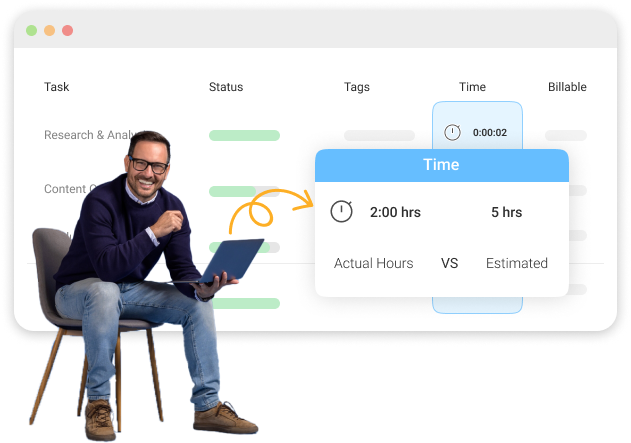
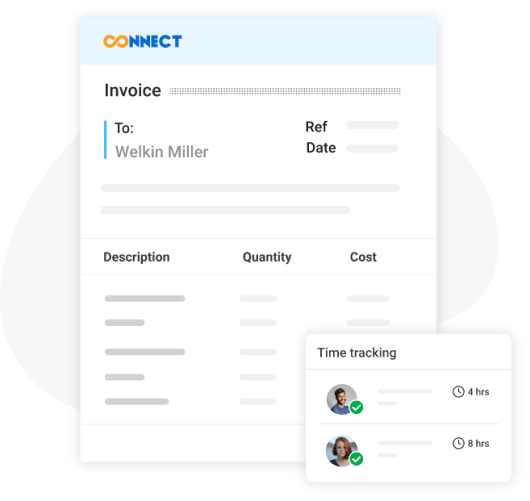
- Automated Client Invoicing Tied To Logged Hours And Expenses. If you bill clients, manually rebuilding invoices from timesheets every month is where billable hours quietly go unbilled. Look for tools that turn logged hours into client invoicing automatically.
- Custom Hourly Or Fixed Billing Rates By Role, Project, Or Client. Flat rates across the board rarely reflect reality once you have senior staff, junior staff, and contractors all billing at different rates.
- Budget Baselines And Change Order Tracking For Scope Adjustments. Without a documented budget baseline, you lose your reference point the moment scope changes, and every cost conversation becomes a guessing game.
- Exportable Financial And Progress Reports For Stakeholders. Leadership shouldn’t have to wait for a PM to manually build a slide deck to understand whether a project is on budget.
- Unlimited Or Flat-Rate User Pricing Instead Of Per-Seat Charges. This is where teams get burned as they scale. A tool that charges more every time you add a client or contractor punishes exactly the kind of growth you want.
- Integration With Accounting Tools Like Quickbooks Or Xero. Cost data that has to be manually re-entered into your accounting system creates a second point of failure and doubles your admin work.
- Role-Based Permissions So Clients See Only What’s Relevant To Them. Client transparency builds trust, but that only works if you can control exactly what financial detail they’re able to see.
Master Project Cost Management Software and Protect Your Budget
Project cost overruns rarely announce themselves. They build quietly through unbilled hours, undocumented scope changes, and a spreadsheet nobody updates until it’s too late to fix anything. The right project cost management software closes that gap by putting your budget, your timeline, and your team’s actual work in the same place.
Start by matching the tool to how your team actually works. If you’re a lean team billing clients hourly, prioritize flat-rate pricing and built-in invoicing over a long feature list you’ll never fully use. If you run construction or enterprise-scale projects, prioritize job costing depth and financial consolidation instead.
For teams that want budget tracking, time logging, and client invoicing without a per-seat pricing surprise every time they add a user, a tool like ProProfs Project makes it easy to get set up in an afternoon, not a quarter.
Frequently Asked Questions
What Is the Best Project Cost Management Software for Small Teams?
ProProfs Project is a strong fit for small teams because it charges one flat monthly rate for unlimited users instead of per-seat pricing, and it includes built-in time tracking and client invoicing from the start.
How Much Does Project Cost Management Software Cost?
Pricing ranges from around $9 to $25 per user per month for most mid-market tools, while enterprise platforms like Sage Intacct require a custom quote based on modules and user count.
Can Project Cost Management Software Replace an Accountant?
No, it complements accounting rather than replacing it. It tracks project-level budgets, time, and invoices, while your accountant or accounting software still handles broader financial statements and tax compliance.
Is Project Costing Software Different From Project Management Software?
Not usually. Most project costing software is a project management platform with strong budgeting, time tracking, and invoicing features built in, rather than a completely separate product category.
Does Construction Project Cost Tracking Software Work Differently?
Yes, construction cost tracking software is typically built around job costing, cost codes, and change orders specific to construction workflows, which is why tools like Procore and 4castplus differ from general project management platforms.
What Features Should a Cost Tracking Tool Have?
Look for real-time budget vs. actual tracking, built-in time logging, automated invoicing, custom billing rates, and exportable financial reports. ProProfs Project covers all of these in a single dashboard.
How Do I Track Project Costs Without Spreadsheets?
Move your budget, task list, and time tracking into one platform so costs update automatically as work happens, rather than manually reconciling numbers across separate files at the end of each week.
Can Clients See Project Costs in This Software?
Many tools, including ProProfs Project, let you invite clients as guests with limited permissions, so they can see progress and invoices without accessing your team's internal cost breakdowns.
What Is a Cost Baseline in Project Management?
A cost baseline is the originally approved budget for a project, broken down by task or phase, used as the reference point to measure actual spending and scope changes against. It's closely tied to earned value management, which uses that baseline to measure cost and schedule performance as the project progresses.
Do I Need Different Software for Time Tracking and Cost Management?
No, most modern project cost management software, including ProProfs Project, combines time tracking, budgeting, and invoicing in one dashboard so you don't have to reconcile data across separate tools.
How Do I Avoid Per-Seat Pricing Traps?
Look for tools with flat-rate or unlimited-user plans, especially if you regularly add clients, contractors, or reviewers to projects, since per-seat pricing can silently inflate costs as your team scales.
Is There a Free Project Cost Management Tool?
ProProfs Project offers a forever-free plan for up to 3 users with core budgeting, task, and time tracking features, which is enough for very small teams to get started before scaling up.
FREE. All Features. FOREVER!
Try our Forever FREE account with all premium features!