Most schools and universities I have worked with are running their projects the same way: a mix of spreadsheets, email threads, and verbal reminders That is exactly why many schools now use dedicated best project management software instead of relying only on spreadsheets, email threads, and verbal reminders.. It works until it does not. A curriculum update stalls because no one knew who was responsible for the next step. An accreditation deadline sneaks up because it lived in someone’s personal calendar. A simple project management checklist can help teams map ownership, deadlines, approvals, and follow-ups before an academic project starts. A new IT rollout runs over budget because no one was tracking hours.
That is exactly what project management software for education is built to fix. When I started looking at tools specifically for academic teams, I wanted something that actually fits how schools work, not how a tech startup or a marketing agency works. Education runs on semesters, not quarters. Tasks repeat every year. Budgets are tight. And the people using the tool are usually administrators and coordinators, not trained project managers.
I tested over a dozen tools with those criteria in mind. ProProfs Project came out on top. It is simple enough that anyone can get started on day one, affordable enough for most education budgets, and deep enough to handle everything from a single department’s workload to institution-wide initiatives. Here are the ten tools worth knowing about, starting with the best.
What Is Project Management Software for Education?
Project management software for education is a digital platform that helps school administrators, university staff, department heads, and academic program coordinators plan, assign, monitor, and complete institutional projects in one centralized workspace.
Unlike generic business tools, education-focused project management software accounts for academic calendars, recurring semester cycles, multi-stakeholder coordination across faculty and admin teams, and tight budget constraints common in public institutions.
Top 10 Project Management Software for Education in 2026
These are the ten best education project management tools based on features, pricing, ease of use, and fit for academic workflows. I evaluated each tool with education administrators and institutional teams in mind.
| Tool | Best For | Pricing |
| ProProfs Project | Planning, Collaborating & Delivering Projects on Time | Free plan available. Paid plan starts at $39.97. |
| Asana | Best for cross-department task coordination | Free plan; paid from $10.99/user/month |
| Trello | Best for simple visual task management | Free plan; paid from $5/user/month |
| Monday.com | Best for large universities with complex workflows | From $9/user/month |
| ClickUp | Best for feature-heavy teams on a budget | Free plan; paid from $7/user/month |
| Zoho Projects | Best for institutions already using Zoho tools | Free plan; paid from $4/user/month |
| Notion | Best for curriculum documentation teams | Free plan; paid from $10/user/month |
| Basecamp | Best for flat-fee team pricing | From $15/user/month |
| Wrike | Best for higher education program management | Free plan; paid from $10/user/month |
| Smartsheet | Best for data-heavy institutional planning | From $9/user/month |
1. ProProfs Project – Best for Planning, Collaborating & Delivering Projects on Time
ProProfs Project is a simple, affordable project management platform built for teams that need powerful features without a complicated setup. It offers Gantt charts, Kanban boards, time tracking, task dependencies, recurring tasks, and reporting all in one place. For K-12 administrators, university project managers, and academic department heads, it gives the visibility and control needed to manage multiple concurrent initiatives without requiring formal PM training.
What sets it apart is its AI project management layer that handles the heavy lifting from day one. Describe your project and AI builds the full structure, tasks, stages, and assignments, in seconds. From there, the AI assistant stays active throughout the project lifecycle, flagging blockers, tracking progress, and surfacing deadline risks before they escalate. Open any report and AI tells you exactly what is on track, what needs attention, and where the team should focus next.
Over time, I found that the workflow automation and recurring task feature alone saved hours each semester by automatically recreating standard cycle tasks like faculty evaluations and curriculum review checkpoints.
Pros:
- Supports unlimited users and unlimited projects even on its paid plan, making it cost-effective for large academic institutions
- Gantt chart view shows task dependencies and timeline conflicts at a glance, critical for semester planning
- Built-in time tracking lets administrators monitor staff workload and generate billing or grant compliance reports
- Kanban board view gives department heads a real-time snapshot of task status across all active projects
- AI-powered features automate task suggestions, deadline reminders, and progress updates, reducing manual follow-ups
Cons:
- Dark mode interface is not currently available
- No dedicated account manager on the free plan
Pricing:
Free plan available. Paid plans start at $39.97.
2. Asana – Best for Cross-Department Task Coordination
Asana is one of the most widely adopted project management tools in higher education for a reason. It brings together task management, project timelines, and team communication in a clean, intuitive interface.
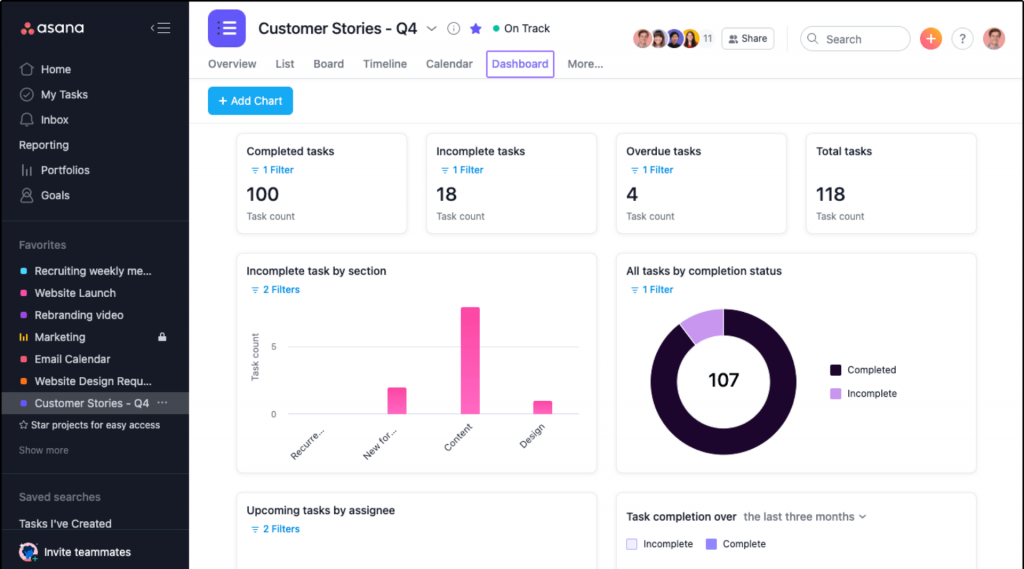
For university administrators coordinating initiatives across multiple departments (student services, registrar, IT, and academics), Asana provides the cross-team visibility that email threads simply cannot.
I tested Asana on a multi-department curriculum rollout and found its portfolio view genuinely useful. Department heads could see all their active projects on one screen without drilling into individual task lists. The workflow automation rules, which trigger task assignments and status changes based on conditions, saved my team a surprising amount of manual coordination time.
Pros:
- Portfolio view gives leadership a high-level summary of all active projects across departments
- Workflow automation rules reduce repetitive manual updates and task assignments
- Timeline view works like a simplified Gantt chart and is easy for non-PM users to read
- Strong integration library including Google Workspace, Slack, and Microsoft Teams
Cons:
- Gantt chart and portfolio features are locked behind the premium plan
- No built-in time tracking, which limits grant compliance reporting without a third-party add-on
Pricing:
Free plan available; paid plans start at $10.99/user/month
3. Trello – Best for Simple Visual Task Management
Trello is the entry-level option most education teams discover first, and for good reason. Its card-based Kanban interface is so intuitive that even staff with no project management experience can pick it up in minutes.
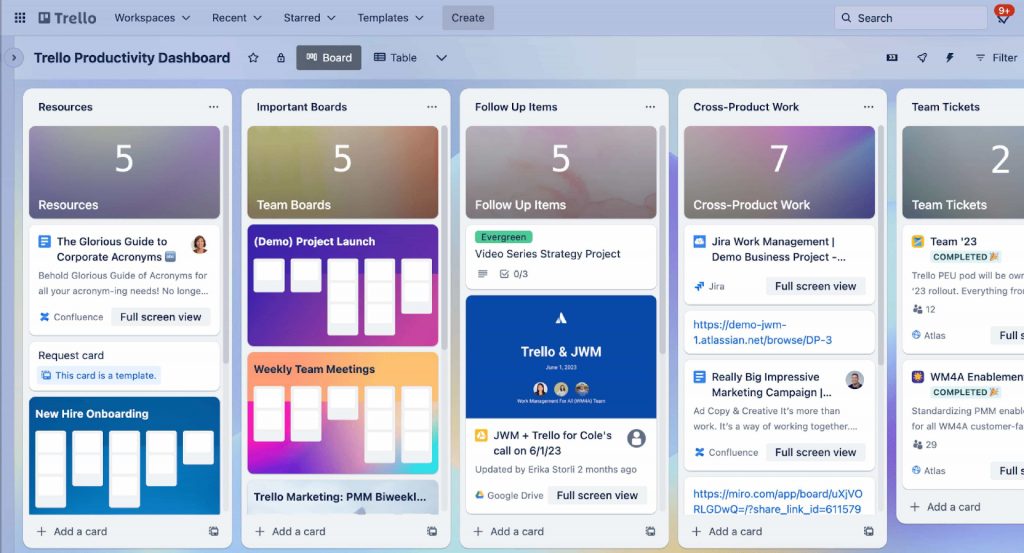
For schools managing relatively simple administrative projects (event planning, enrollment campaigns, or staff onboarding), Trello does the job without adding complexity.
I used Trello for a school events calendar and found it perfect for exactly that kind of short-cycle, task-light project. The visual board made it easy to see what was in progress and what was done. But when I tried to manage a more complex multi-month curriculum development project with dependencies and milestone tracking, Trello’s limitations became clear.
Pros:
- Zero learning curve: teams can start using it productively within minutes
- Power-Up integrations add calendar view, time tracking, and automation to extend base functionality
- Card-level checklists, attachments, and due dates cover basic task management well
- Works well for visual thinkers who prefer a board-based overview
Cons:
- No native Gantt chart; requires a paid Power-Up for timeline views
- Not suited for complex, multi-phase institutional projects with dependencies
Pricing:
Free plan available; paid plans start at $5/user/month.
4. Monday.com – Best for Large Universities with Complex Workflows
Monday.com positions itself as a work operating system, and for large universities managing multiple concurrent administrative and academic initiatives, that framing makes sense. It is highly customizable, supports a wide range of workflow types, and offers strong automation and reporting features. For institutions managing everything from admissions campaigns to facilities projects in one platform, Monday.com has the flexibility to accommodate it all.
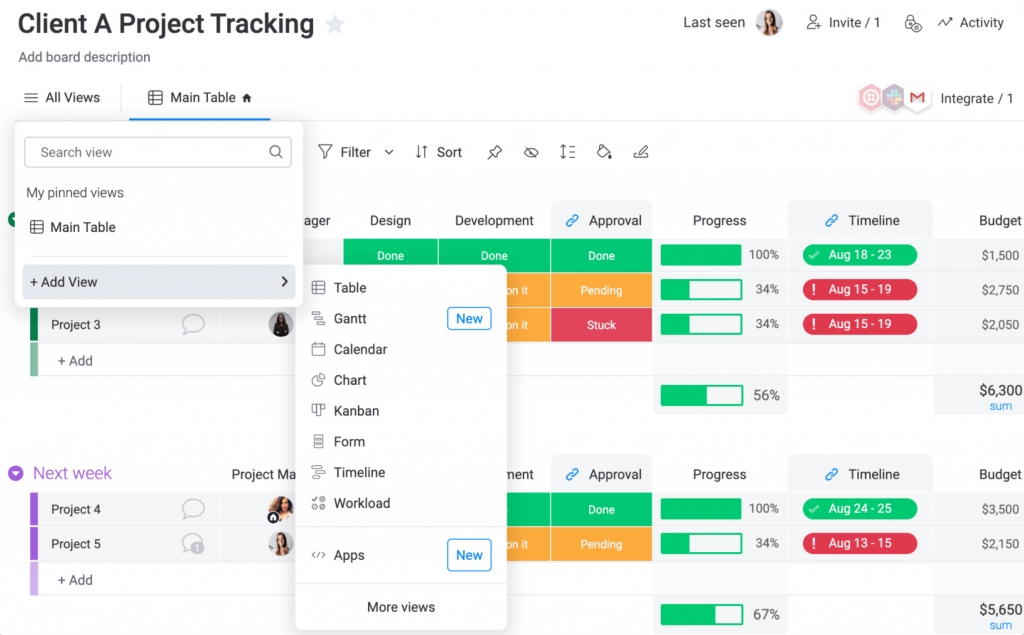
I evaluated Monday.com for a higher education client managing cross-campus infrastructure and academic planning simultaneously. The visual dashboards were genuinely impressive. Leadership could see project health, resource utilization, and timeline status across every active initiative in real time.
The setup time, however, was significant. Getting the platform configured for education-specific workflows took meaningful effort and some external help.
Pros:
- Highly customizable views including boards, Gantt, timeline, calendar, and map
- Strong automation builder reduces repetitive manual updates across large teams
- Dashboard features give leadership real-time visibility across all departments
- Integrates with Google Workspace, Microsoft 365, Slack, and dozens of other tools
Cons:
- Setup and customization require significant time investment and often external onboarding support
- Core features like Gantt charts are locked behind higher-tier plans
Pricing:
Starts at $9/user/month.
5. ClickUp – Best for Feature-Heavy Teams on a Budget
ClickUp packs more features into its free plan than almost any other project management tool on the market. For education teams that need Gantt charts, time tracking, recurring tasks, and custom fields without paying per user, ClickUp is hard to beat on pure value.
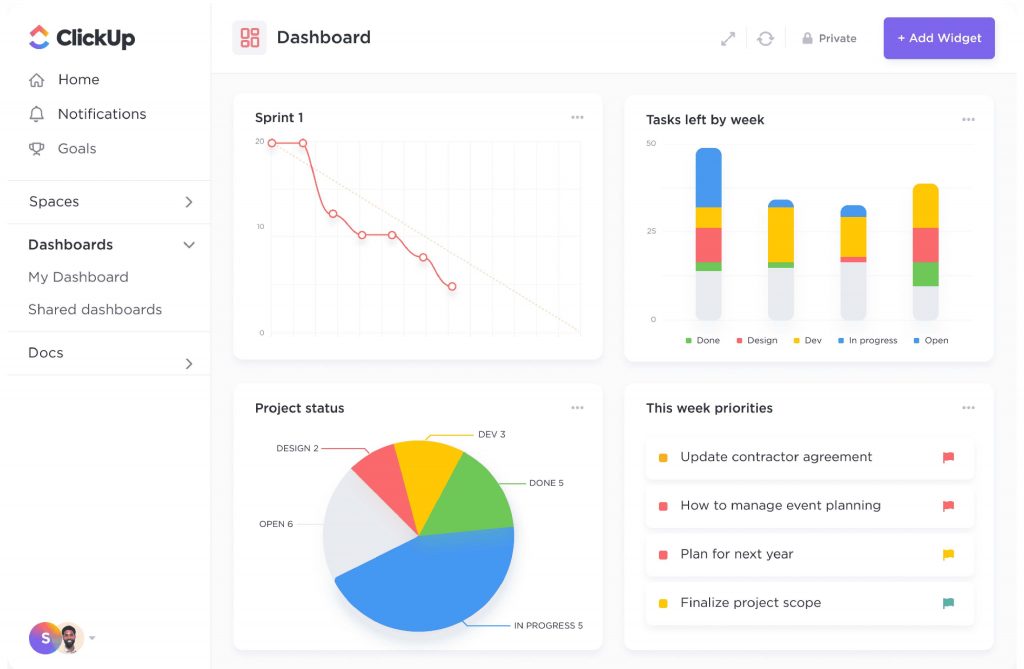
The tradeoff is complexity: the platform’s breadth can feel overwhelming, and teams often need a dedicated effort to configure it properly.
I spent time with ClickUp across several academic use cases and found it capable of handling everything from simple task lists to complex multi-phase curriculum projects. The free plan’s feature set is genuinely impressive. The downside was that new users consistently needed guidance to navigate the interface efficiently. For schools where everyone is expected to self-onboard, that friction is worth factoring in.
Pros:
- Custom fields and custom views allow teams to tailor the tool to education-specific workflows
- Recurring task functionality handles semester cycle management without manual setup each term
- Strong documentation and template library available for educational use cases
- Integrates with Google Drive, Slack, Zoom, and Microsoft Teams
Cons:
- Interface is complex and often requires training for non-PM users
- Performance can be slow with very large numbers of tasks or users
Pricing:
Free plan available; paid plans start at $7/user/month.
6. Zoho Projects – Best for Institutions Using the Zoho Ecosystem
Zoho Projects is a solid mid-range project management tool that earns its place on this list primarily because of its Zoho ecosystem integration. For universities or school districts already using Zoho One, Zoho CRM, or Zoho People, the ability to connect project data with HR, finance, and communication systems in one environment is a meaningful advantage.
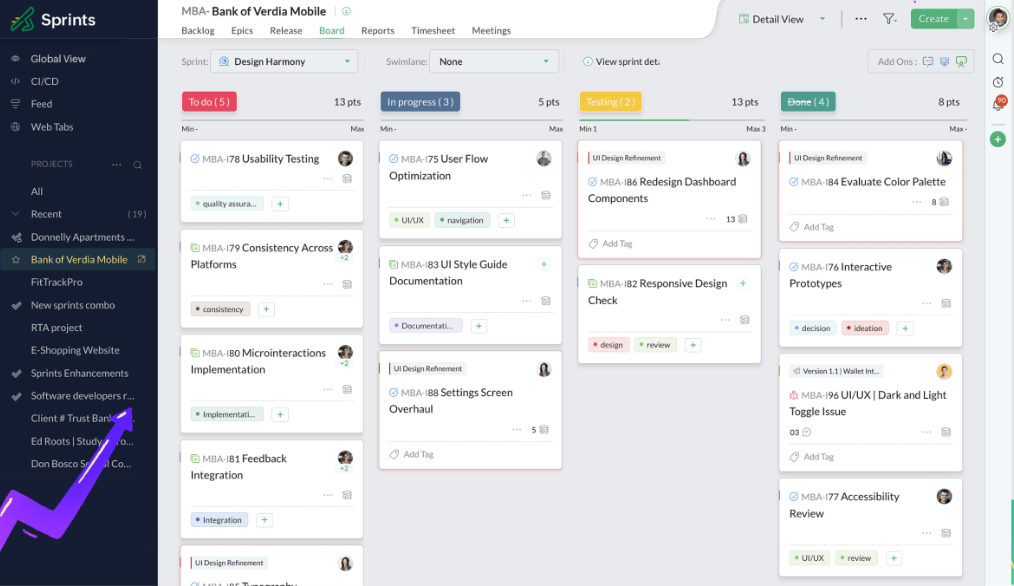
I tested Zoho Projects for a college administrative team that was already using Zoho for HR and finance. The native data flow between systems reduced duplicate data entry significantly and gave leadership a more complete picture of how project timelines connected to budget spend.
For teams not in the Zoho ecosystem, the tool is capable but does not stand out as strongly against alternatives.
Pros:
- Native integration with Zoho CRM, Zoho Books, and Zoho People creates a unified operational view
- Gantt charts with dependency tracking included on paid plans
- Time tracking and timesheets built in, useful for grant reporting
- Strong issue tracking feature suits IT departments managing technical education projects
Cons:
- Most useful when combined with other Zoho tools; standalone value is limited
- Customer support responsiveness has been inconsistent based on user reviews
Pricing:
free plan available; paid plans start at $4/user/month.
7. Notion – Best for Curriculum Documentation Teams
Notion occupies a different space than traditional project management tools. It is as much a documentation and knowledge management platform as it is a PM tool.
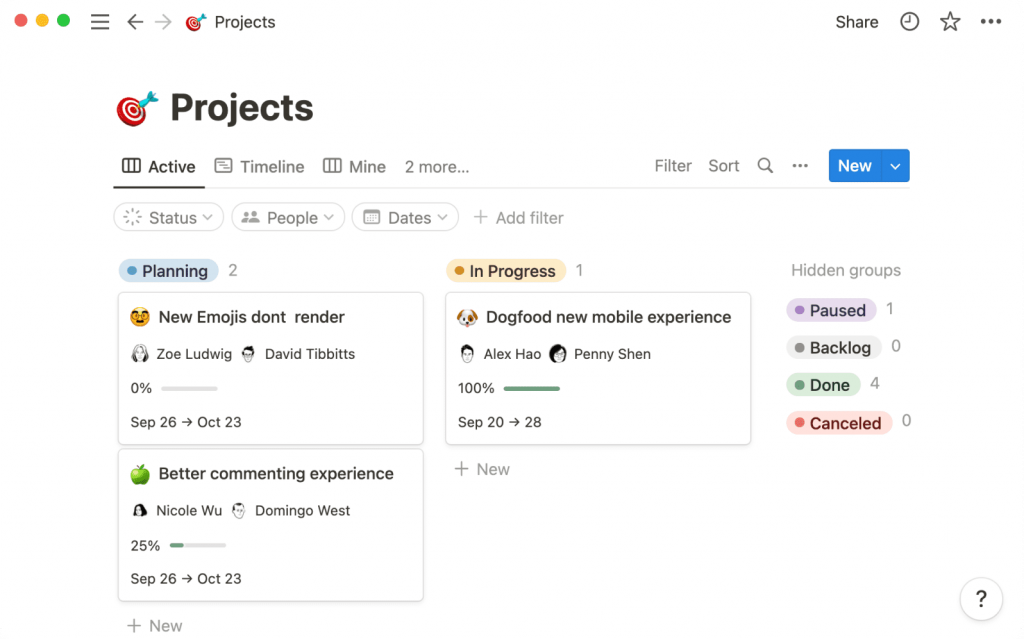
For curriculum development teams, instructional designers, and academic program coordinators who need to manage projects alongside rich documentation, Notion’s flexibility is a real advantage.
I used Notion for a curriculum development team that needed both a project tracker and a centralized repository for course materials, standards alignment documents, and research notes. Having both in one place reduced the context-switching that comes with managing projects in one tool and documentation in another. Where Notion falls short is in structured project management features: there is no native Gantt chart, and the timeline view requires some setup.
Pros:
- Combines project management with documentation, wikis, and databases in one workspace
- Highly flexible: can be configured to match almost any workflow or content type
- Templates library includes academic and education-specific starting points
- AI features in Notion help summarize documents, draft content, and extract action items
Cons:
- No native Gantt chart; timeline view is less intuitive than dedicated PM tools
- Can become disorganized quickly without a clear structure and governance from the start
Pricing:
Free plan available; paid plans start at $10/user/month.
8. Basecamp – Best for Flat-Fee Team Pricing
Basecamp takes a different commercial model than most project management tools. Instead of charging per user, it charges a flat monthly fee for unlimited users and projects. For large academic teams or school districts where headcount makes per-user tools expensive, this model is genuinely attractive.
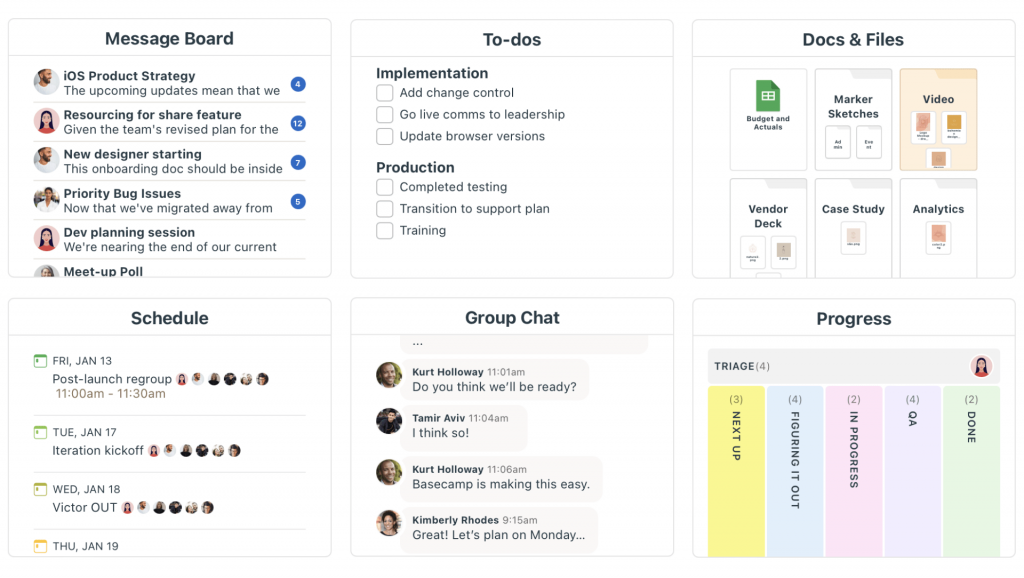
The tool itself is simpler than most on this list, focusing on to-do lists, file sharing, messaging, and scheduling.
I worked with a district-level admin team that had over 30 staff members needing access to shared project workspaces. The per-user math made Asana and Monday.com unfeasible. Basecamp’s flat fee made the decision straightforward. The simplicity of the tool also meant adoption was fast. No one needed training.
Pros:
- Simple interface that anyone can learn in under an hour
- Includes message boards, group chat, file storage, and schedules in one place
- Strong client or external collaborator access without extra charges
- Reliable uptime and responsive customer support
Cons:
- No Gantt chart or dependency tracking; not suited for complex multi-phase projects
- Limited customization: teams that need tailored workflows will find it restrictive
Pricing:
Starts at $15/user/month with a flat Pro plan at $299/month for unlimited users.
9. Wrike – Best for Higher Education Program Management
Wrike is a professional-grade project management tool with strong capabilities for higher education institutions managing large-scale programs. Its cross-department visibility, resource management features, and approval workflow tools make it well suited for universities running multiple simultaneous initiatives with complex stakeholder chains.
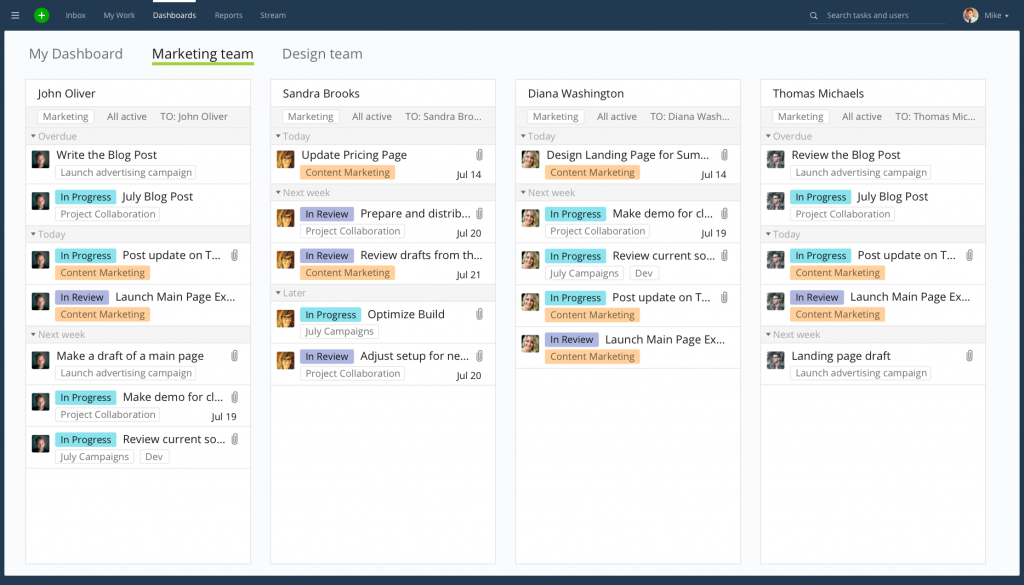
I evaluated Wrike for a university program management office and found its portfolio reporting particularly strong. Leadership could view project health, budget status, and resource allocation across all active initiatives from a single dashboard.
The platform’s approval workflow feature was also useful for managing curriculum change requests through multiple review stages.
Pros:
- Portfolio-level reporting gives institutional leadership a real-time view across all active programs
- Approval workflow feature manages multi-stage review processes without email chains
- Resource management tools help program managers avoid staff overallocation
- Integrates with Microsoft 365, Google Workspace, Salesforce, and major collaboration tools
Cons:
- Pricing is on the higher end for education budgets
- Some advanced features like time tracking require higher-tier plans
Pricing:
Free plan available; paid plans start at $10/user/month.
10. Smartsheet – Best for Data-Heavy Institutional Planning
Smartsheet sits at the intersection of spreadsheet familiarity and project management structure. For education administrators and IT managers who are deeply comfortable with Excel or Google Sheets but need more powerful project tracking capabilities, Smartsheet offers a familiar interface with significantly more functionality.
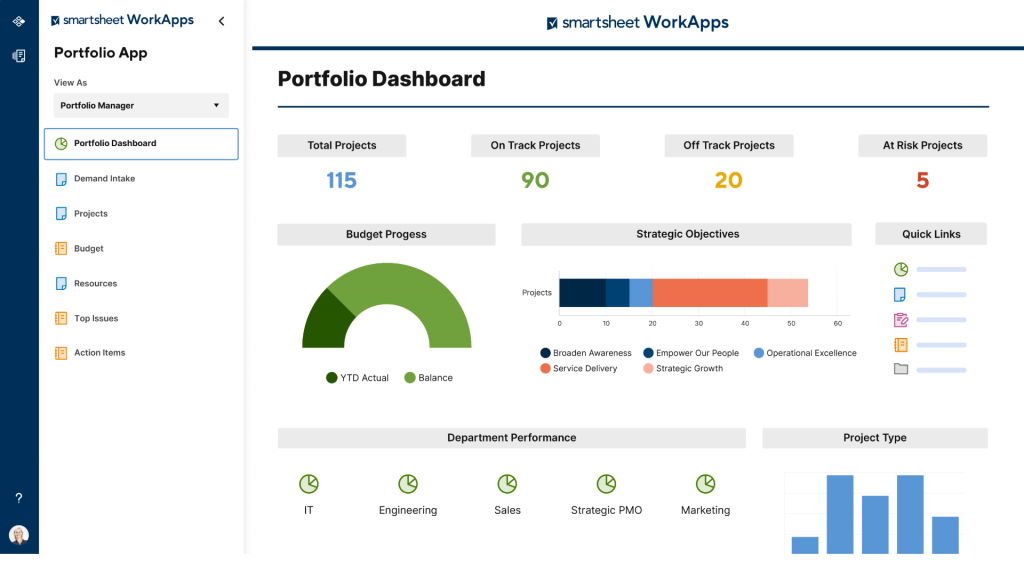
It is particularly strong for data-heavy planning processes like budget tracking, enrollment management, and facility project coordination.
I tested Smartsheet with an institutional planning team that had historically run everything in Excel. The learning curve was minimal because the interface closely mirrors a spreadsheet. The addition of automated workflows, Gantt charts, and dashboards gave the team capabilities they could not replicate in Excel alone.
Pros:
- Spreadsheet-like interface reduces adoption friction for teams transitioning from Excel
- Strong automation engine for notifications, approvals, and recurring updates
- Excellent for data-heavy projects like budget tracking and enrollment planning
- Integrates well with Microsoft 365, Google Workspace, and Salesforce
Cons:
- Interface is less modern and visual than Asana or Monday.com
- Per-user pricing adds up for large teams
Pricing:
Starts at $9/user/month.
How Did I Evaluate These Project Management Tools for Education?
I applied a consistent evaluation framework across all ten tools to make sure the comparisons are fair and grounded in how education teams actually work.
Here is the six-factor framework I used:
- User Reviews and Ratings: I reviewed ratings and feedback from G2, Capterra, and Trustpilot, filtering specifically for reviews from education sector users where available. Real user experiences reveal problems that feature lists hide: unexpected pricing jumps at renewal, poor mobile performance, or support delays that make onboarding painful for non-technical staff.
- Essential Features and Functionality: I evaluated each tool against the eight core features education teams need: Gantt charts, Kanban boards, recurring task automation, task dependencies, time tracking, role-based permissions, file sharing, and reporting. Tools that covered more of these natively, without requiring paid add-ons or third-party integrations, scored higher.
- Ease of Use: Most education administrators are not trained project managers. A tool that requires extensive onboarding or technical configuration will not see adoption across a school or university. I assessed each tool’s interface design, navigation clarity, and how quickly a non-PM user could create a project, assign tasks, and view progress without assistance. The simpler the day-one experience, the better the score.
- Customer Support: I looked at the quality and availability of customer support across each platform: response times, documentation depth, onboarding resources, and whether live support is available on the plan most education teams would realistically purchase. For institutions with limited IT staff, good support is not optional.
- Value for Money: Education budgets are tight and procurement processes are slow. I evaluated pricing structures with a focus on total cost of ownership for teams of different sizes, availability of free plans or trials, and whether key features like Gantt charts and time tracking are included in base plans or locked behind expensive tiers. If you are also evaluating tools for a smaller team, the best project management software for small businesses guide covers similar ground with a budget-first lens.
- Personal Experience and Expert Input: Beyond research and reviews, I drew on direct experience evaluating and using these tools in academic contexts, as well as insights from administrators, department heads, and instructional designers who work with these platforms daily. This layer of firsthand perspective shapes where each tool lands in the final ranking.
What Are My Top 3 Picks for the Best Project Management Software for Education?
Whether you are running a single department or coordinating projects across an entire institution, these are the tools I would recommend starting with.
1. ProProfs Project
ProProfs Project is my top pick for education teams at any institution size. It covers every feature education administrators need: Gantt charts, Kanban boards, recurring tasks, time tracking, and reporting, all in a clean interface that requires no PM training to use. The unlimited users pricing model makes it significantly more cost-effective than per-seat alternatives for schools with large teams, and the free plan lets you test the platform before committing.
2. Asana
Asana earns its place in the top three because of how well it handles cross-department coordination, which is one of the hardest operational challenges for universities and school districts. Its portfolio view gives leadership a real-time summary of all active projects across departments without requiring manual status updates. The automation rules reduce repetitive coordination work, and the integration library connects cleanly with Google Workspace and Microsoft 365, which most institutions already use.
3. ClickUp
ClickUp makes the top three on pure value. Its free plan includes Gantt charts, time tracking, recurring tasks, and custom fields, capabilities that competing tools lock behind paid tiers. For resource-constrained schools or academic departments testing project management for the first time, ClickUp lets you run a full-featured setup at no cost. The tradeoff is complexity: the interface has a steeper learning curve than ProProfs Project or Asana.
Why Do Education Teams Need Dedicated Project Management Tools?
Education institutions run on predictable but complex cycles: semester planning, accreditation reviews, curriculum updates, grant deadlines, facility upgrades, and student enrollment campaigns. A study by PMI in 2024 shows that organizations using structured project management approaches complete 73% of projects on goal versus only 58% for those that do not. Yet most schools and universities still rely on spreadsheets, email threads, and verbal handoffs to manage this complexity.
The result is fragmented work: departments operate in silos, leadership loses visibility into project status, and initiatives stall or go over budget before they reach students.
Education-specific project management challenges include:
- Academic Calendar Misalignment: Corporate PM tools use quarterly cycles. Schools run on semesters, trimesters, or academic years that do not align with standard reporting periods.
- Recurring Task Management: Faculty evaluations, accreditation cycles, and enrollment campaigns repeat on fixed schedules. Teams need a way to manage these without recreating projects from scratch every cycle.
- Multi-Stakeholder Complexity: Deans, department heads, IT managers, faculty, and external vendors all need visibility, but at different levels.
- Budget Sensitivity: Public schools and universities face strict procurement rules. Per-seat pricing models common in enterprise PM tools can make adoption cost-prohibitive.
- Limited Formal PM Training: Unlike corporate teams, most education administrators have not received project management certification. Tools must be intuitive enough to use without training.
Start Coordinating Your Academic Projects the Right Way
Running an educational institution is one of the most coordination-heavy jobs there is. Semester cycles, accreditation reviews, faculty coordination, IT projects, and student-facing initiatives all compete for the same limited staff time and budget. Without a structured system, something always slips.
The right project management software for education does not need to be expensive or complicated. It needs to be easy to adopt, flexible enough to handle academic cycles, and clear enough that everyone from the IT manager to the curriculum coordinator can use it without a training program.
For most education teams I have evaluated, ProProfs Project hits that balance best. The unlimited users plan makes it scalable for institutions of any size, and the feature set covers everything from simple task tracking to Gantt-level project planning. If you are starting fresh with project management in your school or university, it is the easiest place to start, and it has a free plan so you can test it before committing.
Frequently Asked Questions
What is the best project management software for schools?
ProProfs Project is the best project management software for most schools because it combines ease of use, unlimited users, Gantt charts, Kanban boards, and time tracking at a flat monthly rate that does not scale with headcount. Trello works for smaller schools with simpler project needs, while Asana and Monday.com suit larger institutions with complex cross-department workflows.
Is there free project management software for education?
Yes. ProProfs Project, Asana, Trello, ClickUp, and Zoho Projects all offer free plans. ProProfs Project's free plan includes core task management features. ClickUp's free plan is the most feature-complete among free options. For student-specific use, the ProProfs free plan for academic teams is worth reviewing.
Can project management software handle semester-based academic cycles?
Yes, but only tools with recurring task automation and academic calendar integration handle semester cycles well. ProProfs Project, ClickUp, and Asana all support recurring tasks. This means your standard semester workflows (faculty reviews, enrollment checkpoints, curriculum audits) can be set up once and automatically recreated each cycle without manual rebuilding.
What is the difference between a project management tool and an LMS?
A Learning Management System (LMS) like Canvas or Blackboard manages course delivery, student assignments, and grading. Project management software for education manages institutional operations: administrative projects, infrastructure initiatives, department coordination, and academic program planning. The two serve different audiences and different workflows. Some institutions use both in parallel.
How many users does a typical education team need to support?
It varies widely. A single department might have 5 to 15 users. A district-level or university-wide deployment can require access for 50 to 200 staff members. This is why per-user pricing models can become expensive for education institutions. Tools like ProProfs Project and Basecamp offer unlimited users on their plans, which significantly reduces total cost for larger teams.
Do project management tools work for k-12 schools?
Yes. K-12 schools use project management tools primarily for administrative operations: event planning, staff coordination, IT deployments, facility projects, and accreditation preparation. Simpler tools like Trello and Basecamp are common in K-12. For multi-school districts managing more complex initiatives, ProProfs Project or Asana offer the depth required.
Can project management software help with grant management?
Yes. Tools with time tracking, milestone reporting, and exportable documentation (like ProProfs Project and Wrike) support grant management by providing the audit trail and progress evidence that funding agencies require. Time tracking in particular lets grant-funded staff log billable hours against specific projects for compliance reporting.
How long does it take to set up project management software in a school?
Simple tools like Trello and Basecamp can be operational within an hour. Mid-range tools like ProProfs Project and Asana typically take one to three hours to set up the first project with full task assignment and timeline configuration. Enterprise tools like Wrike and Monday.com may require dedicated onboarding support and days of configuration for institution-wide deployments.
FREE. All Features. FOREVER!
Try our Forever FREE account with all premium features!