A set of construction drawings can pass through a dozen hands before a single wall goes up, and somewhere between the client’s third round of feedback and the structural engineer’s redlines, most firms lose track of who actually has the latest file.
I have spent years watching teams try to run multi-phase, multi-stakeholder work through email threads and spreadsheets, and it fails the same way every time: someone works off an outdated version, a deadline slips quietly, and nobody notices until a client asks why. Architecture firms deal with this on a bigger scale, since a single project can span months of design, review, and construction administration, each phase billed differently and each phase depending on people outside the firm. The right project management software for architects exists to close exactly that gap.
This guide breaks down 10 tools built or adapted for architecture firms, based on real features, pricing, G2 ratings, and what architects themselves say on community forums about what actually works. Whether you run a solo practice or a 50-person multi-office firm, you will find a tool sized to how you actually bill and collaborate.
What Is Project Management Software for Architects?
Project management software for architects is a digital workspace that organizes design phases, deadlines, budgets, drawings, and client or contractor communication in one system instead of spreading them across email, spreadsheets, and sticky notes. It replaces manual follow-ups with automated reminders, shared timelines, and a single source of truth for every project stakeholder.
You are trained to design buildings, not chase down whether the structural consultant replied to last week’s RFI. That is exactly the gap this software closes, and it is why architects are moving away from spreadsheets faster than most other service industries.
ProProfs Project is one of the tools built for this exact problem. It gives small to mid-sized architecture firms a simple way to plan phases, assign tasks, track time, and share files with clients and consultants, without forcing everyone through a steep learning curve first.
What Are the Best Project Management Software for Architects in 2026?
Here are the 10 best project management software for architects in 2026, based on features, pricing, and real user feedback on platforms like G2 and Capterra.
| Tool | Best For | Pricing | G2 Rating |
| ProProfs Project | Simplest Project Management Tool for Smbs With Client Invoicing, Time & Billing | Free plan available. Paid plan starts at $39.97. | 4.5/5 |
| Monograph | Architecture-specific time and budget tracking | From $40/user/month | 4.3/5 |
| Asana | General task management and team collaboration | From $10.99/user/month | 4.3/5 |
| monday.com | Visual workflows across concurrent projects | From $9/user/month | 4.7/5 |
| BQE Core | Project accounting and invoicing | Pricing on request | 4.3/5 |
| Newforma | Construction administration and document control | Pricing on request | 4.0/5 |
| Wrike | Task dependencies on complex projects | From $9.80/user/month | 4.2/5 |
| Zoho Projects | Firms already using the Zoho ecosystem | From $4/user/month | 4.3/5 |
| Teamwork.com | Client portals and structured approvals | From $10.99/user/month | 4.4/5 |
| Scoro | Unifying CRM, projects, and billing | From $21/user/month | 4.5/5 |
1. ProProfs Project – Simplest Project Management Tool for Smbs With Client Invoicing, Time & Billing
I currently use ProProfs Project to plan out multi-phase content and product launches, and the same phase-by-phase structure is exactly what an architecture firm needs to move a project from concept to construction documents without losing track of who owns what.
The Gantt chart view lets me lay out a project timeline in minutes and drag tasks around when a client pushes a deadline, which happens constantly in architecture work too. What I appreciate most is that switching between Kanban boards, calendar, and list views does not require retraining the whole team, since the underlying tasks stay the same across every view.
One feature I have leaned on more recently is its AI project management assistant. I can describe a new project in plain language and it sets up the phases, tasks, and assignments in seconds, then keeps checking in on progress and flagging blockers without me having to run a status meeting.
For a small studio or a solo architect juggling client meetings, site visits, and design reviews, ProProfs Project keeps time tracking, file sharing, and task comments in one place instead of five different apps. It also does not punish small teams with per-user fees the way many of the tools on this list do.
Pros:
- Gantt chart, Kanban, calendar, and list views included in one plan
- Built-in time tracking tied directly to tasks and projects
- AI assistant that builds project structures and flags at-risk timelines automatically
- File sharing works with Dropbox, Google Drive, and Box
- Automated notifications and reminders reduce manual follow-ups
Cons:
- Dark mode interface is not currently available
- No dedicated account manager on the free plan
Pricing:
Free plan available. Paid plans start at $39.97.
2. Monograph – Best for Architecture-Specific Time and Budget Tracking
A friend who runs a 12-person residential architecture firm switched her team to Monograph two years ago after outgrowing a mess of spreadsheets, and she still tells me it was the first tool that actually understood how architects bill.
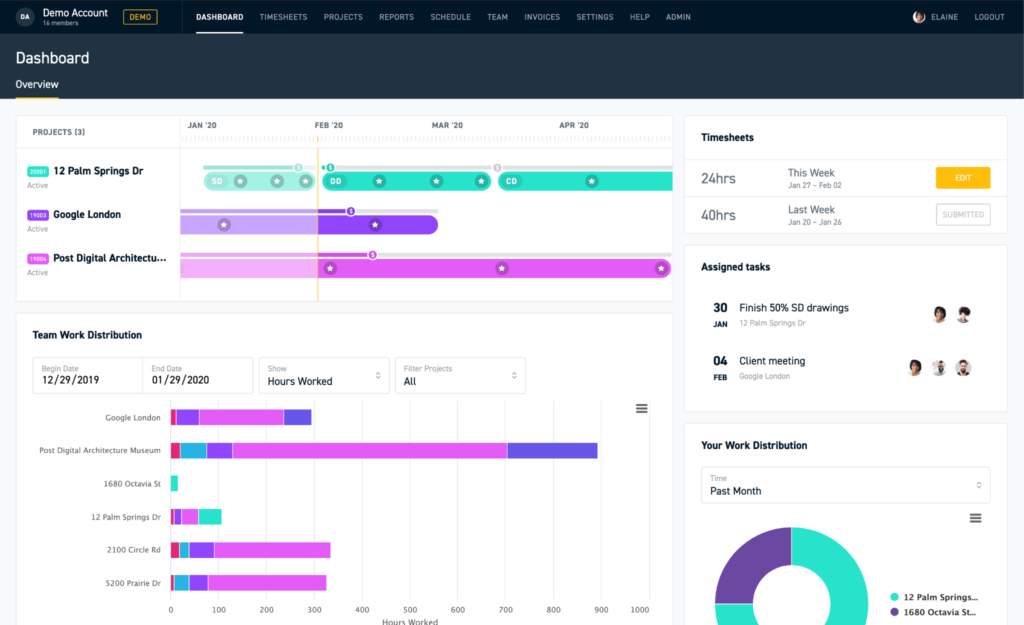
She said the real-time budget dashboard was the biggest win because her project managers could finally see which jobs were making money and which were quietly losing it, instead of finding out at the end of the quarter. The phase-based time tracking matched her firm’s fee structure closely enough that her team adopted it within a couple of weeks.
Her only real complaint was the QuickBooks Online dependency. Her firm uses Xero, so a few workflows needed manual workarounds that a Xero-native tool would have avoided.
Pros:
- Purpose-built for architecture and engineering billing structures
- Real-time budget and profitability tracking by phase
- Clean, intuitive interface with a short learning curve
- Strong project visibility for principals managing multiple jobs
Cons:
- Limited integration options outside the QuickBooks ecosystem
- Pricing runs higher than general-purpose tools for small teams
Pricing:
From $40/user/month (Studio plan).
3. Asana – Best for General Task Management and Team Collaboration
I used Asana for over a year to manage editorial calendars, and the timeline view translated surprisingly well when I later helped a design-adjacent team plan a multi-stage rollout.

Asana’s task dependencies made it easy to see that a design review could not start until a client approval task closed, which mirrors how architectural phases depend on each other. Custom project templates also meant new projects launched in minutes instead of being rebuilt from scratch every time.
Where it fell short for architecture-specific work was billing. Asana tracks time and progress well, but it does not handle phase-based fees or construction administration workflows the way industry-specific tools do, so firms often pair it with a separate invoicing tool. If Asana’s pricing or feature set does not fit, it is worth comparing a few Asana alternatives before committing.
Pros:
- Task dependencies and timeline view for phase planning
- Integrates with Slack, Google Drive, and AutoCAD-adjacent tools
- Customizable project templates speed up new project setup
- Detailed reporting dashboards for tracking work progress
Cons:
- No native billing, invoicing, or phase-based fee tracking
- Pricing rises quickly once a firm needs advanced features
Pricing:
Starts at $10.99/user/month.
4. monday.com – Best for Visual Workflows Across Concurrent Projects
A colleague who consults for a multi-office architecture practice recommended monday.com after her firm struggled to track schematic design on one project and construction administration on another inside the same system.
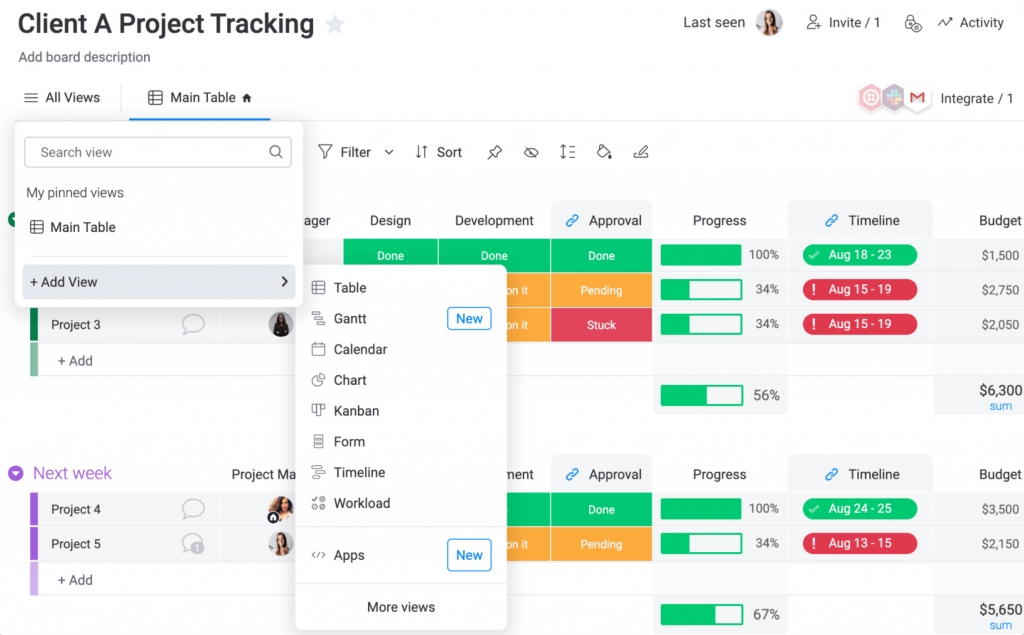
She told me the flexibility to toggle between Kanban, Gantt, and workload views without rebuilding the project was what sold her firm’s leadership. monday.com was recognized as a Leader in the 2025 Gartner Magic Quadrant for Collaborative Work Management, and her team’s portfolio-level dashboards were the feature that finally gave partners a clear view across every active job.
The tradeoff, she mentioned, is that monday.com’s integration with BIM and CAD tools is still shallow, so design progress updates often need to be entered manually rather than synced automatically from the design software. Firms weighing the cost against a smaller team’s needs sometimes look at monday.com alternatives that scale pricing more gently.
Pros:
- Multiple views (Kanban, Gantt, Timeline, Workload) in one workspace
- Portfolio-level reporting across concurrent projects
- Phase-based board templates for architectural workflows
- Strong third-party integrations and a broad app marketplace
Cons:
- Limited native integration with BIM and CAD design tools
- Can get expensive quickly for firms with 20 or more users
Pricing:
Starts at $9/user/month.
5. BQE Core – Best for Project Accounting and Invoicing
I have not personally run BQE Core day to day, but a project manager I worked with at a past agency swore by it for one reason: billing accuracy.
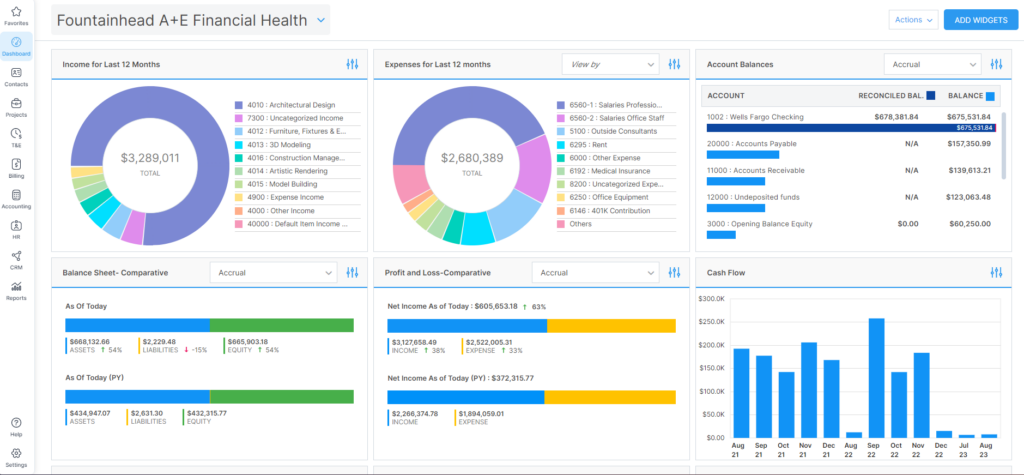
He said the time and expense tracking tied so closely to invoicing that missed billable hours became rare, which mattered a lot once his firm started billing multiple consultants on the same job. Customizable dashboards let him check project performance without pulling a separate report every time a partner asked for an update.
His main frustration was speed. He described the platform as occasionally slow to load, and onboarding new hires took longer than he expected because of how many modules there were to learn.
Pros:
- Time tracking connects directly to invoicing workflows
- Customizable dashboards for real-time project performance
- CRM features built in for firms managing business development
- Strong fit for firms juggling multiple consultants and fee types
Cons:
- Users report occasional slowness and glitches
- Steeper learning curve than more visual project tools
Pricing:
Pricing available upon request.
6. Newforma – Best for Construction Administration and Document Control
Architects on forums complain about Newforma’s dated interface almost as often as they admit they still use it, and that contradiction is the clearest signal of what this tool is actually good for.
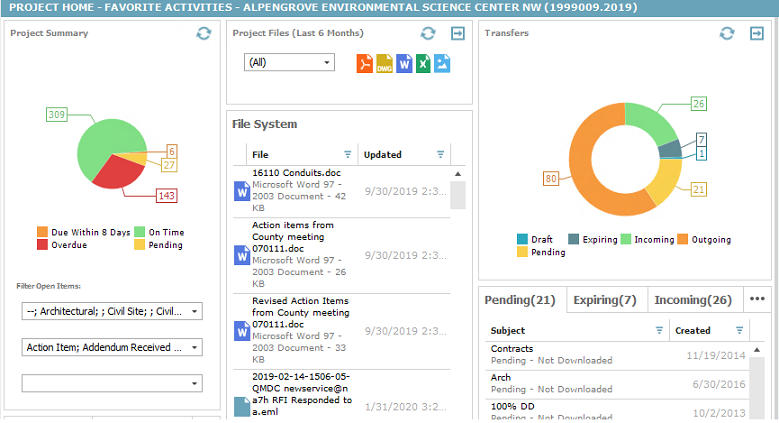
I have seen it recommended repeatedly for firms buried in RFIs, submittals, and email trails during construction administration. Automatic email capture files every project-related message without manual sorting, which becomes valuable the moment a dispute or a delayed submittal needs a paper trail months later.
Where it struggles is everywhere outside of CA. Firms focused mostly on design work often find Newforma overkill, since its strength is document control rather than day-to-day task management or team collaboration. Firms managing both design and build phases in one system may prefer browsing construction project management software built to cover both.
Pros:
- Automatic email capture and filing by project
- Purpose-built RFI and submittal tracking workflows
- Strong document version control and audit trails
- Integrates with Revit and other BIM platforms
Cons:
- Interface feels dated compared to newer cloud-native tools
- Overkill for firms focused mainly on design phases
Pricing:
Pricing available upon request.
7. Wrike – Best for Task Dependencies on Complex Projects
I tested Wrike briefly while comparing tools for a cross-functional content team, and its task dependency and Gantt chart combination stood out for anything with a lot of moving, interdependent pieces.
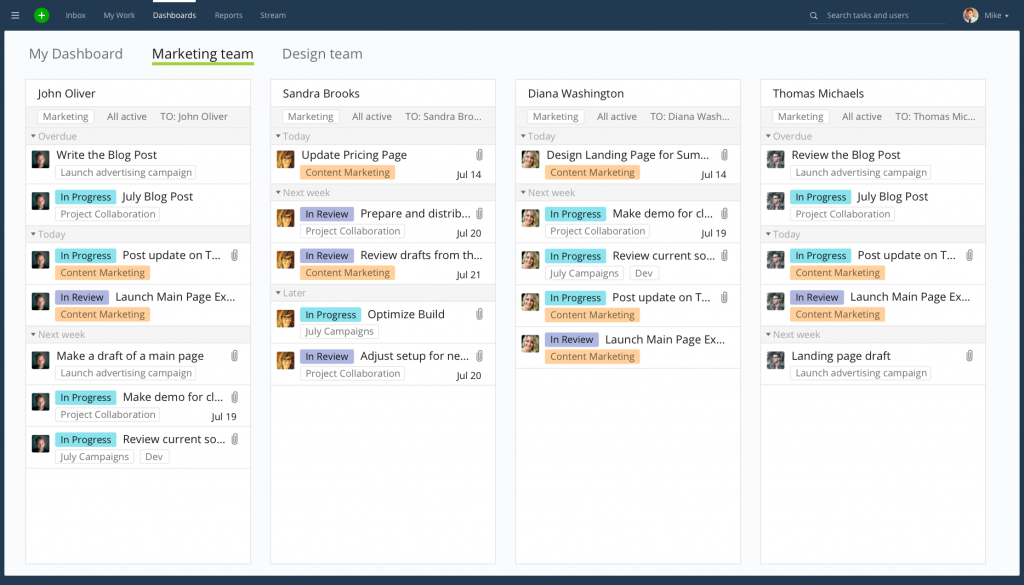
For architecture firms managing overlapping consultant deadlines, that dependency mapping means a delayed structural review automatically flags every downstream task that depends on it, instead of someone catching the delay two weeks later. Real-time collaboration tools also made document markup easier to follow during review cycles.
The setup took longer than I expected, and colleagues who tried it later agreed the learning curve is steeper than tools like Asana or ProProfs Project, especially for teams that are not used to configuring custom workflows. If that setup time is a concern, a few Wrike alternatives offer similar dependency tracking with a shorter ramp-up.
Pros:
- Advanced task dependencies and Gantt chart planning
- Real-time collaboration and document markup tools
- Customizable project templates for repeatable workflows
- Integrates with Google Drive and Autodesk products
Cons:
- No native billing or invoicing capabilities
- Customer support has drawn complaints in reviews
Pricing:
Starts at $9.80/user/month.
8. Zoho Projects – Best for Firms Already Using the Zoho Ecosystem
A small three-person architecture studio I spoke with picked Zoho Projects mainly because they were already using Zoho Books for accounting, and the native connection between the two saved them from re-entering data twice.
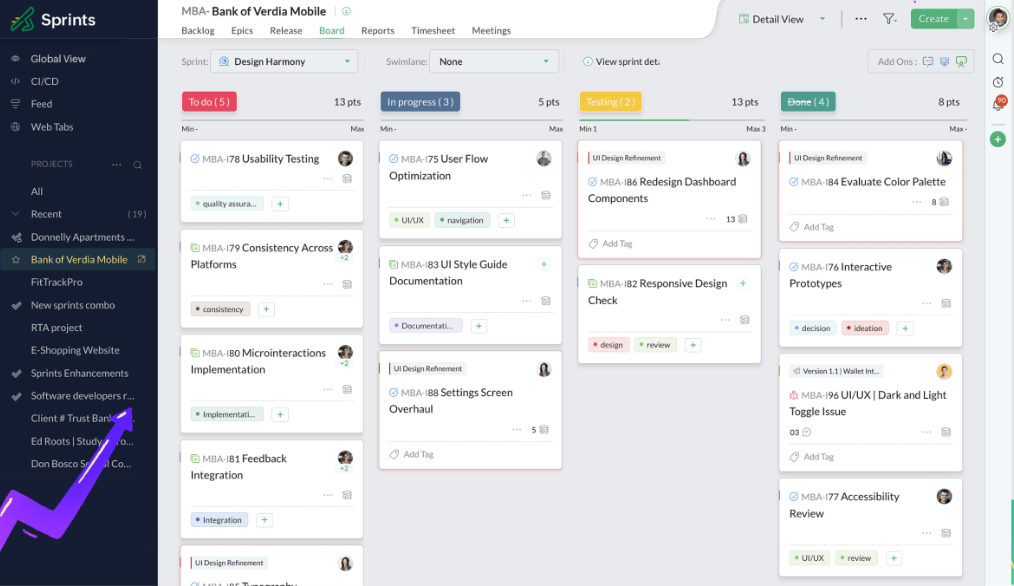
The blueprint workflow automation was the feature they mentioned most, since it let them define a repeatable process for client approvals and have the system automatically move tasks along each stage. The affordable entry price also mattered for a firm that size, since they were not ready to commit to per-user fees on the higher end of this list.
They did note that Zoho Projects lacks the architecture-specific vocabulary and templates that a tool like Monograph or Project Flow ships with out of the box, so some setup work fell on them. Firms outside the Zoho ecosystem may find it easier to compare a shortlist of Zoho alternatives instead.
Pros:
- Native integration with the broader Zoho ecosystem
- Blueprint workflow automation for repeatable processes
- Gantt charts and native time tracking included
- Free plan available for very small teams
Cons:
- Lacks architecture-specific templates and terminology
- Advanced Kanban features require a plan upgrade
Pricing:
Starts at $4/user/month.
9. Teamwork.com – Best for Client Portals and Structured Approvals
I have used Teamwork.com for client-facing projects before, and the controlled client portal was consistently the feature that made non-technical stakeholders comfortable reviewing progress without confusion.
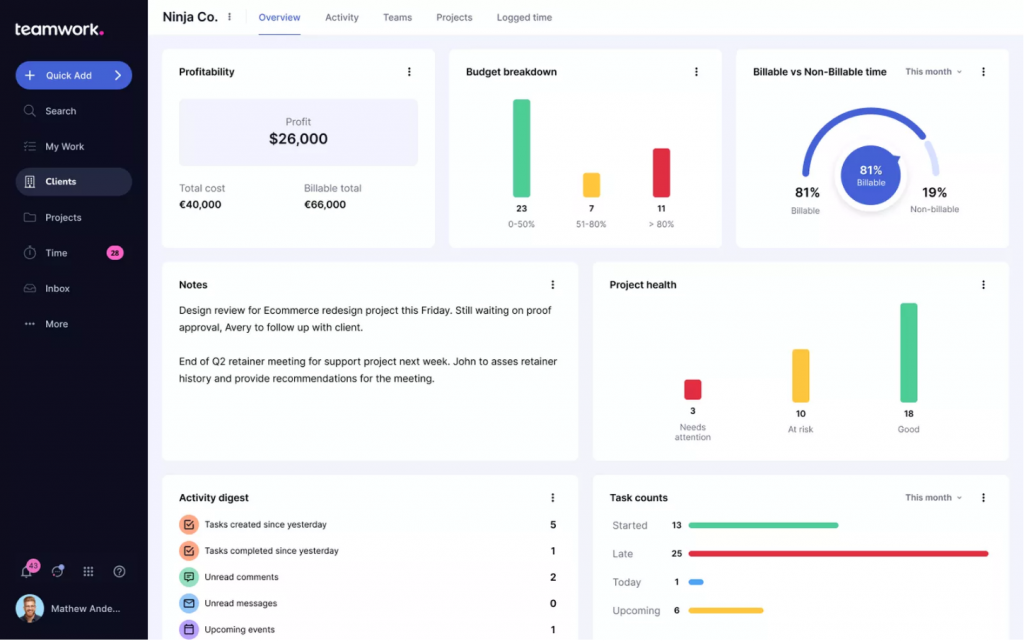
That matters a lot for architecture firms, since clients often want visibility into a project without seeing internal task chatter or draft revisions. Task dependencies and time estimates kept schedules realistic, and the milestone feature made it easy to flag key checkpoints like design approvals or permit submissions.
The tradeoff is that Teamwork.com is a general business tool at its core, so a firm still needs to adapt it to architectural phases rather than getting that structure out of the box. A look at some Teamwork alternatives is worth it if your firm wants that phase structure built in.
Pros:
- Controlled client portal for structured reviews and approvals
- Task dependencies and time estimates keep schedules realistic
- Milestone tracking for design approvals and permit submissions
- File sharing and team discussions built into every task
Cons:
- Requires manual setup to match architectural phase structures
- Higher-tier plans needed for budgeting and financial reports
Pricing:
Starts at $10.99/user/month.
10. Scoro – Best for Unifying CRM, Projects, and Billing
A studio manager I connected with through an industry group told me Scoro was the first tool that let her see a project from the first client inquiry all the way to the final invoice without switching software.
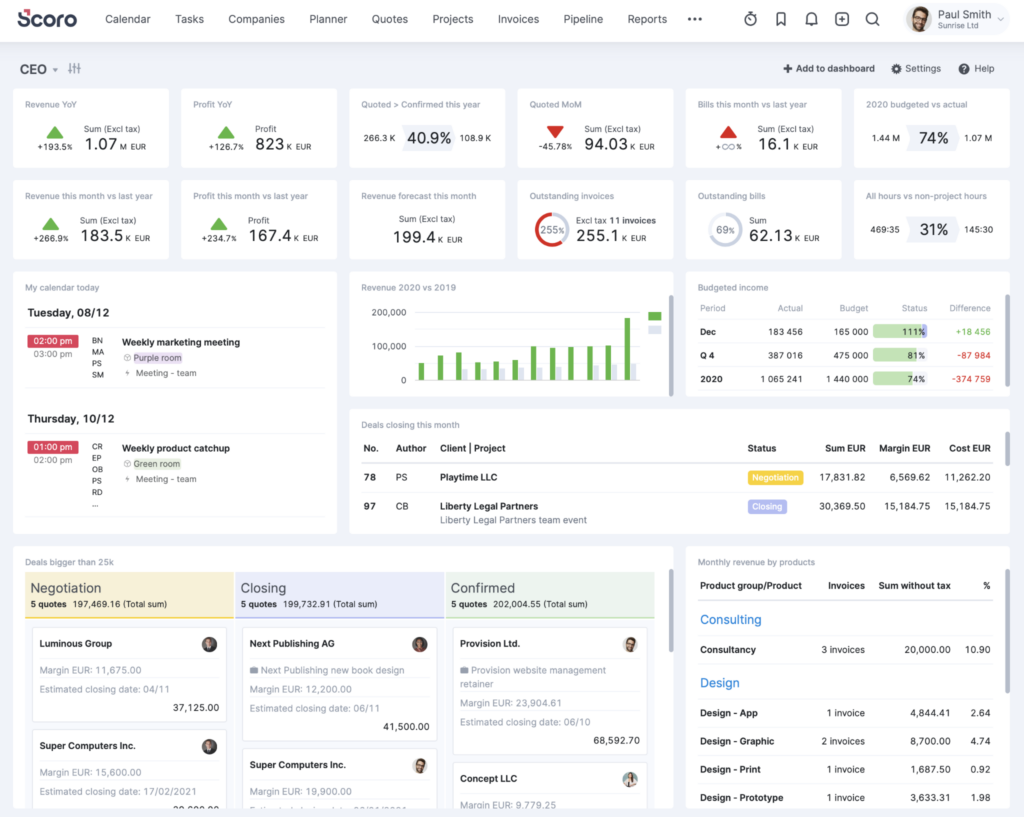
She pointed to the Quoted vs Actual reporting as the standout feature, since scope creep is a constant risk in architecture work and that view let her catch cost overruns early instead of at project close. The Gantt chart also helped her track overlapping design, documentation, and construction administration phases running at the same time.
Her caution for other firms was the learning curve. She said her team needed a few weeks to get comfortable with the platform, and the more advanced Task Matrix view only comes with a higher-tier plan.
Pros:
- End-to-end view from CRM to project delivery to invoicing
- Quoted vs Actual reporting flags scope creep early
- Gantt chart tracks overlapping phase dependencies
- Automated quote-to-project conversion saves setup time
Cons:
- Advanced Task Matrix view requires a higher-tier plan
- Minimum seat requirements can be a barrier for solo architects
Pricing:
Starts at $21/user/month.
Evaluation Criteria
The evaluation of products or tools chosen for this article follows an unbiased, systematic approach that ensures a fair, insightful, and well-rounded review. This method employs six key factors:
- User Reviews / Ratings: Direct experiences from users, including ratings and feedback from reputable sites like G2 and Capterra, provide a ground-level perspective. This feedback is critical in understanding overall satisfaction and potential problems.
- Essential Features & Functionality: The value of a product is ascertained by its core features and overall functionality. Through an in-depth exploration of these aspects, the practical usefulness and effectiveness of the tools are carefully evaluated.
- Ease of Use: The user-friendliness of a product or service is assessed, focusing on the design, interface, and navigation. This ensures a positive experience for users of all levels of expertise.
- Customer Support: The quality of customer support is examined, taking into account its efficiency and how well it supports users in different phases, setting up, addressing concerns, and resolving operational issues.
- Value for Money: Value for money is evaluated by comparing the quality, performance, and features. The goal is to help the reader understand whether they would be getting their money’s worth.
- Personal Experience / Experts’ Opinions: This part of the evaluation criteria draws insightful observations from the personal experience of the writer and the opinions of industry experts.
If you want a broader checklist before you commit, this guide on choosing project management software covers the evaluation criteria in more depth.
My Top 3 Picks for the Best Project Management Software for Architects
If you only take away three names from this list, these are the ones I would point a friend running an architecture firm toward, based on how well each one balances ease of use, phase tracking, and billing accuracy.
1. ProProfs Project
ProProfs Project takes the top spot for most firms because it covers the fundamentals, Gantt charts, Kanban boards, time tracking, and now an AI assistant that builds out project phases and flags at-risk timelines, without the steep learning curve or per-user costs of the more accounting-heavy platforms on this list. A solo architect or a 3-person studio gets phase-based time logs and billing and invoicing basics inside a plan that starts free, which makes it the easiest starting point for most firms.
2. Monograph
Monograph earns the second spot for firms that have outgrown the basics and need architecture-specific financial depth. Its phase-based time tracking and real-time budget dashboard were built specifically around how architecture firms bill, and the direct QuickBooks Online integration means invoicing does not require a second tool.
3. BQE Core
monday.com rounds out the top three for firms managing several concurrent projects across multiple offices or client types. Its ability to switch between Kanban, Gantt, and workload views without rebuilding a project gives partners the portfolio-level visibility that spreadsheets and single-project tools cannot match.
How Does Project Management Software for Architects Work?
Project management software for architects works by giving every phase of a project a home, a deadline, an owner, and a paper trail, so nothing depends on someone remembering to send a follow-up email. Here is the typical workflow:
- Set up the project and phases. You create a project and break it into phases (SD, DD, CD, CA) or custom stages that match how your firm bills, often visualized on a Gantt chart.
- Assign tasks and owners. Each task gets a due date and an owner, whether that is a project architect, a junior designer, or an outside consultant.
- Upload drawings and files. Drawing sets, specs, and client documents get uploaded once and stay version-controlled, so everyone works off the latest file.
- Track time against phases. Team members log hours or days against specific phases using built-in time tracking, which feeds directly into billing and profitability tracking.
- Share progress with clients and consultants. A shared view, portal, or report keeps external stakeholders updated without giving them access to your internal workflow.
- Review, invoice, and repeat. Managers pull a report at each milestone, generate an invoice through built-in billing and invoicing tools, and move to the next phase.
How Does Architecture Project Management Software Compare to Generic Tools Like Excel or Email?
Architecture project management software replaces manual, disconnected tools like Excel, email, and shared drives with a single system that updates in real time and keeps every stakeholder looking at the same version of the truth. Generic tools were not designed for phase-based work, and that gap shows up fast once a project grows past two or three people.
| Factor | Excel and Email | Architecture Project Management Software |
| Version control | Manual, prone to conflicting file versions | Automatic, single source of truth |
| Client visibility | Requires manual updates and forwarded emails | Shared views or portals update automatically |
| Time and billing | Tracked separately, often after the fact | Tied directly to tasks and phases |
| Reminders | Manual follow-ups needed | Automated notifications and deadlines |
| Reporting | Built manually for each update | Generated instantly from live project data |
Community threads back this up consistently. Architects managing fully remote or multi-location teams describe email and spreadsheets as workable at first, then unsustainable the moment a second or third concurrent project enters the picture, especially when a non-technical team member struggles to keep spreadsheets updated correctly.
If budget is the main hesitation, several free project management software options still cover the basics without a spreadsheet’s version control problems.
What Problems Does Architecture Project Tracking Software Solve?
Architecture project tracking software solves the coordination and visibility problems that come from running multiple design phases, consultants, and client approvals at once without a shared system of record.
- Missed deadlines from manual tracking. Automated notifications and reminders replace the mental load of remembering every task deadline across every active project.
- Version confusion on drawings and files. Centralized, version-controlled file storage prevents teams from working off an outdated drawing set.
- Budget overruns discovered too late. Real-time project tracking flags cost overruns while there is still time to course-correct, instead of at invoicing.
- Client and consultant miscommunication. Shared portals and comment threads keep every stakeholder aligned without a flood of forwarded emails.
- Inconsistent billing across fee types. Phase-based time tracking supports fixed-fee, hourly, and percentage-based billing without manual reconciliation, an approach covered in more depth in this guide to accounting project management software.
This is precisely the gap ProProfs Project fills for smaller firms. It is a simple, affordable project management tool that helps architecture teams plan phases, track time, and collaborate with clients and consultants without the overhead of an enterprise system.
Take Control of Your Firm’s Projects Starting Today
Every tool on this list solves a different piece of the architecture project management puzzle, but the pattern across community forums and real reviews is consistent: simplicity and phase-based tracking beat feature bloat almost every time.
Start by being honest about your firm’s size and billing model before you commit to a subscription. A solo architect does not need what a 50-person multi-office firm needs, and paying for unused complexity is its own kind of budget overrun.
For firms that want to move off spreadsheets and email without taking on a steep learning curve, a tool like ProProfs Project makes it easy to plan phases, track time, and keep clients and consultants updated without hours of training or a big software budget.
Frequently Asked Questions
What is the best project management software for architects?
The best project management software for architects depends on firm size and billing needs. ProProfs Project works well for small to mid-sized firms wanting simple phase tracking, while Monograph and BQE Core suit firms needing deep architecture-specific billing and accounting features.
Is project management software worth it for a solo architect?
Yes. Solo architects use project management software to manage client communication, track deadlines, and organize deliverables without needing administrative support, which becomes especially valuable once they juggle more than one active project.
What features should architecture project management software have?
Look for phase-based task tracking, time tracking tied to billing, file sharing with version control, client and consultant portals, and automated reminders. BIM or CAD integration is a bonus but not essential for smaller firms.
How much does project management software for architects cost?
Pricing typically ranges from free for very small teams to $40 or more per user per month for architecture-specific platforms with advanced billing and financial reporting.
Can architects use general project management tools like Asana or monday.com?
Yes, general tools like Asana and monday.com work well for task management and team collaboration, but firms usually pair them with a separate invoicing or accounting tool since they lack phase-based billing built for architecture.
What is the difference between project management software and BIM software?
Project management software organizes tasks, timelines, budgets, and communication. BIM software like Revit or ArchiCAD is used for 3D modeling and design documentation. They serve different purposes and often work best when connected.
Do architecture firms need software different from construction project management tools?
Yes. Architecture project management software focuses on design collaboration, drawing management, and client approvals, while construction project management software focuses on site execution, scheduling, and safety compliance.
How do I get my team to actually adopt new project management software?
Involve your team in the tool selection, run a pilot on one live project before a full rollout, and choose a tool with a short learning curve. Adoption improves fastest when the team sees a real benefit within the first week.
FREE. All Features. FOREVER!
Try our Forever FREE account with all premium features!

![An Ultimate Guide on Project Charter [With Examples]](https://www.proprofsproject.com/blog/wp-content/uploads/2024/03/Feature-5.png)